
Wired vs wireless peripherals compares input devices that connect through a physical cable against devices that connect over a radio link. A wired peripheral runs a USB cable that carries both data and power, while a wireless peripheral connects over a 2.4 GHz RF dongle or Bluetooth radio and draws from a battery – and that one difference drives latency, reliability, interference, and charging.
What Are Wired and Wireless Peripherals?
Wired and wireless peripherals are input devices that differ in how the device carries data to the computer – a physical cable or a radio link:
- Wired: a USB cable carries data and power, so the device never needs charging.
- 2.4 GHz wireless: a small USB dongle pairs to the device over a dedicated radio (Lightspeed, HyperSpeed, SLIPSTREAM).
- Bluetooth wireless: the host’s built-in radio connects with no dongle, standardized by the Bluetooth SIG.
- Same devices, both ways: keyboards, mice, and headsets ship wired and wireless across every input device category.
How Does Input Latency Compare Between Wired and Wireless?
Input latency is the delay between a physical action and the computer registering it. Wired is the baseline; a 2.4 GHz dongle sits within about 1 ms of it; Bluetooth is the slowest of the three:
- Wired (direct): the lowest and most consistent latency, with no radio layer to negotiate – the reference point.
- 2.4 GHz dongle: about 1 to 1.5 ms at 1,000 Hz; flagship mice measure end-to-end input lag on par with premium wired.
- Bluetooth: roughly 10 to 30 ms because the protocol negotiates connection intervals and shares the band.
Best for: competitive play uses wired or a 2.4 GHz dongle; Bluetooth’s latency is fine for typing and navigation but not for fast aim.
What Is the Difference Between a 2.4 GHz Dongle and Bluetooth?
A 2.4 GHz dongle and Bluetooth share the same radio band but are two distinct methods: a dedicated low-latency receiver versus the host’s general-purpose radio:
Wired USB
2.4 GHz dongle
Bluetooth
- Why the dongle wins for gaming: it bypasses the OS Bluetooth stack and talks to optimized drivers and firmware directly.
- Why Bluetooth is convenient: it frees a USB port and pairs to devices that have no port to spare.
Best for: 2.4 GHz dongle for desktops and gaming; Bluetooth for laptops, tablets, and multi-device switching.
How Does Polling Rate Work Over a Wireless Link?
Polling rate is how often a peripheral reports its state, in hertz. It caps the latency floor: 1,000 Hz reports every 1 ms, and newer 8,000 Hz modes report every 0.125 ms – now over wireless, not just wired:
- 1,000 Hz: one update per 1 ms – the dependable baseline for wired and 2.4 GHz alike.
- 4,000 / 8,000 Hz: one update per 0.25 / 0.125 ms; Razer’s HyperPolling dongle delivers true 8,000 Hz wirelessly.
- Bluetooth: typically caps near 125 Hz (every 8 ms) because the connection interval limits updates.
- Diminishing returns: above 1,000 Hz the gain shows only on 360 Hz+ displays, and very high polling can stutter on older CPUs.
Best for: 1,000 Hz is enough for almost everyone; reach for 4,000 to 8,000 Hz only with a high-refresh monitor and a recent CPU.
How Reliable Are Wireless Peripherals Against Interference?
Wireless reliability depends on how well the link resists interference in the crowded 2.4 GHz band. The band is shared by Wi-Fi, Bluetooth, and USB 3.0 noise, and a poorly placed dongle can make the cursor skip or stutter:




- The culprit: USB 3.0 ports leak RF noise that peaks at 2.4 to 2.5 GHz, the exact band the dongle uses (documented by the USB-IF).
- The symptom: cursor skipping, teleporting, or hiccups when the dongle sits next to a USB 3.0 port or external SSD.
- The fix: move the dongle onto the desk with a short USB 2.0 extension – about 10 inches away cuts the noise by roughly 90%.
- Wired has no radio layer, so it carries no interference risk; the shared band is the same one described in how Wi-Fi works.
Best for: dense RF setups (many 2.4 GHz devices, USB 3.0 everywhere) lean wired or a relocated dongle; a tidy desk handles 2.4 GHz fine.
Battery vs No Battery: What Is the Tradeoff?
The battery tradeoff weighs wireless freedom against the upkeep a power source needs. Wired draws power from the cable and never charges; wireless runs on a rechargeable or replaceable battery that adds weight and a charge cycle:
- Wired: cable-powered, zero charging, zero battery weight – the cable is the only cost.
- Rechargeable (USB-C): tops up over a cable, often works while charging, and balances weight better; the 2026 default.
- Replaceable (AA/AAA): swaps instantly and can run 12 to 24 months on a mouse, longer on a non-backlit keyboard – great for travel.
- Gaming caveat: RGB lighting and 8,000 Hz polling drain a pack far faster than office use does.
Best for: wired or USB-C rechargeable for daily desk use; AA/AAA for a travel mouse that sits unused for weeks.
Which Connection Suits Gaming, Office, and Travel?
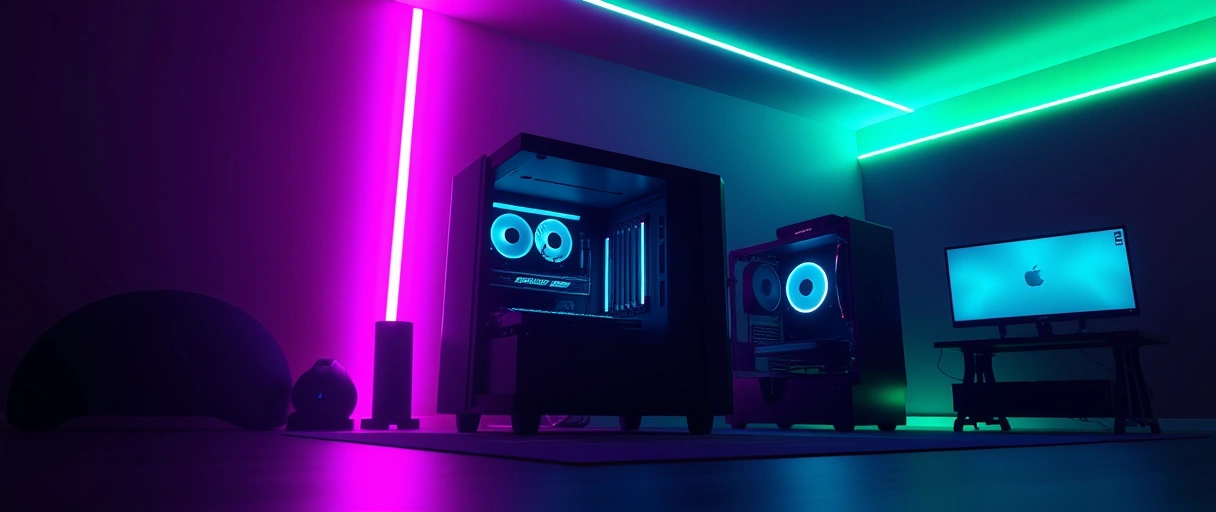
The best connection depends on whether latency, a clean desk, or portability leads. Gaming favors wired or 2.4 GHz, office favors 2.4 GHz or Bluetooth, and travel favors Bluetooth:
- Competitive gaming: wired or a 2.4 GHz dongle keeps latency near 1 ms at 1,000 Hz+ polling.
- Office work: 2.4 GHz or Bluetooth clears the desk; a few milliseconds never affects typing or navigation.
- Travel: Bluetooth pairs to a laptop with no dongle and preserves scarce USB ports.
- Match the workload, the same way the mechanical versus membrane keyboard and how computer mice work choices follow the task.
Best for: one device, multiple machines? Bluetooth. One machine, lowest latency? Wired or a 2.4 GHz dongle.
How Do Wired and Wireless Peripherals Compare on Cost?
Cost differs because wireless adds a radio, receiver, and battery to the same device. A wireless model usually runs 20% to 50% more than the wired version of the same line:
- Wired: the lowest-cost option at any performance tier – the cable replaces the radio and battery.
- 2.4 GHz: carries the premium for the dongle, RF module, and rechargeable pack, often sharing sensor and switches with the wired version.
- Bluetooth-only: can undercut 2.4 GHz gaming models since it reuses the host radio and ships without a dongle, much like budget USB peripherals.
Wired vs Wireless Peripherals Comparison
The table compares the three connection types across the attributes that drive the choice:
| Attribute | Wired (USB) | 2.4 GHz RF Dongle | Bluetooth |
|---|---|---|---|
| Input latency | ~1 ms | ~1 to 2 ms | ~4 to 15 ms |
| Polling rate | 1,000 Hz and higher | 1,000 Hz to 8,000 Hz | ~125 Hz |
| Receiver | Direct USB cable | Dedicated USB dongle | Built-in host radio |
| Battery | None, cable powered | Rechargeable or replaceable | Rechargeable or replaceable |
| Interference risk | None (shielded cable) | Low with frequency hopping | Moderate in busy bands |
| Best use | Competitive gaming | Gaming and clean-desk office | Travel and multi-device |
Last Thoughts on Wired vs Wireless Peripherals
Wired vs wireless peripherals comes down to latency, reliability, battery, and use case. Wired peripherals add about 1 millisecond of latency with no battery, 2.4 GHz RF reaches near-parity over a dedicated dongle at 1,000 Hz, and Bluetooth trades higher latency for dongle-free pairing. The 2.4 GHz band invites interference that a shielded cable avoids, and the battery tradeoff weighs convenience against charging.
Competitive gaming favors wired or 2.4 GHz RF, while travel favors Bluetooth. Readers can continue with the how computer mice work guide, compare mechanical and membrane keyboards, and use the computer hardware guide as the central reference.
Key Takeaways:
- Wired peripherals use a USB cable for data and power, with about 1 millisecond latency and no battery.
- 2.4 GHz RF reaches near-parity with wired, adding 1 to 2 milliseconds over a dedicated dongle at 1,000 Hz.
- Bluetooth carries the highest latency, about 4 to 15 milliseconds, but connects without a dongle.
- Polling rate sets update frequency, with wired and 2.4 GHz at 1,000 Hz and Bluetooth near 125 Hz.
- The 2.4 GHz band invites interference from Wi-Fi and USB 3.0 noise, which a wired cable avoids entirely.
- Connection follows the workload, with gaming favoring wired or 2.4 GHz and travel favoring Bluetooth.
Frequently Asked Questions (FAQs)
Is wired or wireless better for gaming?
Wired and 2.4 GHz RF are both suited to competitive gaming, each adding about 1 millisecond of latency at 1,000 Hz polling. Bluetooth is too slow for competitive play at 4 to 15 milliseconds.
Is 2.4 GHz wireless as fast as wired?
Modern 2.4 GHz RF reaches near-parity with wired, adding 1 to 2 milliseconds at 1,000 Hz polling. Independent testing measures gaming dongles within 1 millisecond of a wired connection.
Why is Bluetooth slower than a 2.4 GHz dongle?
Bluetooth negotiates connection intervals and caps near 125 Hz polling, adding latency. A 2.4 GHz dongle uses a dedicated proprietary protocol tuned for 1,000 Hz reporting and lower delay.
Do wireless peripherals have input lag?
Wireless peripherals add measurable latency: about 1 to 2 milliseconds on 2.4 GHz RF and 4 to 15 milliseconds on Bluetooth. The 2.4 GHz figure is near-imperceptible against wired.
How long do wireless peripheral batteries last?
A wireless gaming mouse lasts about 40 to 90 hours per charge with lighting off, and a wireless keyboard on AA batteries lasts several months. Lighting and high polling rates shorten battery life.
Can 2.4 GHz wireless get interference?
The 2.4 GHz band is shared with Wi-Fi, Bluetooth, and USB 3.0 noise, so interference is possible. Frequency hopping and placing the dongle away from USB 3.0 ports keep the link stable.
About the author

Nizam Ud DeenFounder and Tech Blogger
Muhammad Nizam Ud Deen Usman is the founder of theCoreiTech and the author of The Local SEO Cosmos. He has worked in search since 2014 as an SEO consultant for eCommerce stores and local businesses, specialising in eCommerce SEO, local SEO and technical SEO, and runs SEO Academy and the SEO Community from Multan, Pakistan. He also founded ORM Digital Solutions, a digital agency serving medium and large businesses, and holds a degree from the University of Education, Lahore (Multan Campus). Plerdy lists him among its Best 20+ SEO Experts in Pakistan. Nizam started theCoreiTech in 2012 to make computers easier to understand and use for everyone. More of his work is at nizamuddeen.com.
