
Computer mice work by translating physical hand movement into cursor movement through an optical sensor that images the surface thousands of times per second. The sensor lights the surface with an LED or laser, captures rapid images of the texture, and a digital signal processor compares successive frames to calculate the distance and direction moved.
What Is a Computer Mouse?
A computer mouse is a pointing device that translates physical motion across a surface into cursor movement on the screen. It measures how far and which way it moves, converts that into X and Y coordinate changes, and reports them so the cursor follows.
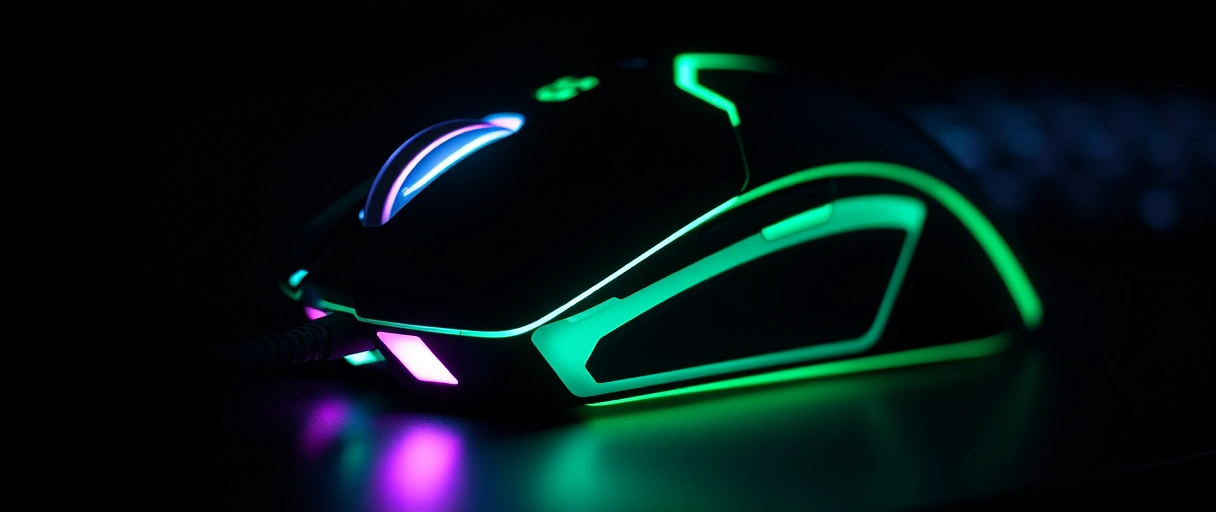
- A primary input device alongside the keyboard, with buttons and a scroll wheel for selection and navigation.
- Modern tracking: an optical or laser sensor replaced the old rubber ball and rollers that wore out and collected debris.
- Three parts complete it: the sensor (motion), the button switches (selection), and the scroll encoder (scrolling).
Sensor
Switches
Scroll encoder
MCU and radio
How Does a Mouse Sensor Track Movement?
A mouse sensor tracks movement by capturing thousands of surface images per second and comparing successive frames to calculate distance and direction. An LED or laser lights a patch, a tiny camera photographs the texture, and a digital signal processor measures how far the pattern shifted between frames.
- Frame rate: modern sensors capture 6,000 to over 12,000 frames per second, so fast motion never loses the pattern.
- Needs texture: the frame-comparison method requires surface detail, which is why plain glass defeats many optical sensors.
- Output: the movement counts feed the coordinate data sent to the PC, and their resolution is the DPI value.
What Is the Difference Between Optical and Laser Sensors?
The difference is the light source: an optical sensor uses an LED, a laser sensor uses a laser diode. The LED gives broad, even illumination; the laser’s coherent light penetrates deeper, revealing finer detail that tracks on glossy surfaces an LED cannot read.
- Laser: historically higher raw DPI and a wider surface range, but can pick up surface noise on textured desks.
- Optical (modern): high-end PixArt sensors (Logitech, Razer) now match or exceed laser DPI while tracking more cleanly on cloth and hard pads.
- Result: optical has become the common choice for gaming mice (full comparison in the table below).
What Does DPI Mean on a Mouse?
DPI means dots per inch – the movement counts the sensor reports for each inch the mouse moves. It measures sensitivity, not speed: higher DPI moves the cursor farther for the same hand movement. At 800 DPI, one inch moves the cursor 800 pixels before any OS scaling.
- Common settings: 400 DPI for precise aim up to 1,600 for general use.
- Marketing ceilings: gaming sensors advertise 16,000 to 30,000+ DPI, but most users run far below.
- Higher is not better: DPI adds no speed or accuracy – lower it for fine aim, raise it for fast navigation.
- What matters as much: polling rate and sensor consistency, not the raw DPI number.
Use the calculator to find your effective DPI (eDPI) and keep the same aim feel if you change mouse DPI.
eDPI = mouse DPI x in-game sensitivity. It keeps your aim consistent across mice and games. Most competitive shooter players sit near 800 eDPI. A higher polling rate (1000-8000 Hz) only helps visibly on a 240 Hz+ monitor.
What Is Polling Rate on a Mouse?
Polling rate means how many times per second the mouse reports its position, measured in hertz. 125 Hz reports every 8 ms, 500 Hz every 2 ms, 1000 Hz every 1 ms – a higher rate lowers the delay between hand movement and cursor update.
- High-end: Razer and Logitech push 4000 Hz and 8000 Hz (every 0.25 / 0.125 ms), but the benefit shrinks at the top.
- Needs the bus: 8000 Hz requires a USB port and cable that can sustain the report frequency.
- Not the same as DPI: DPI sets cursor distance per inch; polling rate sets how often movement is sent.
- Pairs with the display: the latency drop matters most on a high monitor refresh rate.
What Causes Mouse Acceleration and Jitter?
Acceleration and jitter come from software cursor scaling and sensor tracking errors that distort the hand-to-cursor relationship:



- Acceleration: the cursor travels farther when the hand moves faster, so the same distance gives a different cursor distance – it breaks consistent aim, so competitive players disable it.
- Jitter: unwanted small movements when the mouse is still or slow, from sensor noise, a dirty lens, or an unsuitable surface.
- Smoothing and angle snapping reduce jitter but can alter the true motion path, so good sensors aim for low jitter without heavy smoothing.
A clean sensor lens, a textured mousepad, and a quality sensor keep the output a faithful copy of the hand movement.
How Does a Mouse Send Data Wired or Wireless?
A mouse sends data over a USB cable when wired, or a radio link when wireless – the sensor data is identical; only the transport, power source, and latency change:
- Wired: movement and button states over a USB cable to a USB port – direct, no battery, minimal latency.
- 2.4 GHz wireless: a dedicated radio to a receiver dongle reaches latency close to wired, running on a battery.
- Bluetooth: the PC’s built-in radio, with slightly more delay – fine for office, less for gaming.
The wired vs wireless comparison details the latency, battery, and interference trade-offs.
How Do Mouse Switches and the Scroll Encoder Work?
Switches and the scroll encoder work by registering clicks through mechanical switches and measuring wheel rotation through a rotary encoder:
- Switches: each button sits over a small switch (often an Omron rated for 20 to 50 million clicks) that closes a circuit on press.
- Scroll encoder: a notched wheel interrupts a light beam or contacts as it turns, generating a step signal per notch for direction and amount.
- Extras: some mice add a free-spin mode that disengages the notches for rapid scrolling, plus a tilt for horizontal scroll.
Together with the tracking sensor, the switches and encoder complete the mouse as a pointing input device: the sensor handles motion, the switches handle selection, and the encoder handles scrolling.
Optical vs Laser Mouse Sensor Comparison Table
The table compares optical and laser sensors across the light source, surface compatibility, tracking detail, typical DPI, and best use:
| Dimension | Optical Sensor (LED) | Laser Sensor (Laser Diode) |
|---|---|---|
| Light source | Visible or infrared LED | Coherent laser diode |
| Surface tracking | Cloth and hard pads, not plain glass | Wider range including some glossy surfaces |
| Tracking detail | Reads surface texture broadly | Penetrates deeper, reads finer detail |
| Tracking noise | Lower on textured surfaces | Can pick up surface noise on some desks |
| Typical max DPI | 16,000 to 30,000+ on modern sensors | Historically high, now matched by optical |
| Common use | Gaming mice, precision tracking | Multi-surface and office mice |
Polling rate and response time
| Polling rate | Time between updates |
|---|---|
| 125 Hz | 8 ms |
| 500 Hz | 2 ms |
| 1000 Hz | 1 ms |
| 8000 Hz | 0.125 ms |
Last Thoughts on How Computer Mice Work
How computer mice work centers on the sensor: the mouse lights the surface, images its texture thousands of times per second, and compares frames to translate hand motion into cursor coordinates. Optical and laser sensors differ in the light source, DPI sets sensitivity rather than speed, polling rate sets reporting frequency, and switches and a scroll encoder complete the pointing device. Readers can continue with the comparison of mechanical and membrane keyboards, the comparison of wired and wireless peripherals, or the guide to USB standards that carry mouse data, and the computer hardware guide shows how a mouse fits the full system.
Key Takeaways:
- A computer mouse translates surface motion into cursor movement by imaging the surface thousands of times per second and comparing frames.
- Optical sensors use an LED and laser sensors use a laser diode, and modern optical sensors now match laser DPI while tracking more cleanly.
- DPI measures sensitivity, not speed, setting how many cursor counts the sensor reports for each inch the mouse physically moves.
- Polling rate sets how often the mouse reports position, from 125 Hz every 8 ms to 8000 Hz every 0.125 ms, lowering input latency.
- Acceleration and jitter distort tracking, so players disable acceleration and use a clean sensor and textured pad to reduce jitter.
- Switches register clicks and a rotary encoder measures scroll, completing the mouse alongside the motion-tracking sensor.
Frequently Asked Questions (FAQs)
How does a computer mouse track movement?
A mouse sensor lights the surface with an LED or laser, captures thousands of surface images per second, and a processor compares successive frames to calculate distance and direction moved.
What is the difference between an optical and laser mouse?
An optical mouse uses an LED to light the surface, while a laser mouse uses a laser diode that reads finer detail and tracks more surfaces. Modern optical sensors now match laser DPI.
Does higher DPI make a mouse better?
No. DPI measures sensitivity, not accuracy or speed. Higher DPI moves the cursor farther per inch of hand movement. Most users run 400 to 1,600 DPI regardless of the maximum.
What is mouse polling rate?
Polling rate is how many times per second the mouse reports its position. A 1000 Hz rate reports every 1 millisecond, lowering the delay between hand movement and cursor update.
Why does my mouse cursor jitter?
Cursor jitter comes from sensor noise, a dirty sensor lens, or an unsuitable surface such as glass. A clean lens and a textured mousepad reduce the unwanted small movements.
Is a wired or wireless mouse faster?
A wired mouse and a 2.4 GHz wireless mouse reach similar low latency, while Bluetooth adds slightly more delay. Wired connections need no battery and avoid radio interference.
About the author

Nizam Ud DeenFounder and Tech Blogger
Muhammad Nizam Ud Deen Usman is the founder of theCoreiTech and the author of The Local SEO Cosmos. He has worked in search since 2014 as an SEO consultant for eCommerce stores and local businesses, specialising in eCommerce SEO, local SEO and technical SEO, and runs SEO Academy and the SEO Community from Multan, Pakistan. He also founded ORM Digital Solutions, a digital agency serving medium and large businesses, and holds a degree from the University of Education, Lahore (Multan Campus). Plerdy lists him among its Best 20+ SEO Experts in Pakistan. Nizam started theCoreiTech in 2012 to make computers easier to understand and use for everyone. More of his work is at nizamuddeen.com.
