
Mechanical and membrane keyboards differ in the mechanism each key uses to register a keypress. A mechanical keyboard places an individual spring-loaded switch under every key, while a membrane keyboard presses a rubber dome onto a printed membrane sheet – and that one difference drives durability, feel, noise, switch choice, and cost.
What Is the Difference Between Mechanical and Membrane Keyboards?
The difference is that a mechanical keyboard uses an individual physical switch under each key, while a membrane keyboard uses a rubber dome pressed onto a shared membrane sheet:
- Mechanical: each key is a self-contained switch (housing + spring + metal contacts) that actuates independently.
- Membrane: three stacked plastic layers – a rubber dome collapses to push a top conductive layer onto a bottom one through a spacer.
- Knock-on effects: the mechanism changes durability, feel, noise, and cost (a mechanical board needs up to 104 switches; a membrane uses one molded sheet).
How Does a Mechanical Keyboard Register a Keypress?
A mechanical keyboard registers a keypress when the switch stem pushes its metal contacts together at a fixed actuation point partway through the travel:
- Actuation: about 2 mm down, with roughly 4 mm total travel – so the key registers before it bottoms out.
- Force: about 45 g (light) to 60 g+ (heavy), published per Cherry MX switch.
- Lighter typing: you can register a key without pressing it fully, and every key in a heavy multi-key press registers (N-key rollover).
How Does a Membrane Keyboard Register a Keypress?
A membrane keyboard registers a keypress when a rubber dome collapses and pushes a conductive top layer through a spacer hole onto a bottom contact layer:
- Three layers: a printed top membrane, a holed spacer, and a bottom membrane with matching traces.
- The dome supplies the return force (replacing the metal spring) and registers the key near the bottom of the travel.
- Cheap but soft: a shared sheet costs less to make but gives a gradual, mushy feel – it dominates office and bundled input devices.
Which Keyboard Type Is More Durable?
A mechanical keyboard is more durable: individual switches rate for 50-100 million keystrokes against 5-10 million for membrane domes.
- Mechanical: Cherry rates MX switches at 100M; Gateron and Kailh publish 50M+.
- Membrane: the dome loses elasticity, so keys feel mushy or fail after 5-10M presses – worst on the spacebar and WASD.
- Repair: a hot-swap board lets you replace one worn switch; a worn membrane sheet is one molded part.
How Do Typing Feel and Actuation Compare?
Mechanical gives a defined actuation point with crisp feedback; membrane feels soft with a mushy bottom-out:
- Mechanical: actuates partway down, so you feel (and sometimes hear) the moment it registers – encouraging a lighter touch.
- Membrane: registers only as the dome fully collapses near the bottom, so you tend to press each key all the way down.
- Net: the feel is the most noticeable everyday difference, and it follows straight from spring-switch vs rubber-dome.
What Are the Main Mechanical Switch Types?
The main mechanical switch types are linear, tactile, and clicky – differing in the feedback as a key actuates. Cherry colour-codes its MX line and other makers follow:
Linear
Tactile
Clicky
Match the switch to the task; a membrane offers one fixed feel. Newer optical and Hall-effect switches add adjustable actuation (0.1-0.3 mm) on 2026 gaming boards, and hot-swap boards let you change switch type without soldering.
Which Keyboard Type Is Noisier?
A mechanical keyboard is generally noisier: moving switch parts and a hard bottom-out make more sound than a cushioned rubber dome:


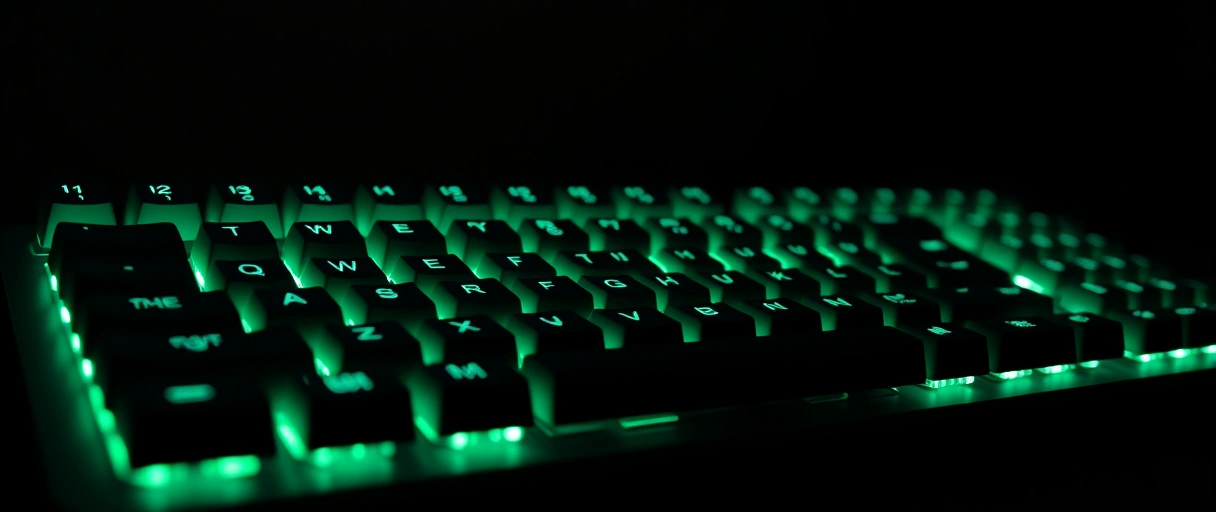
- Loudest: clicky switches (MX Blue) add a deliberate click mechanism.
- Quieter mechanical: linear and tactile still bottom out sharper than a membrane.
- Quietest: a membrane, since the dome absorbs each press. Tame a mechanical with O-rings, silent switches (MX Silent Red), or a foam-lined case.
How Do Latency and N-Key Rollover Differ?
Mechanical keyboards commonly support full N-key rollover and lower latency; many membranes limit simultaneous keys:

- N-key rollover: mechanical registers every key pressed at once (each switch wires to the matrix independently).
- Membrane: a shared matrix often supports only 2-key or 6-key rollover, so multiple presses can ghost (some fail to register).
- Polling rate (125 Hz to 1000 Hz+ over USB) affects latency more than the switch type; gaming boards add anti-ghosting around WASD.
How Do Cost and Repairability Compare?
Membrane costs less to buy; mechanical costs more but allows per-switch repair:
- Membrane: one molded sheet plus a single stack – cheap to make, low retail price.
- Mechanical: up to 104 switches plus a steel or aluminium plate – well above a comparable membrane.
- Total cost: a hot-swap mechanical’s longer life and serviceability can win over years for a heavy user.
Mechanical vs Membrane Keyboard Comparison Table
The table compares mechanical and membrane keyboards across mechanism, durability, feel, noise, rollover, cost, and repairability:
| Dimension | Mechanical Keyboard | Membrane Keyboard |
|---|---|---|
| Switching mechanism | Individual spring switch per key | Rubber dome over a shared membrane sheet |
| Durability rating | 50 to 100 million keystrokes per switch | 5 to 10 million keystrokes per dome |
| Typing feel | Defined actuation point, crisp feedback | Soft, cushioned, mushy bottom-out |
| Actuation point | Partway through travel, near 2 mm | Near full travel as the dome collapses |
| Switch options | Linear, tactile, clicky (Cherry MX) | Single fixed rubber-dome feel |
| Noise | Higher, loudest on clicky switches | Lowest, dome dampens each press |
| N-key rollover | Commonly full N-key rollover | Often 2-key or 6-key, ghosting risk |
| Cost | Higher upfront price | Lower upfront price |
| Repairability | Per-switch swap on hot-swap boards | Rarely repairable, molded sheet |
Last Thoughts on Mechanical vs Membrane Keyboards
Mechanical vs membrane keyboards comes down to the switching mechanism: individual spring switches give a mechanical keyboard its 50-million-keystroke durability, defined actuation, switch variety, and full N-key rollover, while the rubber dome of a membrane keyboard delivers a quieter, cheaper, softer typing surface that wears out sooner. A heavy typist or competitive gamer benefits from the mechanical design, while a budget office build suits a membrane keyboard. Readers can continue with the explanation of how computer mice work, the comparison of wired and wireless peripherals, or the guide to USB standards that carry keyboard data, and the computer hardware guide shows how a keyboard fits the full system.
Key Takeaways:
- Mechanical keyboards use individual spring switches under each key, while membrane keyboards press a rubber dome onto a shared membrane sheet.
- Mechanical switches rate for 50 to 100 million keystrokes, far above the 5 to 10 million keystrokes a membrane rubber dome lasts.
- Mechanical keyboards give a defined actuation point partway through travel, while membrane keyboards feel soft and register near full bottom-out.
- Cherry MX switches come in linear, tactile, and clicky types, marked Red, Brown, and Blue, while membrane keyboards offer one fixed feel.
- Mechanical keyboards commonly support full N-key rollover, while many membrane keyboards limit simultaneous keys and can ghost.
- Membrane keyboards cost less upfront, while mechanical keyboards cost more but allow per-switch repair and last longer.
Frequently Asked Questions (FAQs)
Are mechanical keyboards better than membrane keyboards?
Mechanical keyboards last longer, give defined feedback, and support full N-key rollover, while membrane keyboards cost less and run quieter. The better choice depends on typing, gaming, or office use.
How long do mechanical and membrane keyboards last?
Mechanical switches rate for 50 to 100 million keystrokes per switch, while membrane rubber domes last 5 to 10 million keystrokes before the return force weakens and keys feel mushy.
What is the difference between Cherry MX Red, Brown, and Blue?
Cherry MX Red is linear with no bump, Brown is tactile with a bump at actuation, and Blue is clicky with both a bump and an audible click.
Are membrane keyboards quieter than mechanical?
Yes. A membrane keyboard is quieter because the rubber dome cushions each press. Mechanical keyboards are louder, and clicky switches such as the Cherry MX Blue are the loudest.
Do membrane keyboards have N-key rollover?
Most membrane keyboards support only 2-key or 6-key rollover and can ghost during multiple presses. Mechanical keyboards commonly support full N-key rollover for simultaneous key presses.
Why do mechanical keyboards cost more?
A mechanical keyboard needs up to 104 individual switches plus a metal plate, while a membrane keyboard uses one molded rubber sheet, so mechanical manufacturing costs more.
About the author

Nizam Ud DeenFounder and Tech Blogger
Muhammad Nizam Ud Deen Usman is the founder of theCoreiTech and the author of The Local SEO Cosmos. He has worked in search since 2014 as an SEO consultant for eCommerce stores and local businesses, specialising in eCommerce SEO, local SEO and technical SEO, and runs SEO Academy and the SEO Community from Multan, Pakistan. He also founded ORM Digital Solutions, a digital agency serving medium and large businesses, and holds a degree from the University of Education, Lahore (Multan Campus). Plerdy lists him among its Best 20+ SEO Experts in Pakistan. Nizam started theCoreiTech in 2012 to make computers easier to understand and use for everyone. More of his work is at nizamuddeen.com.
