
CPU coolers work by moving heat away from the processor through a chain of conduction and convection that ends with a fan pushing the heat into the air. The cooler draws heat from the die, across the thermal paste, into a baseplate, through heat pipes, out across a fin stack, and finally into moving air – conduction through the solid metal, convection into the air the fan moves.
What Is a CPU Cooler?
A CPU cooler is a device that removes heat from a processor to keep it within its safe operating temperature. It contacts the CPU’s heat spreader through thermal paste, conducts the heat into a heatsink or liquid block, and a fan releases it into the air.
- Why it is needed: a modern CPU turns 65 to 250+ watts of power into heat, pushing the die toward its ~100 C limit (Tjmax).
- Two forms: an air cooler (heat pipes + fins) or a liquid cooler (pump + radiator) – both conduct heat away and convect it into the air.
- Both depend on a correct thermal-paste layer to bridge the CPU and the cooler.
How Does Heat Travel From the CPU to the Air?
Heat travels from the CPU to the air through a fixed chain of conduction steps that ends in convection at the fins:
- The CPU die generates heat from billions of switching transistors and conducts it up into the silicon surface.
- The integrated heat spreader (the metal lid) spreads the concentrated die heat across a wider area.
- Thermal paste fills the microscopic gaps between the spreader and the cooler baseplate for better conduction.
- The baseplate or cold plate conducts the heat from the paste into the body of the cooler.
- Heat pipes or a vapour chamber carry the heat rapidly to the fin stack through phase change.
- The fin stack spreads the heat across a large surface area exposed to air.
- The fan pushes air across the fins, where convection carries the heat out of the cooler.
Each step adds thermal resistance, so a weak link – too much paste or a dusty fin stack – raises the whole CPU temperature. A liquid cooler swaps the heat pipes and fins for coolant, a radiator, and radiator fans, but follows the same conduction-then-convection path.
What Is the Difference Between Conduction and Convection?
Conduction and convection differ in whether heat moves through a solid material or through a moving fluid. Conduction carries heat from the die through the spreader, paste, baseplate, heat pipes, and fins; convection – the fan moving air across the fins – carries it away.
- Copper beats aluminium (~400 vs 235 W/mK), so coolers pair copper baseplates and heat pipes with aluminium fins.
- The fan sets the convection rate – higher airflow removes more heat per second.
How Do Heat Pipes Work?
Heat pipes work by moving heat through phase change – evaporating a fluid at the hot end and condensing it at the cool end. A sealed copper tube holds a little working fluid (usually water) under low pressure, with a wick lining the wall.

- The cycle: fluid absorbs heat at the baseplate and evaporates, the vapour travels to the fin end, releases the heat, and condenses back to liquid.
- No pump needed: the wick draws the liquid back by capillary action, so the cycle repeats on its own.
- Far faster than solid copper: phase change moves many times the heat of a solid rod the same size (the Noctua NH-D15 uses six pipes).
A vapour chamber applies the same principle in a flat sealed plate, spreading heat across the whole base before it enters the heat pipes.
How Does the Fin Stack Dissipate Heat?
The fin stack dissipates heat by spreading it across a large surface area the fan moves air through. Thin aluminium plates attach to the heat pipes, and the total fin area sets how much heat the cooler convects away.
- More area, more cooling: a dual-tower cooler (0.5+ m² of fin area) dissipates more than a compact single tower.
- Fin spacing is a trade-off: tightly packed fins add area but need higher-static-pressure fans to push air through (a radiator is denser still).
- Dust insulates: a dusty fin stack cuts convection, so cleaning it restores cooling and helps lower CPU temperature.
How Do Fan Airflow and Static Pressure Affect Cooling?
Fan airflow and static pressure set how much air moves through the fins and how forcefully it pushes against resistance. Airflow (CFM) is the volume moved; static pressure (mm of water) is the force against dense fins.



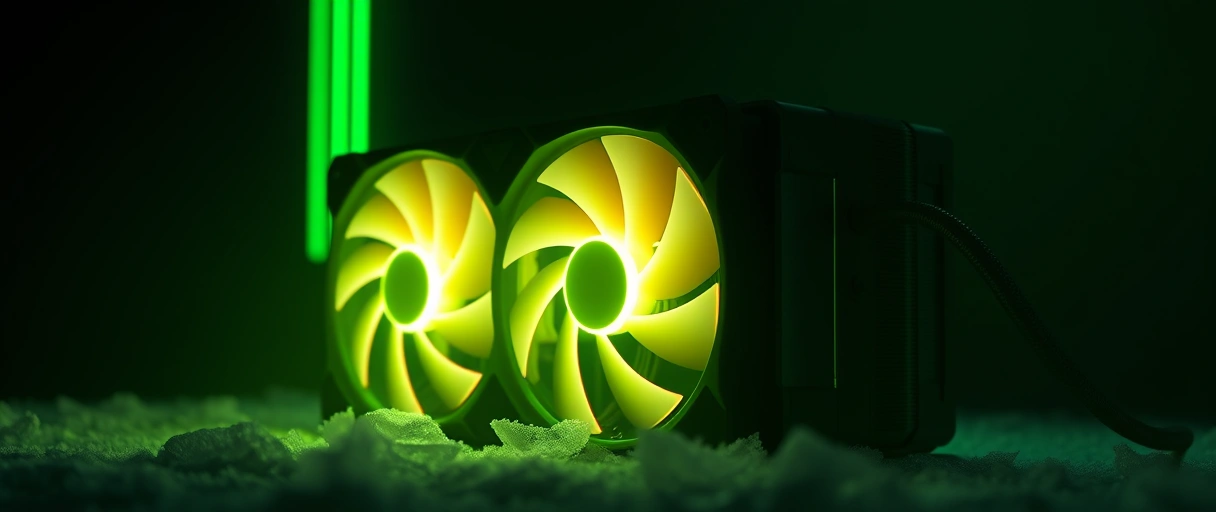
- Match the fan to the fins: dense fins or a radiator need a high-static-pressure fan, while an open heatsink benefits from a high-airflow fan (see case fans).
- Size and noise: a 120-140 mm fan at 1,200-2,000 RPM balances airflow and noise; a 140 mm moves the same air slower, so quieter.
- Fan curve: tie speed to CPU temperature so the fan stays slow until the chip heats up.
How Does TDP Relate to Cooler Rating?
TDP relates to cooler rating because a cooler must dissipate at least the thermal design power the CPU produces under load. TDP is the sustained heat in watts at base spec (65, 125, 170 W); a cooler’s dissipation rating states how much heat it removes at a given temperature difference.
- Match above TDP, with headroom: chips exceed base TDP on boost, drawing package power of 200-250 W on a Core i9 or Ryzen 9.
- Under-rated runs hot: a cooler below the sustained output cannot hold the temperature, which forces throttling.
| Component | Material / Type | Role in Heat Transfer |
|---|---|---|
| Integrated heat spreader | Copper or nickel-plated lid | Spreads concentrated die heat across a wider area |
| Thermal paste | Silicone, metal oxide, liquid metal | Fills microscopic gaps for better conduction |
| Baseplate / cold plate | Copper or direct-contact heat pipes | Conducts heat from the paste into the cooler |
| Heat pipes | Sealed copper tubes with fluid | Carry heat to the fins through phase change |
| Vapor chamber | Flat sealed phase-change plate | Spreads heat evenly across the base |
| Fin stack | Aluminum plates | Provides surface area for convection |
| Fan | 120 or 140 mm PWM fan | Moves air across the fins to remove heat |
How Does a CPU Cooler Prevent Thermal Throttling?
A CPU cooler prevents thermal throttling by holding the die below Tjmax – the ~100 C point where the chip cuts its clock to protect the silicon:
- Below Tjmax: the CPU sustains its full boost clock and performance.
- At Tjmax: an undersized cooler triggers throttling, losing 10 to 30 percent of clock speed under heavy load.
- Overclocking raises heat and throttling risk, so it demands a larger cooler – and good case airflow supplies the cool air the cooler needs.
Last Thoughts on How CPU Coolers Work
How CPU coolers work comes down to a heat-transfer chain: conduction carries heat from the CPU die through the heat spreader, thermal paste, baseplate, heat pipes, and fins, then convection carries it from the fins into the air a fan moves. Heat pipes accelerate the transfer through phase change, the fin stack provides the surface area, and the fan sets the convection rate.
A cooler rated above the processor TDP holds the die below Tjmax and prevents the clock-speed loss of thermal throttling. Readers can continue with the air versus liquid cooling comparison, the guide to applying thermal paste, or the explanation of case fans, and the computer hardware guide places the cooler within the full system.
Key Takeaways:
- A CPU cooler removes processor heat through a chain of conduction steps that ends with a fan convecting heat into the air.
- Conduction carries heat through solid metal, while convection carries it from the fins into the air the fan moves.
- Heat pipes move heat through phase change, evaporating fluid at the hot end and condensing it at the fin end far faster than solid copper.
- The fin stack provides surface area, so more fins and larger fins raise the heat a cooler dissipates into the air.
- A cooler must be rated above the processor TDP to hold the die below Tjmax and prevent thermal throttling.
Frequently Asked Questions (FAQs)
How does a CPU cooler work?
A CPU cooler conducts heat from the processor through thermal paste into a baseplate, through heat pipes to a fin stack, then a fan convects the heat into the air.
What do heat pipes do in a CPU cooler?
Heat pipes move heat through phase change. Fluid evaporates at the hot baseplate end, travels to the fins, condenses, and returns by capillary action, transferring heat faster than solid copper.
Why does a CPU cooler need thermal paste?
Thermal paste fills the microscopic gaps between the processor heat spreader and the cooler baseplate. The paste replaces insulating air pockets to improve heat conduction into the cooler.
What is the difference between conduction and convection in cooling?
Conduction moves heat through solid metal from the CPU to the fins. Convection moves heat from the fin surface into the air the fan pushes across the cooler.
What does TDP mean for a cooler?
TDP is the sustained heat in watts a processor produces. A cooler must be rated above the TDP, with headroom, to dissipate the heat and prevent thermal throttling.
How does a cooler stop thermal throttling?
A cooler stops throttling by holding the die below Tjmax, around 100 degrees Celsius. Below that limit the processor sustains its boost clock instead of reducing speed.
About the author

Nizam Ud DeenFounder and Tech Blogger
Muhammad Nizam Ud Deen Usman is the founder of theCoreiTech and the author of The Local SEO Cosmos. He has worked in search since 2014 as an SEO consultant for eCommerce stores and local businesses, specialising in eCommerce SEO, local SEO and technical SEO, and runs SEO Academy and the SEO Community from Multan, Pakistan. He also founded ORM Digital Solutions, a digital agency serving medium and large businesses, and holds a degree from the University of Education, Lahore (Multan Campus). Plerdy lists him among its Best 20+ SEO Experts in Pakistan. Nizam started theCoreiTech in 2012 to make computers easier to understand and use for everyone. More of his work is at nizamuddeen.com.
