
Motherboard chipsets are the controller silicon that decides which features, expansion lanes, ports, and overclocking options a board supports. The chipset works alongside the processor to manage input-output and connectivity, and its tier sets the board’s capability ceiling. Intel and AMD each split their chipsets into tiers, named with a letter and number such as Z890, B860, X870E, and B850, that signal the overclocking, PCI Express lanes, and connectivity each board offers.
What Is a Motherboard Chipset?
A motherboard chipset is the controller that manages input-output, expansion lanes, and connectivity between the CPU and the rest of the board:
- One hub chip: on current Intel and AMD platforms the chipset is a single Platform Controller Hub, one of the core components that make a motherboard work.
- It expands I/O: it adds USB ports, SATA ports, and secondary PCI Express lanes beyond the few the CPU provides, sitting between the processor and slower peripherals.
- It is socket-bound: the chipset pairs with a specific CPU socket, and the two together define which processors the board accepts.
What Does the Chipset Determine?
The chipset determines the board’s overclocking support, expansion lanes, port counts, and memory capability. Each tier enables or restricts specific features, which sets the capability ceiling of every board built on it:
- Overclocking support, whether the board can raise CPU and memory frequency above stock, unlocked only on higher tiers (Intel Z, AMD X, plus AMD B850).
- PCI Express lane count, how many expansion and storage devices the chipset connects beyond the lanes the CPU provides.
- USB and SATA ports, how many drives and peripherals the board supports; higher tiers offer more and faster ports.
- Memory support, the supported memory generation and the maximum officially rated speed, including XMP (Intel) or EXPO (AMD) profiles.
- RAID and connectivity, RAID array support plus integrated Wi-Fi, Thunderbolt or USB4, and the number of M.2 slots, all scaling with the tier.
Memory overclocking through Intel XMP or AMD EXPO depends on the chipset too, since lower tiers (Intel H810) lock memory to the processor’s base speed. The chipset’s feature set, combined with the board power delivery, decides how much performance a builder can extract from a given processor.
How Do Intel Chipset Tiers Work (Z, B, H)?
Intel chipset tiers work through a letter prefix that signals the feature level, with Z at the top, B in the middle, and H at the entry level. On the current 800-series for Arrow Lake / Core Ultra 200 processors:
Z890 (enthusiast)
B860 (mainstream)
H810 (budget)
The number after the letter is the generation: an 800-series chipset pairs with Core Ultra 200 (Arrow Lake) processors on the LGA1851 socket, while the older 700-series (Z790, B760, H610) served 12th to 14th gen on LGA1700. An unlocked K processor needs Z890 to overclock; this feeds the broader motherboard selection process.
How Do AMD Chipset Tiers Work (X, B, A)?
AMD chipset tiers work through a letter prefix where X is the top tier, B is mainstream, and A or budget-B is the entry tier. On the current AM5 800-series for Ryzen 7000 and 9000:
- X870E and X870 (high-end): full CPU and memory overclocking, mandatory USB4 (usually dual rear USB4 Type-C), and mandatory PCIe 5.0 on both the graphics and primary M.2 slots. X870E roughly doubles the X870’s chipset PCIe lanes, USB, and SATA.
- B850 (mainstream): still allows CPU and memory overclocking, with mandatory PCIe 5.0 on the primary M.2 (PCIe 5.0 graphics optional), the AM5 value sweet spot.
- B840 (budget): no CPU overclocking (memory tuning only) and capped at PCIe 4.0, for the lowest-cost AM5 builds.
The 800-series chipsets pair with Ryzen 7000 and 9000 processors on the AM5 socket (the older 600-series, X670E, B650, served the first AM5 wave). The AMD tier sets the lane count and overclocking headroom for the chosen processor.
What Is the Difference Between Chipset Lanes and CPU Lanes?
Chipset lanes and CPU lanes differ in whether the PCI Express lanes originate from the processor or from the chipset:

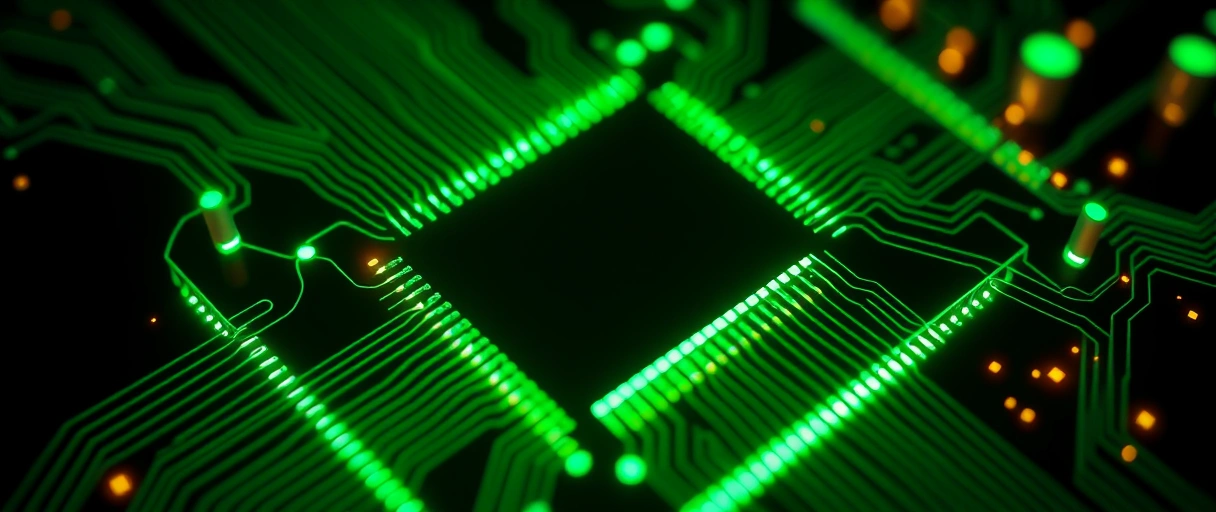
- CPU lanes: a fixed set of high-speed PCI Express lanes the processor provides directly, the primary graphics card (x16) and one PCIe 5.0 M.2 slot, at the lowest latency.
- Chipset lanes: additional lanes for secondary slots, extra M.2 drives, network controllers, and USB, all routed through the chipset.
- The shared link: chipset lanes funnel back to the CPU over one link, DMI on Intel, Infinity Fabric on AMD, so they share that bandwidth.
Because the chipset aggregates its devices over that one link, heavy simultaneous use of chipset-attached devices (several NVMe drives, a capture card) can saturate it, while CPU-attached devices always run at full bandwidth. The board manual labels which slots are CPU-direct, so place the graphics card and fastest SSD there.
How Do You Match a Chipset to a CPU and Needs?
Matching a chipset to a CPU and needs works by confirming socket and generation compatibility, then picking the tier that enables the required features:

- Check the socket: the chipset must support the processor’s CPU socket and generation, an LGA1851 chipset cannot accept an AM5 chip.
- Check the firmware: a newer processor may need a BIOS update on an older same-socket chipset before it will boot.
- Then pick by feature: an unlocked Intel K chip or any overclocking build needs Z890 or X870/X870E; a mainstream build fits B860 or B850; a budget build fits H810 or B840.
The processor’s architecture and core count also influences the needed power delivery, which higher tiers usually provide more robustly. Matching the chipset to both the socket and the workload avoids paying for unused features or lacking required ones.
How Do Intel and AMD Chipset Tiers Compare?
The Intel and AMD chipset tiers map to comparable feature levels, though the brands differ in which tiers allow CPU overclocking. The table compares the current desktop tiers by overclocking support, relative lane count, and target build:
| Tier | Example | CPU Overclocking | Relative Lanes / Ports | Target Build |
|---|---|---|---|---|
| Intel Z | Z890 | Yes | Most | Enthusiast and overclocking |
| Intel B | B860 | No | Mid | Mainstream |
| Intel H | H810 | No | Fewest | Budget |
| AMD X | X870E | Yes | Most, PCIe 5.0 + USB4 | Enthusiast and overclocking |
| AMD B | B850 | Yes | Mid, PCIe 5.0 M.2 | Mainstream |
| AMD A/B (budget) | B840 | No | Fewest, PCIe 4.0 | Budget |
How Does the Chipset Affect Connectivity Features?
The chipset affects connectivity because the tier sets how many M.2 slots, USB ports, and integrated controllers the board can offer:
- Higher tiers (Z890, X870E): expose more chipset PCIe lanes, so boards add extra M.2 slots, more rear USB including high-speed USB-C, USB4 or Thunderbolt, and onboard Wi-Fi 7 or 2.5/5-gigabit Ethernet.
- Lower tiers (H810, B840): provide fewer lanes, so boards carry fewer M.2 slots and fewer fast USB ports.
- Fastest standards gated: USB4 is mandatory on AMD X870/X870E; the fastest USB and Thunderbolt otherwise need a higher tier or a dedicated controller.
The connectivity a build needs, multiple NVMe drives, USB4, fast networking, therefore guides the chipset choice as much as the power delivery does. The tier directly sets the count and speed of the peripheral connections the board provides.
Do Chipsets Affect Gaming and Everyday Performance?
Chipsets affect performance only indirectly, since the processor and memory determine most gaming and everyday speed:
- Same CPU, same FPS: a graphics card in the primary PCI Express slot uses CPU lanes, not the chipset, so the tier does not change frame rates with the same processor and memory.
- Indirect lever: a tier that allows XMP or EXPO memory overclocking can run faster RAM, which helps memory-bandwidth-bound CPU cores.
- Everyday wash: once the processor and storage are fixed, the tier makes no measurable difference for daily tasks.
Last Thoughts on Motherboard Chipsets
Motherboard chipsets set the feature ceiling of a board by controlling overclocking, expansion lanes, ports, RAID, and memory support. Intel’s current tiers run Z890 > B860 > H810 on LGA1851, and AMD’s run X870E and X870 > B850 > B840 on AM5, with AMD allowing CPU overclocking on more tiers than Intel and mandating USB4 on its X-series. Read the chipset name to confirm socket and generation compatibility first, then match the tier to the workload.
Readers can continue with the guide to CPU sockets, the explanation of how motherboards work, or the motherboard selection process. The computer hardware guide connects the chipset choice to the rest of the build.
Key Takeaways:
- A chipset is the board’s controller, managing input-output, expansion lanes, ports, RAID, and connectivity between the CPU and peripheral devices.
- The chipset determines overclocking, lanes, and ports, setting the capability ceiling of every board built on it.
- Intel’s current tiers run Z890, B860, then H810 on LGA1851, with only Z890 supporting CPU overclocking and offering the most lanes (24 chipset PCIe 4.0).
- AMD’s current tiers run X870E and X870, B850, then B840 on AM5, with every tier except budget B840 supporting CPU overclocking and X-series mandating USB4.
- CPU lanes connect directly to the processor, while chipset lanes share one DMI or Infinity Fabric link, so heavy chipset devices can saturate it.
- The chipset must match the socket and generation, after which the tier is chosen to match the required features.
Frequently Asked Questions (FAQs)
What does a motherboard chipset do?
A motherboard chipset manages input-output and connectivity, expanding the USB ports, SATA ports, and secondary PCI Express lanes available beyond those the CPU provides directly.
What is the difference between Z890 and B860?
The Z890 supports CPU, BCLK, and memory overclocking and offers the most lanes (24 chipset PCIe 4.0) and ports, while the B860 locks CPU overclocking but still supports memory overclocking at a lower cost (14 chipset lanes).
Can I overclock on a B850 motherboard?
Yes. AMD allows CPU and memory overclocking on the B850 chipset, unlike Intel, which restricts CPU overclocking to its top Z tier. Only AMD’s budget B840 locks CPU overclocking.
Does the chipset affect which CPU I can use?
Yes. The chipset must match the CPU socket and processor generation. An LGA1851 chipset cannot run an AM5 processor, and newer chips may need a firmware update.
What is the difference between CPU lanes and chipset lanes?
CPU lanes connect directly to the processor for the graphics card and fast storage, while chipset lanes serve secondary devices and share one DMI or Infinity Fabric link to the CPU.
What does the E in X870E mean?
The E in X870E stands for Extended, indicating the most chipset PCI Express 5.0 lanes, USB ports, and SATA connections, roughly doubling the standard X870 for heavier expansion.
About the author

Nizam Ud DeenFounder and Tech Blogger
Muhammad Nizam Ud Deen Usman is the founder of theCoreiTech and the author of The Local SEO Cosmos. He has worked in search since 2014 as an SEO consultant for eCommerce stores and local businesses, specialising in eCommerce SEO, local SEO and technical SEO, and runs SEO Academy and the SEO Community from Multan, Pakistan. He also founded ORM Digital Solutions, a digital agency serving medium and large businesses, and holds a degree from the University of Education, Lahore (Multan Campus). Plerdy lists him among its Best 20+ SEO Experts in Pakistan. Nizam started theCoreiTech in 2012 to make computers easier to understand and use for everyone. More of his work is at nizamuddeen.com.
