
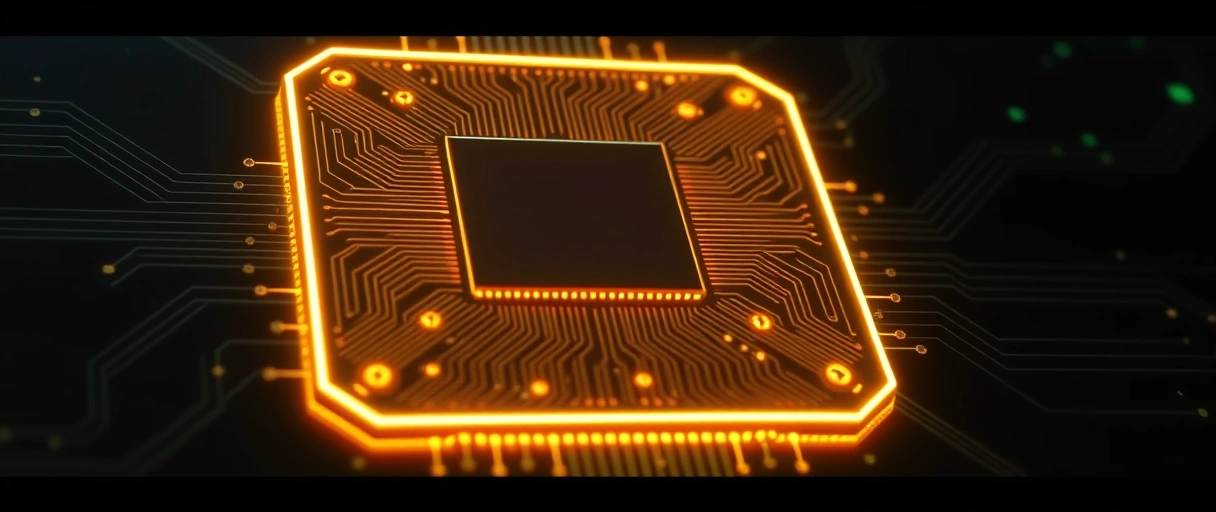
A CPU socket is the connector that mounts a processor onto a motherboard and wires its contacts to the board’s buses and power circuit. The socket type decides which processors a board accepts and where the pins sit between the chip and the board. There are three designs: LGA puts the pins on the socket, PGA puts the pins on the processor, and BGA solders the processor straight to the board.
What Is a CPU Socket?
A CPU socket is the connector that mounts the processor to the motherboard and links its contacts to the board’s buses and power:
- What it connects: the memory bus, the PCI Express lanes, the chipset link, and the power-delivery circuit all meet at the socket.
- How it holds the chip: a retention arm or load plate clamps the processor against hundreds-to-thousands of contacts; the cooler mounts on top.
- Why it matters: the socket pairs with a specific motherboard chipset, and the two together decide which processors the board accepts.
What Is an LGA Socket?
An LGA (land grid array) socket is a design where the fragile pins sit on the socket and the processor presents flat contact pads:
- Pins on the board: the CPU has flat gold pads; a metal load plate presses them onto the socket pins.
- Who uses it: all current Intel desktop chips – and AMD switched to LGA with AM5 (1,718 contacts), reversing decades of pin-on-chip packaging.
- Why it won: LGA supports very high pin counts for wide memory channels and many PCIe lanes, and a bent pin damages the (replaceable) socket, not the CPU.
What Is a PGA Socket?
A PGA (pin grid array) socket is a design where the pins sit on the processor and drop into holes in the socket:
- Pins on the chip: the underside of the CPU carries the pins; a zero-insertion-force lever clamps them without forcing.
- Who used it: AMD desktop platforms through the AM4 socket (1,331 pins); Intel had already standardized on LGA.
- Where you still see it: AM4 is legacy but still sold for budget DDR4 builds, so PGA remains in service – a bent pin here is on the (carefully fixable) CPU.
What Is a BGA Package?
A BGA (ball grid array) package is a design where the processor is soldered straight to the board through an array of solder balls:
- Not a socket: the chip is fixed during manufacturing – it cannot be removed, replaced, or upgraded.
- Who uses it: laptops, tablets, mini-PCs, and embedded systems, where a removable socket would add height and bulk.
- The trade: BGA wins on space and vibration reliability but loses all upgradeability – a laptop CPU is fixed for the life of the device.
What Are the Current Intel and AMD Sockets?
The current desktop sockets are Intel LGA1851, Intel LGA1700, and AMD AM5 – all land grid array designs:

Intel LGA1851
Intel LGA1700
AMD AM5
AMD AM4
Each socket pairs with specific chipset tiers (for example Intel Z890 on LGA1851 or AMD X670E on AM5). Both AM5 and LGA1851 are DDR5-only; LGA1700 was the last mainstream socket to span DDR4 and DDR5. The key facts per socket:
- Intel LGA1851 uses 1,851 contacts and supports Core Ultra Series 2 (Arrow Lake) desktop processors with DDR5 memory.
- Intel LGA1700 uses 1,700 contacts and supports 12th through 14th generation Core processors with DDR4 or DDR5 memory by board.
- AMD AM5 uses 1,718 contacts in an LGA design and supports Ryzen 7000 and newer processors with DDR5 memory only.
- AMD AM4 uses a PGA design with 1,331 pins and supports Ryzen processors through the 5000 series on DDR4 memory.
How Does the Socket Determine CPU and Chipset Compatibility?
The socket sets compatibility because a processor’s contact layout must match the socket, and the chipset must support that socket and generation:
- Physical fit: a processor enters only the socket it was built for – an AM5 chip cannot drop into an LGA1700 socket.
- Chipset gate: the chipset on the board must support both the socket and the CPU generation.
- Firmware gate: even within one socket, a newer CPU can need a BIOS update on an older board before it boots.
How Should a Processor Be Installed and Handled?
Install a processor by aligning the orientation marker, lowering it with zero force, and closing the retention mechanism:



- Align the marker – match the gold triangle on the CPU corner to the triangle on the socket corner so the contacts line up.
- Lower it straight down into the socket without tilting or pressing; let gravity seat it (it should drop in with no force).
- Close the retention mechanism – lower the load plate or lever to clamp the chip evenly against the contacts.
- Apply thermal paste and mount the cooler so heat moves from the heat spreader into the cooling solution.
- Hold by the edges only – never touch the pins or pads; oils and bends both cause failures.
- Leave the socket cap on until the last second on LGA; the exposed pins bend easily once it is off.
- Even cooler pressure keeps the chip seated and the power delivery stable under load.
How Does Platform Longevity Compare (AM5 vs Intel)?
Platform longevity compares AM5’s multi-year support against Intel’s short socket lifespans:
- AMD AM5: committed through 2029 – roughly a seven-year window spanning Zen 4, Zen 5, and Zen 6, often after only a BIOS update.
- Intel LGA1700: three generations (Alder/Raptor Lake + refresh), then replaced.
- Intel LGA1851: short – Arrow Lake only, with Nova Lake jumping to LGA1954 in late 2026, so an Intel upgrade usually means a new board.
How Do the Socket Types Compare?
The three designs differ in where the pins sit and which devices use them. The table compares LGA, PGA, and BGA by pin location, replaceability, and examples:
| Socket Type | Pin Location | Replaceable | Examples |
|---|---|---|---|
| LGA (land grid array) | Pins on the socket | Yes | Intel LGA1700, LGA1851; AMD AM5 |
| PGA (pin grid array) | Pins on the processor | Yes | AMD AM4 and earlier |
| BGA (ball grid array) | Soldered to the board | No | Laptop and mobile processors |
Last Thoughts on CPU Sockets
CPU sockets define how a processor mounts to a board and which processors that board accepts. LGA puts the pins on the socket and is used by Intel and AMD AM5, PGA puts the pins on the chip and defined AMD through AM4, and BGA solders the processor into laptops. Among current desktop platforms, Intel LGA1851 and LGA1700 and AMD AM5 each pair with specific chipsets – and AM5’s support through 2029 gives it by far the longest upgrade window.
Readers can continue with the guide to motherboard chipsets, the explanation of how motherboards work, or the motherboard selection process. The computer hardware guide links the socket to the matching processor and board.
Key Takeaways:
- A CPU socket mounts the processor and links its contacts to the memory bus, PCIe lanes, chipset, and power circuit.
- LGA places pins on the socket – Intel and AMD AM5 both use it, so a bent pin risks the board, not the chip.
- PGA places pins on the processor – AMD through AM4 (still sold for budget DDR4 builds); a bent pin is on the CPU.
- BGA solders the processor down in laptops and mini-PCs, where the chip can never be replaced or upgraded.
- Current desktop sockets are LGA1851, LGA1700, and AM5, all LGA; both AM5 and LGA1851 are DDR5-only.
- AM5 offers the longest longevity (support through 2029); LGA1851 is short-lived as Intel moves to LGA1954 in late 2026.
Frequently Asked Questions (FAQs)
What is the difference between LGA and PGA sockets?
LGA places the pins on the socket and flat pads on the processor, while PGA places the pins on the processor. A bent LGA pin damages the board, a bent PGA pin the chip.
What socket does the current AMD CPU use?
Current AMD Ryzen 7000 and newer processors use the AM5 socket, a land grid array design with 1,718 contacts that replaced the long-running AM4 PGA socket.
Can I upgrade a laptop CPU?
No, in most cases. Laptop processors use BGA packaging, soldered directly to the board, so they cannot be removed or replaced like a desktop socketed processor.
Does the socket determine which CPU fits?
Yes. A processor physically fits only its designed socket, and the board’s chipset must support that socket and generation, so the socket defines CPU compatibility.
How many pins does the LGA1700 socket have?
The Intel LGA1700 socket has 1,700 contacts. It supports 12th, 13th, and 14th generation Core processors with either DDR4 or DDR5 memory depending on the board.
Which platform lasts longer, AM5 or Intel?
AMD AM5 lasts longer, with committed support through 2029, while Intel changes sockets more often, so an Intel upgrade more frequently requires a new board.
About the author

Nizam Ud DeenFounder and Tech Blogger
Muhammad Nizam Ud Deen Usman is the founder of theCoreiTech and the author of The Local SEO Cosmos. He has worked in search since 2014 as an SEO consultant for eCommerce stores and local businesses, specialising in eCommerce SEO, local SEO and technical SEO, and runs SEO Academy and the SEO Community from Multan, Pakistan. He also founded ORM Digital Solutions, a digital agency serving medium and large businesses, and holds a degree from the University of Education, Lahore (Multan Campus). Plerdy lists him among its Best 20+ SEO Experts in Pakistan. Nizam started theCoreiTech in 2012 to make computers easier to understand and use for everyone. More of his work is at nizamuddeen.com.
