
CPU clock speed is the rate at which a processor steps through clock cycles, measured in gigahertz (GHz). A clock speed of 4.0 GHz means the core ticks 4 billion times per second, and each tick advances work through the pipeline. Clock speed is only one input to performance: how much a core finishes per tick (IPC) and how many cores it has matter just as much, which is why a higher GHz number alone does not make one processor faster than another.
What Is CPU Clock Speed?
CPU clock speed is the number of clock cycles a processor core completes each second, expressed in gigahertz:
- The unit: 1 hertz = 1 cycle/sec; 1 MHz = 1 million/sec; 1 GHz = 1 billion/sec. A 4.5 GHz core ticks 4.5 billion times every second.
- What a cycle does: each tick paces the core one step through its instruction pipeline (fetch, decode, execute, write-back) – a faster clock means more ticks, not more work per tick.
- Where it comes from: a base clock signal is generated by an oscillator and multiplied internally by the CPU to reach the operating frequency.
- One spec of several: clock speed works with core and thread count and on-die cache to set total throughput – never read it alone.
What Is the Difference Between Base Clock and Boost Clock?
Base clock is the guaranteed sustained frequency a processor holds under load within its rated power; boost clock is the higher opportunistic frequency it reaches on a few cores when thermal and power headroom allow. Intel calls its boost Turbo Boost (Thermal Velocity Boost on top chips); AMD calls it Precision Boost:
- Base = the floor: the frequency the maker warrants for all-core sustained work at the rated thermal design power (TDP). Current desktop bases run about 3.7-4.5 GHz (Intel Core Ultra 9 285K 3.7 GHz, Ryzen 9 9950X3D 4.3 GHz).
- Boost = the conditional ceiling: a higher speed held briefly on one or a few cores. The 285K and 9950X3D both peak at 5.7 GHz; top desktop chips reach roughly 5.5-6.0 GHz.
- It moves dynamically: the chip slides between base and boost based on temperature, current draw, and how many cores are active – more active cores means a lower achievable boost.
- You rarely see peak boost for long: during extended loads the sustained clock often sits about 200-400 MHz below the advertised boost number.
How Does Clock Speed Relate to Instructions Per Cycle?
Clock speed sets how many cycles happen per second, while instructions per cycle (IPC) sets how much work each cycle finishes – and performance is the product of the two:
- IPC defined: the average number of instructions a core completes per clock cycle. It is a property of the microarchitecture, not the frequency.
- What drives IPC: pipeline width, branch-prediction accuracy, the number of execution ports, and cache behavior – everything that lets a core do more in one tick.
- The formula that matters: single-core throughput = IPC x clock; total = IPC x clock x cores. A higher-IPC core can match or beat a higher-GHz core that does less per tick.
- Why GHz misleads across generations: when AMD moved Zen 4 to Zen 5, or Intel to a newer core, IPC rose at similar clocks – so comparing GHz across CPU architectures draws the wrong conclusion.
Why Does a Higher GHz Not Always Mean Faster?
A higher GHz figure is not always faster because frequency is only meaningful when IPC, core count, and architecture are held constant:
- Same architecture only: within one generation, more GHz reliably means more work per second – that is the only clean comparison.
- Across generations it breaks: a 5.0 GHz older chip can lose to a 4.3-4.5 GHz newer chip with 15-20% higher IPC.
- Across vendors it breaks: a 5 GHz Intel core and a 5 GHz AMD core do different amounts of work per cycle, so the GHz numbers are not comparable.
- Use measured work instead: rank chips with a benchmark that counts completed work (Cinebench, SPEC), not the headline GHz, when you weigh the Intel and AMD product lines.
How Do Thermal and Power Limits Affect Clock Speed?
Thermal and power limits cap how long a chip holds boost, and when a core hits its temperature or power ceiling it lowers frequency – a process called throttling:
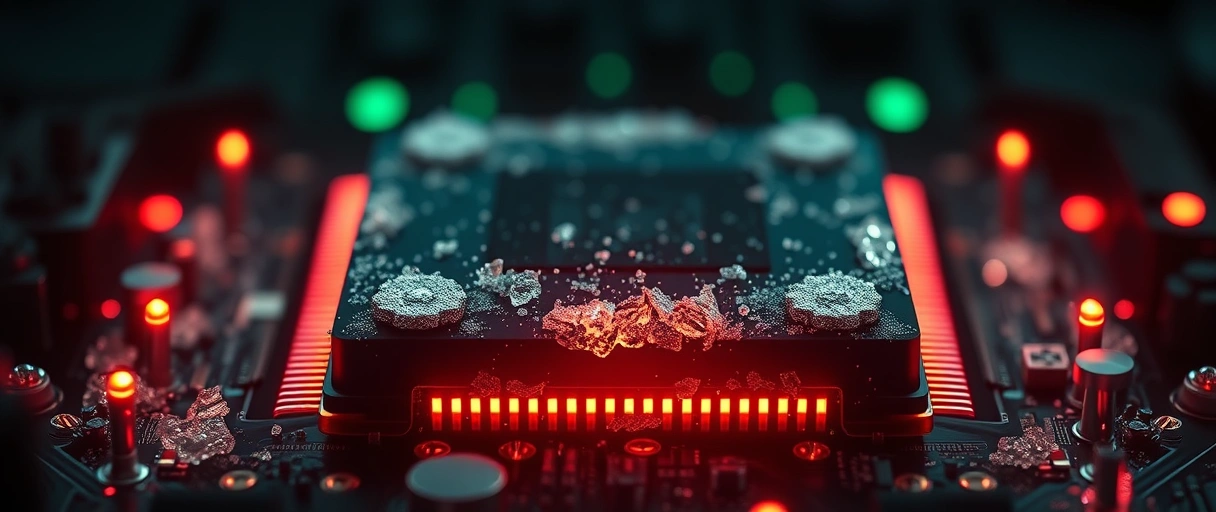
- Thermal throttling: every chip enforces a maximum junction temperature (Tjmax), commonly about 100C on modern Intel and AMD parts. At Tjmax the CPU drops voltage and frequency to protect the die.
- Power-limit throttling (Intel PL1/PL2): PL1 is the long-term sustained power limit (tracks TDP); PL2 is a higher short-burst limit the chip uses to hold boost for a window before settling to PL1. Hitting a power limit caps clocks even when temperature is fine.
- AMD’s version (PPT): Package Power Tracking sets the sustained power budget; Precision Boost Overdrive (PBO) raises PPT/TDC/EDC so boost holds longer when cooling allows.
- Cooling decides the outcome: a weak heatsink reaches Tjmax fast and drops below the advertised boost; good cooling, paste, and airflow let clocks stay high – which is why enthusiasts overclock only with the thermal headroom to back it.
How Does Clock Speed Affect Gaming Versus Productivity?
Games lean on single-core frequency, while many productivity tasks scale across all cores – so the clock that matters depends on the workload:
- Gaming: most engines run one dominant main thread, so a high single-core boost clock plus large cache raises frame rates and smooths frame times, especially at lower resolutions where the CPU (not the GPU) sets the limit.
- Productivity: video encoding, 3D rendering, code compilation, and simulation spread across every core, so total throughput depends on core count and all-core sustained frequency, not peak single-core boost.
- Pick by job: a high single-core, big-cache chip leads in games; a many-core chip at a moderate all-core clock leads in rendering – so the best CPU for gaming weighs single-core clock and cache over raw core count.
Single-core boost (Gaming)
All-core sustained (Productivity)
IPC + cache (Both)
What Are Typical CPU Clock Speed Ranges?
Clock speed varies by class because each tier trades peak frequency against core count and power budget:
- Desktop base: about 3.0-4.5 GHz on current chips, the guaranteed sustained frequency at the rated TDP.
- Desktop boost: about 5.0-5.8 GHz on most chips, with select Intel parts reaching 6.0 GHz on one or two cores via Thermal Velocity Boost.
- Laptop: lower bases near 1.4-2.5 GHz to respect tight power and thermal limits, boosting to about 4.8-5.4 GHz in short bursts.
- Server: bases near 2.0-3.0 GHz with very high core counts – trading peak frequency for parallel throughput and efficiency.
These ranges reflect the frequency-versus-power trade-off: dynamic power scales with frequency and with the square of voltage, so pushing higher clocks costs disproportionately more watts. Vendors set base clocks conservatively to guarantee stability within the TDP, and let boost exploit short windows of thermal headroom. The frequency you actually observe during a sustained load sits between base and boost, set by your cooling, ambient temperature, and the number of active cores – two chips with identical published clocks can run different sustained speeds if one is cooled better.

Current Desktop and Laptop Clock Speeds (Reference Table)
The table compares the base and boost clocks of representative current Intel and AMD processors:
| Processor | Cores | Base Clock | Max Boost Clock | Primary Use |
|---|---|---|---|---|
| Intel Core Ultra 9 285K | 24 (8P+16E) | 3.7 GHz (P-core) | 5.7 GHz | High-end desktop |
| Intel Core Ultra 7 265K | 20 (8P+12E) | 3.9 GHz (P-core) | 5.5 GHz | Mainstream desktop |
| AMD Ryzen 9 9950X3D | 16 | 4.3 GHz | 5.7 GHz | Gaming + workstation |
| AMD Ryzen 5 9600X | 6 | 3.9 GHz | 5.4 GHz | Mainstream gaming |
| Intel Core Ultra 7 155H | 16 | 1.4 GHz (P-core) | 4.8 GHz | Laptop |
Last Thoughts on CPU Clock Speed
CPU clock speed is a primary specification, but it only describes how often a core ticks – not how much work each tick completes. Real performance is frequency multiplied by instructions per cycle and core count, bounded by the thermal and power limits that trigger throttling when exceeded. Base clock is the guaranteed floor; boost is the conditional ceiling set by cooling and active-core count.
Games reward a high single-core boost and large cache; productivity rewards core count and all-core frequency. To compare chips correctly, hold the architecture constant or trust measured benchmarks rather than the GHz figure alone. The computer hardware guide covers the related specifications that complete the performance picture.
Key Takeaways:
- Clock speed is cycles per second in GHz; 1 GHz = 1 billion ticks each second, and a tick paces work, it does not equal work.
- Base clock is the guaranteed sustained floor; boost (Turbo / Precision Boost) is a short, conditional peak on a few cores.
- Performance = IPC x clock x cores, so a higher GHz number alone does not rank chips across architectures.
- Throttling cuts frequency at the temperature ceiling (about 100C Tjmax) or the power ceiling (Intel PL1/PL2, AMD PPT).
- Gaming favours high single-core boost and cache; productivity favours core count and all-core sustained frequency.
- Current desktop boost runs about 5.5-6.0 GHz; compare GHz only within the same CPU generation.
Frequently Asked Questions (FAQs)
What is a good CPU clock speed?
A good desktop clock speed is a base of 3.0 to 3.5 GHz with a boost of 4.5 to 5.8 GHz. For gaming, prioritize a high single-core boost clock. For rendering, prioritize a high all-core sustained frequency and more cores.
Does higher GHz mean a faster CPU?
Higher GHz means faster only within the same architecture. Across generations or vendors, instructions per cycle and core count also matter. A 4.5 GHz newer chip can beat a 5.0 GHz older chip with lower IPC.
What is the difference between base clock and boost clock?
Base clock is the guaranteed sustained frequency at the rated power. Boost clock is the higher frequency a processor reaches briefly on a few cores when temperature and power headroom allow it.
What is CPU throttling?
CPU throttling is the automatic reduction of clock speed when a core reaches its temperature limit, commonly 100 degrees Celsius, or its power limit. Throttling protects the processor but lowers performance during sustained loads.
Why does clock speed matter for gaming?
Most game engines rely on one dominant thread, so a high single-core boost clock raises frame rates and smooths frame times, especially at lower resolutions where the CPU sets the performance limit.
What is the maximum CPU clock speed in 2026?
Current high-end desktop processors boost up to about 6.0 GHz on select cores, such as the Intel Core i9-14900K. Sustained all-core frequencies are lower, typically between 4.5 GHz and 5.5 GHz.
About the author

Nizam Ud DeenFounder and Tech Blogger
Muhammad Nizam Ud Deen Usman is the founder of theCoreiTech and the author of The Local SEO Cosmos. He has worked in search since 2014 as an SEO consultant for eCommerce stores and local businesses, specialising in eCommerce SEO, local SEO and technical SEO, and runs SEO Academy and the SEO Community from Multan, Pakistan. He also founded ORM Digital Solutions, a digital agency serving medium and large businesses, and holds a degree from the University of Education, Lahore (Multan Campus). Plerdy lists him among its Best 20+ SEO Experts in Pakistan. Nizam started theCoreiTech in 2012 to make computers easier to understand and use for everyone. More of his work is at nizamuddeen.com.
