
Desktop versus all-in-one PC is the choice between a tower desktop paired with a separate monitor and an all-in-one computer that builds the components into the display. A tower desktop separates the computer from the screen, which allows easier upgrades, repairs, and stronger cooling, while an all-in-one integrates everything behind a single display for a compact, cable-light setup that includes the screen. The decision weighs desk space and appearance against performance, upgradeability, repairability, and the value of an included display.
This article defines the tower desktop and the all-in-one, compares space and appearance, performance, upgradeability and repairability, the included display, and price and value, then explains who should buy each. A required comparison table sets the two form factors side by side. The better choice depends on whether a buyer values flexibility or a clean, integrated setup, so each section answers one question about the two designs.
What Are Desktop and All-in-One PCs?
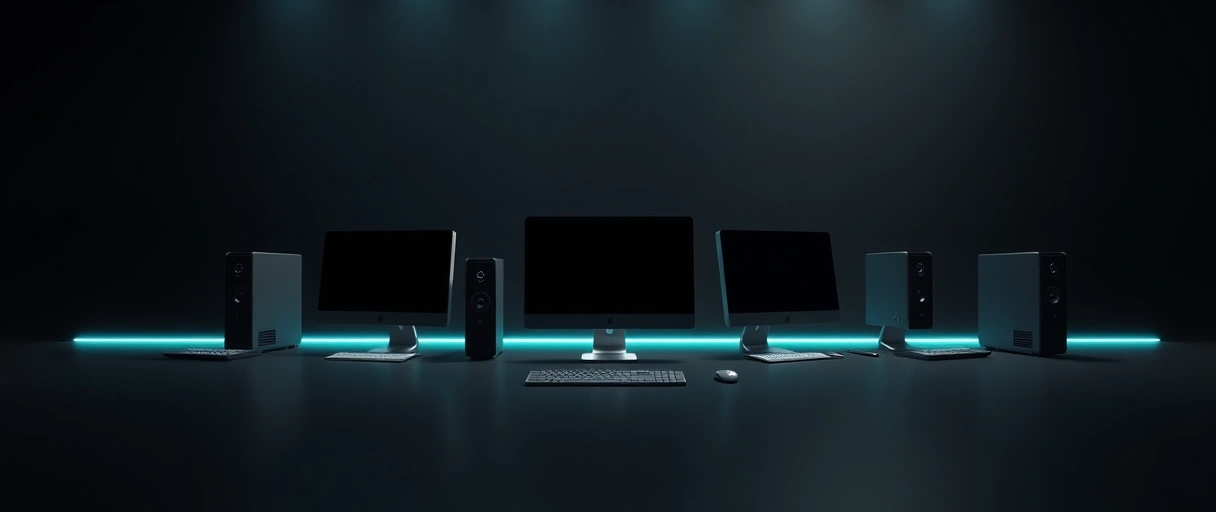
A desktop PC is a tower that houses the components separately and connects to an external monitor, keyboard, and mouse, while an all-in-one PC builds the components into the back of the display so the computer and screen form a single unit. The difference is whether the computer is separate from or integrated with the screen. The two form factors differ as follows:
- The tower desktop keeps the computer in a separate case connected to an external display, which leaves each part accessible and replaceable.
- The all-in-one PC integrates the processor, memory, and storage behind the display, presenting the computer and screen as one device.
- The shared role is the same desktop computing task, since both run a full desktop operating system and connect the same peripherals.
A tower separates the computer from the screen while an all-in-one merges them, which sets the trade-offs that follow. The all-in-one sits alongside other compact desktop forms compared in the comparison of mini PCs, workstations, and all-in-ones, and the wider category split across device types appears in the comparison of desktops, laptops, and tablets.
How Do Space and Appearance Compare?
An all-in-one PC saves desk space and reduces cable clutter by combining the computer and display into one unit, while a tower desktop occupies more space and uses more cables but separates the parts for placement flexibility. The space comparison favors the integrated design while placement flexibility favors the tower. The differences work as follows:
- The all-in-one footprint is smaller, since one unit holds both the computer and the screen and needs only power and a few peripheral cables.
- The cable count is lower on an all-in-one, since the internal components need no separate video cable between a tower and a monitor.
- The tower placement is more flexible, since a separate case can sit on or under the desk while the monitor stays at eye level.
An all-in-one suits a clean, space-limited desk while a tower suits a setup where parts are placed and swapped freely. A buyer weighing footprint across all device classes can compare the laptop and tablet alternatives in the comparison of desktops, laptops, and tablets, where portability further reduces the space demand.
How Does Performance Compare?
A tower desktop generally delivers higher sustained performance than an all-in-one because the larger case allows full-size components and stronger cooling, while an all-in-one often uses space-constrained or laptop-class parts that limit sustained output. The cooling and component room of a tower set the performance ceiling higher. The performance factors work as follows:

- The cooling headroom favors the tower, since a larger case fits bigger coolers and more airflow to sustain high performance without throttling.
- The component class favors the tower, since a full case accepts full-size desktop processors and graphics cards that an all-in-one rarely fits.
- The thermal limit constrains the all-in-one, since packing components behind a thin display restricts cooling and caps sustained output.
A tower’s cooling and full-size parts allow higher and more sustained performance, which matters for demanding work and gaming. A buyer prioritizing graphics performance should note that most all-in-ones limit the graphics card, a constraint that the guide to gaming PC upgrade priorities treats as the leading factor for capable systems.
How Do Upgradeability and Repairability Compare?
A tower desktop is far more upgradeable and repairable than an all-in-one, since its separate case allows access to replace the processor, memory, storage, graphics card, and power supply, while an all-in-one packs these into the display with limited or no access. The tower’s open case is the clearest advantage of the form factor. The differences work as follows:



- The tower access opens for upgrades, since standard internal parts can be replaced individually as needs change or parts fail.
- The all-in-one constraint limits upgrades, since components packed behind the display are often soldered or hard to reach.
- The repair cost favors the tower, since a single failed part is replaced cheaply, while an all-in-one repair can mean servicing the whole unit.
A tower’s individual-part access makes upgrades and repairs straightforward, while an all-in-one often requires whole-unit service. This upgrade limit is central to the replace-versus-upgrade reasoning in the guide on upgrading versus buying a new computer, where a sealed form factor shifts the decision toward replacement.
What Does an All-in-One Include That a Desktop Does Not?
An all-in-one includes the display, and often a webcam, speakers, and microphone, built into the unit, while a tower desktop requires a separately purchased monitor and may need separate peripherals for those functions. The integrated display and accessories simplify the purchase and the setup. The included items are listed below:
- The integrated display ships with the all-in-one, so no separate monitor purchase is needed to complete the system.
- The built-in webcam and microphone support video calls without added accessories on most all-in-one units.
- The built-in speakers provide audio without external speakers, which suits a tidy, all-in-one setup.
- The single power connection simplifies setup, since one unit replaces a separate tower and monitor each needing power.
An all-in-one bundles the display and accessories that a tower buyer purchases separately, which narrows the apparent price gap. A tower buyer choosing a monitor and peripherals separately can match each to the task using the guide to choosing a desktop computer, which covers pairing a tower with the right display.
How Do Price and Value Compare?
Price and value compare closely once the included display is accounted for, since an all-in-one bundles the screen while a tower’s lower base price excludes a monitor, and the tower holds an edge in long-term value through upgrades and cheaper repairs. The comparison must include the monitor to be fair. The value factors work as follows:
- The all-in-one bundle includes the display, so its price covers a screen that a tower buyer purchases separately.
- The tower base price often excludes a monitor, so the full setup cost depends on the display chosen alongside it.
- The long-term value favors the tower, since upgrades extend its life and individual-part repairs cost less than whole-unit service.
An all-in-one’s bundled display narrows the upfront gap, while a tower’s upgrade path and repair savings favor long-term value. The same upfront-versus-lifetime reasoning shapes the choice between new and refurbished units, set out in the comparison of new and refurbished computers.
Who Should Buy a Desktop and Who Should Buy an All-in-One?
A tower desktop suits buyers who want performance, upgrades, and easy repairs, while an all-in-one suits buyers who want a compact, tidy, ready-to-use setup with the display included and little intention to upgrade. The right choice follows from how a buyer ranks flexibility against a clean integrated design. The two form factors suit different buyers:
- The performance and gaming buyer chooses the tower, since full-size parts and cooling deliver higher sustained output than an all-in-one.
- The upgrader and repairer chooses the tower, since open access allows part replacement over the machine’s life.
- The tidy-desk buyer chooses the all-in-one, since one unit with an integrated display reduces clutter and cabling.
- The simplicity buyer chooses the all-in-one, since a single ready-to-use device needs no separate monitor or accessory purchase.
A buyer who values performance and flexibility leans toward the tower, while a buyer who values a clean, complete setup leans toward the all-in-one. The wider process of matching a desktop to a need is covered in the guide to choosing a desktop computer and the general guide to buying a computer.
How Do Desktop and All-in-One PCs Compare?
Desktop and all-in-one PCs compare across space, performance, upgradeability, repairability, included display, and value, with the tower leading on performance and flexibility and the all-in-one leading on space and an integrated display. The table below sets the two form factors side by side across each factor.
| Factor | Tower Desktop | All-in-One PC |
|---|---|---|
| Desk space | Larger footprint | Compact, one unit |
| Cabling | More cables | Fewer cables |
| Performance | Higher, full-size parts | Limited by thermals |
| Upgradeability | High, open case | Low, integrated |
| Repairability | Easy, per-part | Hard, whole-unit |
| Display | Bought separately | Included |
| Best for | Performance, upgrades, repairs | Tidy, ready-to-use setups |
The table shows the tower leading on performance, upgrades, and repairs while the all-in-one leads on space and an included display. The same form-factor trade-offs appear across the compact desktop classes in the comparison of mini PCs, workstations, and all-in-ones.
Key Takeaways
- A tower separates the computer from the screen, while an all-in-one builds the components into the display.
- An all-in-one saves space and cabling, while a tower allows flexible placement of the case and monitor.
- A tower delivers higher sustained performance, since full-size parts and cooling avoid the thermal limits of an all-in-one.
- A tower is far more upgradeable and repairable, since its open case allows per-part replacement.
- An all-in-one includes the display and accessories, which narrows the upfront price gap.
- A tower suits performance and upgrades, an all-in-one suits tidy setups, so the choice follows the priority.
What is the difference between a desktop and an all-in-one PC?
A desktop is a tower that connects to a separate monitor, keeping parts accessible. An all-in-one builds the computer into the back of the display, forming a single compact unit with the screen included.
Is a tower desktop better than an all-in-one?
A tower is better for performance, upgrades, and repairs, since full-size parts and an open case allow stronger cooling and per-part replacement. An all-in-one is better for a compact, tidy, ready-to-use setup.
Can you upgrade an all-in-one PC?
All-in-one PCs have limited upgradeability. Some allow memory or storage changes, but processors and graphics are often soldered or hard to reach, so most all-in-ones cannot be upgraded like a tower.
Does an all-in-one include a monitor?
Yes. An all-in-one builds the display into the unit, so no separate monitor is needed. A tower desktop usually excludes a monitor, which is purchased separately to complete the setup.
Which is cheaper, a desktop or an all-in-one?
A tower often has a lower base price but excludes a monitor, while an all-in-one bundles the display. Once a monitor is added, the prices compare closely, with the tower holding long-term value through upgrades.
Are all-in-one PCs good for gaming?
Most all-in-ones are limited for demanding gaming, since thin enclosures restrict cooling and the graphics card. A tower with a full-size graphics card and stronger cooling suits gaming far better.
Last Thoughts on Desktop vs All-in-One PC
Desktop versus all-in-one PC is a choice between a flexible tower paired with a separate monitor and an integrated unit that includes the display. The tower leads on performance, upgradeability, and repairability, while the all-in-one leads on desk space, reduced cabling, and a complete, ready-to-use setup. Readers can continue with the comparison of mini PCs, workstations, and all-in-ones, the guide to choosing a desktop computer, the guide on upgrading versus buying a new computer, or the guide to buying a computer for related decisions.

