
A desktop, a laptop, and a tablet are the three everyday computer form factors, and they differ mainly in how much power they pack against how easily you can carry them. A desktop splits into a separate tower, monitor, keyboard, and mouse and stays on a desk; a laptop folds screen, keyboard, and battery into one hinged unit you can carry; a tablet is a flat touchscreen slab with no fixed keyboard. That single trade-off, power versus portability, drives every other difference below.
What Are Desktops, Laptops, and Tablets?
The three form factors differ in how their parts are arranged and how portable the result is:
- Desktop: separate tower (full-tower up to ~55 cm down to a 17×17 cm mini-ITX), external monitor, keyboard, and mouse; stays put and runs on mains power.
- Laptop: screen, keyboard, battery, and internals in one hinged chassis; 11 to 17 inch screens, weighing 0.9 kg to 4.5 kg.
- Tablet: a flat touchscreen with no fixed keyboard; 7 to 13 inch screens, weighing just 300 g to 700 g.
Best for: the names map to a clear order, most stationary and powerful (desktop) to most portable and light (tablet).
Which Form Factor Should a Beginner Choose?
Pick by your main task and where you use it: desktop for power at a fixed desk, laptop for real work on the move, tablet for portability and light touch-first use. A card per form factor:
Desktop
Laptop
Tablet
CPU Class by Form Factor
Each form factor uses a different class of processor, sized to the power and cooling its chassis allows:

- Desktop: full desktop CPUs with no chassis power cap, an Intel Core i9-14900K draws 125 W base / 253 W turbo and holds high all-core boost because airflow is unrestricted.
- Laptop: mobile chips (H-series for performance, U/P-series for efficiency), the i9-14900HX draws 55 W base / 157 W turbo.
- Tablet: ARM SoCs tuned for efficiency, an Apple M4 (iPad Pro) sustains just 10-15 W under load.
Best for: more sustained power means desktop; less heat and longer battery means tablet.
RAM Capacity Differences
Desktops hold the most memory, and the ceiling drops sharply as the device gets smaller: 192 GB on a desktop down to 16 GB on a tablet:
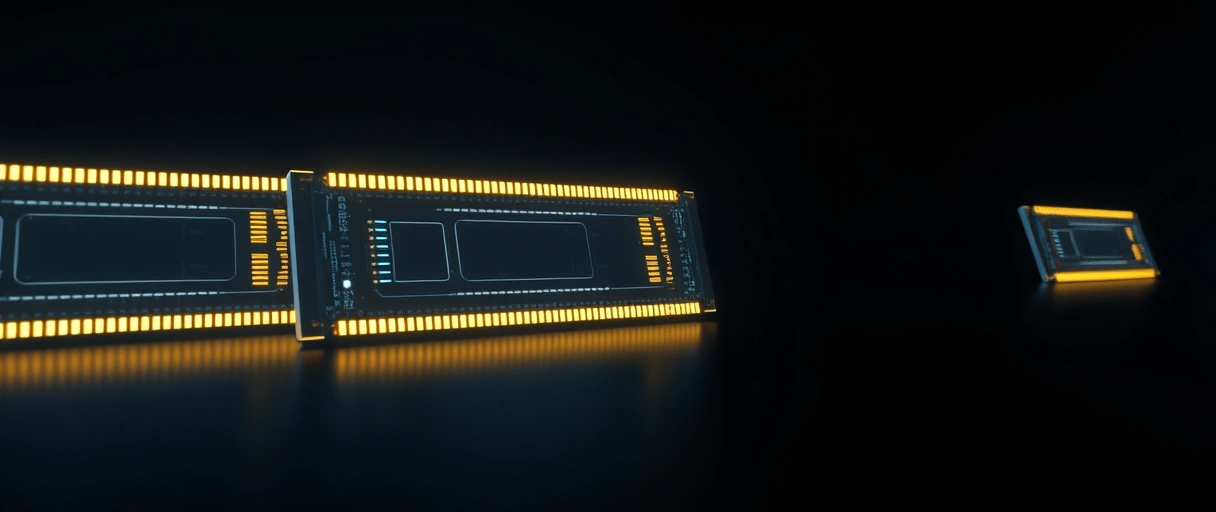
- Desktop: a mainstream ATX board takes up to 192 GB DDR5 across 4 DIMM slots; HEDT platforms reach 2 TB.
- Laptop: SO-DIMMs or soldered LPDDR5, typically capped at 64 GB on consumer models and 128 GB on mobile workstations.
- Tablet: soldered LPDDR5 with no upgrade path, an M4 iPad Pro ships with 8 GB or 16 GB and Android flagships top out at 16 GB.
Best for: memory-hungry work (virtual machines, large datasets) belongs on a desktop, not a tablet.
Storage Options and Speeds
Storage follows the same pattern, desktops take many fast drives, tablets get one soldered chip:



- Desktop: a mid-tower holds 2x M.2 NVMe plus 4-6 SATA bays for over 50 TB raw, and Gen 5 NVMe reaches 14,000 MB/s sequential read.
- Laptop: usually 1-2 M.2 slots (some ultra-thins solder it); Gen 4 NVMe reaches 7,000 MB/s.
- Tablet: soldered NAND with no expansion, capped at 2 TB on the iPad Pro M4; most Android tablets cap at 512 GB internal with microSD.
Best for: large local libraries and multi-drive setups need a desktop; a tablet expects the cloud.
Performance Benchmarks in Context
Benchmarks show the gap clearly: a desktop roughly doubles a tablet and beats a same-generation laptop chip:
- CPU (Cinebench R23 multi): desktop i9-14900K ~40,000; mobile i9-14900HX ~28,000; Apple M4 tablet ~15,000 in extended tasks.
- GPU: desktop RTX 4090 delivers 82.6 TFLOPS; the mobile RTX 4090 delivers 58.9 TFLOPS at 150 W; an M4 10-core GPU reaches ~4.6 TFLOPS.
- Why: the same chip name (mobile vs desktop) is not the same performance, the laptop version runs at lower sustained power inside a thinner chassis.
Best for: rendering, 1440p+ gaming, and heavy compute reward a desktop’s headroom.
Portability vs Power Trade-Off
This is the core trade, and it runs exactly opposite to performance: the more portable the device, the less power it sustains:
- Desktop: not portable at all, it needs a fixed outlet and draws 300 W to 1,500 W mains depending on the build.
- Laptop: runs 4 to 20 hours on battery, a Dell XPS 15 with an 86 Wh pack lasts 10-13 hours at light load.
- Tablet: the most portable, an iPad Pro M4 (38.99 Wh) is rated 10 hours video, and a Galaxy Tab S9 Ultra (11,200 mAh) reaches 12-16 hours light use.
Best for: all-day carrying favours a tablet; a laptop is the portable device that still does heavy work.
Battery Specifications
Battery size tracks the form factor, with a hard travel limit worth knowing: desktops have none, laptops top out near the 100 Wh flight rule, tablets sit lower:
- Desktop: no battery, a UPS (uninterruptible power supply) is the only power protection.
- Laptop: 38 Wh to 99.9 Wh (the FAA carry-on limit is 100 Wh), the XPS 13 ships 55 Wh and the MacBook Pro 16-inch M3 Max ships a full 100 Wh.
- Tablet: 7,000 mAh to 11,200 mAh, an iPad Air M2 holds 28.93 Wh and a Galaxy Tab S9 Ultra holds 44.5 Wh.
Best for: unplugged endurance is a tablet strength; desktops assume a wall socket.
Repairability and Upgradability
Repairability falls as the device shrinks, with desktops near-perfect and tablets nearly sealed: 9-10/10 down to 2-4/10 on iFixit:
- Desktop: GPU, RAM, CPU, storage, and PSU are user-swappable with standard tools, iFixit rates most ATX builds 9-10 out of 10.
- Laptop: it varies by design, a business ThinkPad X1 Carbon scores 7-8 while ultra-thin consumer models score 2-4 from soldered RAM and proprietary screws.
- Tablet: lowest of all, an iPad Pro M4 scores 3 out of 10 due to adhesive bonding, soldered storage, and no easy battery swap.
Best for: upgrading or repairing yourself over time is a desktop’s biggest long-term win.
Price Ranges
All three start cheap and climb high, but a desktop buys the most performance at any given price: roughly 30-50% more raw power per dollar than a laptop:
- Desktop: $300 (budget office) to $15,000+ (HEDT workstation); a mid-range i5-14600K + RTX 4070 gaming build runs ~$1,200-$1,500.
- Laptop: $250 (Chromebook) to $6,000+ (mobile workstation); a mid-range i7 H-series + RTX 4060 runs ~$1,000-$1,400.
- Tablet: $100 (Amazon Fire HD) to $1,899 (iPad Pro M4 1 TB cellular); a mainstream iPad Air M2 256 GB is ~$749 (a keyboard case adds $250-$350).
Best for: a tight budget chasing raw performance is best spent on a desktop; portability is the premium you pay for a laptop or tablet.
Operating System Comparison
The OS decides what software runs, and this is where tablets diverge most: desktops and laptops run full desktop operating systems, tablets run mobile or hybrid ones:
- Desktop and laptop: Windows 11, macOS, or Linux, all running the full x86-64 or ARM64 (Apple Silicon) software ecosystem, including Win32 apps and pro tools.
- Tablet: iPadOS (ARM, no native x86 apps) or Android 14, mobile-first with app-store software only.
- The hybrid: a Microsoft Surface Pro 11 runs full Windows 11 on ARM with x86 emulation, the closest a tablet gets to a laptop.
Best for: if a specific desktop program is non-negotiable, a desktop or laptop is the safe choice.
Use Case Matrix
The right device is whichever best fits your single most important task, the matrix below maps common jobs to the form factor that wins each:
| Use Case | Desktop | Laptop | Tablet |
|---|---|---|---|
| 3D rendering / video editing (4K+) | Best | Capable | Not suitable |
| Gaming (AAA titles, 1440p+) | Best | Good | Not suitable |
| Software development | Best | Good | Limited |
| Office productivity (spreadsheets, docs) | Good | Best | Capable |
| Travel / field work | Not suitable | Good | Best |
| Media consumption | Capable | Good | Best |
| Graphic design (stylus) | Good | Capable | Best (iPad Pro) |
| Education (K-12) | Limited | Good | Best |
Desktops vs Laptops vs Tablets: Spec Comparison
The table sets the headline specs side by side, CPU class, memory, storage, battery, weight, repairability, price, and benchmark:
| Spec | Desktop | Laptop | Tablet |
|---|---|---|---|
| CPU class | Desktop (125–253 W) | Mobile H-series (55–157 W) | ARM SoC (10–15 W) |
| Max RAM (consumer) | 192 GB DDR5 | 64–128 GB LPDDR5 | 16 GB LPDDR5 |
| Max storage | 50 TB+ (multi-bay) | 4–8 TB (2× M.2) | 2 TB (soldered) |
| Battery | None | 38–100 Wh (4–20 hrs) | 28–45 Wh (6–16 hrs) |
| Weight | N/A (stationary) | 0.9–4.5 kg | 300–700 g |
| Repairability (iFixit) | 9–10/10 | 2–8/10 | 2–4/10 |
| Entry price | $300 | $250 | $100 |
| Cinebench R23 multi | ~40,000 | ~28,000 | ~15,000 |
Laptops themselves span a wide range of footprints, and a guide to the common laptop screen sizes clarifies how display dimensions trade portability against the fixed footprint of a desktop or the smaller frame of a tablet.
Last Thoughts on Desktops vs Laptops vs Tablets
Desktops deliver the highest performance per dollar and the most upgradeability but stay in one place. Laptops balance performance and portability at a weight and thermal penalty against an equivalent desktop. Tablets maximize portability and battery life but run under mobile-OS limits and cannot run x86 desktop applications. The right choice comes down to whether your main task needs desktop-class sustained power, the freedom to work anywhere, or a light touchscreen you carry all day.
Key Takeaways:
- Desktops draw 125–253 W CPU TDP with no battery; laptops draw 55–157 W (H-series); tablets draw 10–15 W (ARM SoC).
- Maximum consumer RAM is 192 GB (desktop), 128 GB (laptop), and 16 GB (tablet).
- Cinebench R23 multi-core: desktop i9-14900K scores ~40,000; laptop i9-14900HX scores ~28,000; Apple M4 tablet scores ~15,000.
- Desktops have no battery; laptops provide 4–20 hours; tablets provide 6–16 hours.
- Repairability scores: desktops 9–10/10, business laptops 7–8/10, tablets 2–4/10.
- Price entry points: desktops $300, laptops $250, tablets $100.
Frequently Asked Questions (FAQs)
What is the main performance difference between a desktop and a laptop?
A desktop Intel Core i9-14900K scores ~40,000 in Cinebench R23 multi-core. The equivalent mobile i9-14900HX scores ~28,000 due to lower sustained TDP in a thermally constrained chassis.
How much RAM can a tablet hold?
Consumer tablets hold a maximum of 16 GB LPDDR5. The iPad Pro M4 ships with 8 GB or 16 GB. RAM is soldered and cannot be upgraded after purchase.
How long does a laptop battery last compared to a tablet?
Laptop batteries last 4–20 hours depending on battery size (38–100 Wh) and workload. Tablet batteries last 6–16 hours. The MacBook Pro 16-inch M3 Max leads at approximately 20 hours light use.
Can a tablet replace a laptop for software development?
Tablets cannot replace laptops for most software development. Tablets run mobile OS (iPadOS, Android) without native x86 compiler toolchains. The Surface Pro 11 on Windows 11 ARM is the closest exception.
Which is cheaper: a desktop or a laptop with equivalent specs?
Desktops are cheaper for equivalent performance. A desktop with Core i5-14600K and RTX 4070 costs approximately $1,200–$1,500. A laptop with comparable specs costs $1,400–$2,000 due to miniaturization costs.
About the author

Nizam Ud DeenFounder and Tech Blogger
Muhammad Nizam Ud Deen Usman is the founder of theCoreiTech and the author of The Local SEO Cosmos. He has worked in search since 2014 as an SEO consultant for eCommerce stores and local businesses, specialising in eCommerce SEO, local SEO and technical SEO, and runs SEO Academy and the SEO Community from Multan, Pakistan. He also founded ORM Digital Solutions, a digital agency serving medium and large businesses, and holds a degree from the University of Education, Lahore (Multan Campus). Plerdy lists him among its Best 20+ SEO Experts in Pakistan. Nizam started theCoreiTech in 2012 to make computers easier to understand and use for everyone. More of his work is at nizamuddeen.com.
