
Choosing between a mini PC and a traditional desktop comes down to size and space, the performance ceiling, upgradeability, power use, and price. A mini PC is a compact computer in a small enclosure, such as an Intel NUC or an Apple Mac mini, while a traditional desktop is a larger tower that holds full-size components. This comparison explains the practical differences across physical size and appearance, the performance each form factor reaches, how far each can be upgraded, electricity consumption, the ports available, and price.
The comparison names representative devices, frames price as approximate tiers rather than exact figures, and matches each form factor to the buyer it suits, from an office and media setup to a performance build that owners upgrade over time. No exact prices or review scores appear, because configurations and market conditions change. The decision method is workload-based: define the performance and upgrade needs, match them to the form factor, then choose a device within budget.
Mini PC and Traditional Desktop: The Two Options
The two options differ in physical size and the class of components each holds. A mini PC is a compact computer in a small enclosure that uses mobile or low-power components, represented by the Intel NUC, the Apple Mac mini, and similar small-form-factor systems from ASUS, Lenovo, and others. A traditional desktop is a tower that holds full-size, socketed components inside a larger case, built from a standard motherboard, a desktop processor, dedicated graphics, and multiple drives.
The central difference is the trade between size and capacity: a mini PC saves space and power by using compact parts, while a tower uses its volume to hold more powerful, upgradeable components. Readers comparing these against an all-in-one and a workstation can review the overview of mini PCs, workstations, and all-in-ones before choosing a form factor.
How Do Size and Appearance Compare?
A mini PC occupies a fraction of the space of a traditional desktop and hides easily on or behind a desk. A mini PC enclosure is small enough to sit under a monitor, mount to the back of a display with a VESA bracket, or rest on a shelf, which suits a tidy desk, a living room media setup, or an office with limited space. A traditional desktop tower stands on the floor or the desk and takes far more room, though its size allows airflow and full-size parts.
The compact form of a mini PC reduces desk clutter and cable spread, while a tower trades footprint for capacity. Buyers in a small room, a shared office, or a living room benefit from the small footprint, while buyers with space and a need for full-size components accept the larger tower.
How Does Performance Compare?
A traditional desktop reaches a far higher performance ceiling than a mini PC, because a tower holds desktop-class processors and dedicated graphics. A mini PC typically uses a mobile or low-power processor and integrated graphics, which handle office work, web browsing, media playback, and light creative tasks well. A traditional desktop fits a full desktop processor with a higher power limit and a dedicated graphics card, which delivers the performance demanded by gaming, video editing, 3D rendering, and heavy data work.
Some high-end mini PCs include a discrete mobile GPU and narrow the gap, yet a tower retains the advantage at the top end because it dissipates more heat and draws more power. Buyers whose work fits office and media tasks find a mini PC sufficient, while buyers who need sustained high performance choose the tower.
How Upgradeable Is Each One?
A traditional desktop wins on upgradeability, because a tower exposes standard sockets and slots that accept new parts over years. The upgrade differences between the two form factors are described below.



- Processor upgrades are possible on a tower through a standard socket, while most mini PCs solder the processor to the board and fix it for the life of the device.
- Graphics upgrades fit a tower through a full-length expansion slot, while a mini PC relies on integrated or fixed graphics that cannot be replaced.
- Memory and storage are partly upgradeable on many mini PCs through accessible slots, and fully upgradeable on a tower with multiple memory and drive bays.
- Power supply and cooling are replaceable on a tower to support more demanding parts, while a mini PC uses a fixed compact power adapter and cooler.
Mini PC vs Traditional Desktop Comparison Table
The table below compares a mini PC and a traditional desktop across the factors that drive the decision. The price column lists approximate tiers rather than exact figures. Price tiers below are approximate and vary by configuration, region, and market.

| Factor | Mini PC | Traditional Desktop |
|---|---|---|
| Size | Compact, fits behind a monitor | Large tower, floor or desk |
| Performance ceiling | Office and media, light creative | High, up to gaming and rendering |
| Upgradeability | Often memory and storage only | Full, CPU, GPU, memory, storage |
| Graphics | Integrated or fixed | Dedicated, replaceable card |
| Power use | Low, mobile-class parts | Higher, desktop-class parts |
| Noise | Quiet under light load | Varies with cooling and load |
| Ports | Limited but usually sufficient | Many, with expansion slots |
| Price spread | Entry to mid for most models | Entry to high, scales with parts |
How Does Power Use Compare?
A mini PC consumes far less electricity than a traditional desktop, because compact mobile parts draw less power. A mini PC often runs on a small external power adapter rated for a low wattage and idles at a few watts, which lowers running cost and heat output. A traditional desktop uses an internal power supply sized for a desktop processor and a dedicated graphics card, which draws more power under load and generates more heat.
Lower power use suits a computer that runs many hours a day, such as an office machine, a media center, or a small always-on server. A traditional desktop accepts higher consumption in exchange for the performance its components deliver. Buyers focused on running cost and a cool, quiet room benefit from the low draw of a mini PC, while buyers who need high performance accept the higher consumption of a tower.
How Do Ports and Connectivity Compare?
A traditional desktop offers more ports and expansion than a mini PC, while a mini PC still provides enough connectivity for most setups. A mini PC includes a practical set of USB ports, one or two video outputs such as HDMI and DisplayPort, an Ethernet port, and wireless networking, which covers a monitor, a keyboard, a mouse, and peripherals. A traditional desktop adds more USB ports, multiple video outputs from a dedicated graphics card, several storage connectors, and expansion slots for add-in cards such as extra networking or capture hardware.
The fixed port count of a mini PC suits a standard desk with a display and a few peripherals, while the larger port and expansion count of a tower suits a setup with multiple monitors, many drives, or specialized add-in cards. Buyers with a simple desk find a mini PC sufficient, while buyers with extensive peripherals choose the tower.
How Do Noise and Cooling Compare?
A mini PC runs quieter than a traditional desktop under light load, while a tower offers stronger cooling that sustains high performance. A mini PC uses a small fan or, on some models, passive cooling, which stays quiet during office work, browsing, and media playback because its low-power parts generate little heat. Under heavy sustained load a small enclosure can warm up and raise fan speed, since limited volume restricts airflow.
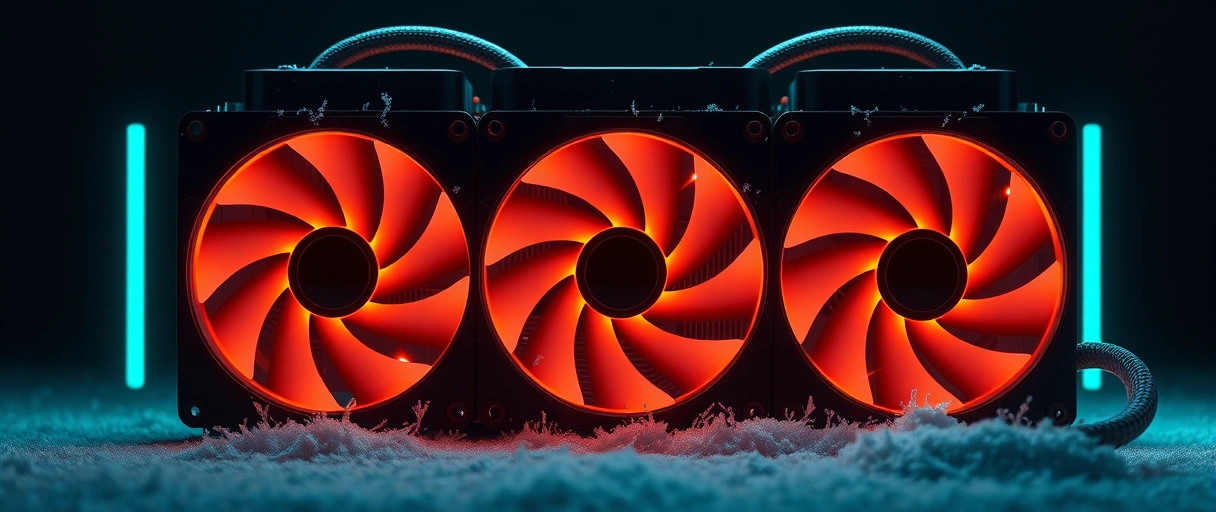
A traditional desktop holds larger fans, wide heat pipes, and ample venting that dissipate the heat of a desktop processor and a dedicated graphics card, which sustains high clock speeds during gaming, rendering, or long exports. A tower tuned for quiet operation can run near-silent at idle while still cooling powerful parts under load. Buyers who want a near-silent machine for light tasks find a mini PC fits, while buyers who run heavy sustained workloads benefit from the larger cooling capacity of a tower that holds performance without throttling.
How Does Repairability and Lifespan Compare?
A traditional desktop offers greater repairability and a longer effective lifespan than a mini PC, because standard parts can be replaced individually. A tower uses standard sockets, slots, and connectors, so a failed power supply, fan, drive, or memory module is replaced without discarding the whole machine, and a worn component is swapped for a newer one to extend service. A mini PC integrates many parts onto a single compact board, which limits repairs to the components placed in accessible slots, usually memory and storage, while a soldered processor or graphics chip fixes the rest for the life of the device.
The repairability of a tower lowers the long-term cost of ownership and the volume of discarded hardware, since one part is replaced rather than the entire computer. Buyers who plan to keep and maintain a machine for many years benefit from the serviceability of a tower, while buyers who accept replacing a whole device find a mini PC sufficient.
Which Should You Buy?
The choice between a mini PC and a traditional desktop depends on the space available, the performance required, and whether the buyer plans to upgrade. The buyer profiles that suit each form factor are described below.
- Choose a mini PC for office work, web browsing, and documents, where a compact, low-power machine fits a tidy desk and runs everyday applications.
- Choose a mini PC as a home theater PC or media center, where the small size, quiet operation, and low power suit a living room beside a television.
- Choose a traditional desktop for gaming, video editing, 3D rendering, or heavy data work, where a desktop processor and a dedicated graphics card deliver sustained performance.
- Choose a traditional desktop when the buyer plans to upgrade the processor, graphics, memory, or storage over years rather than replace the whole machine.
Key Takeaways
- A mini PC is compact and low-power, while a traditional desktop is a larger, more powerful tower.
- A traditional desktop reaches a far higher performance ceiling through desktop parts and a dedicated GPU.
- Upgradeability favors the tower, which accepts new processors, graphics, memory, and storage.
- A mini PC draws far less power, which lowers running cost for an always-on machine.
- A mini PC suits office, media, and space-limited setups, while a tower suits performance and upgraders.
- Both cover entry to mid tiers, while only the tower scales to high-end builds.
Is a mini PC as good as a desktop?
A mini PC matches a desktop for office, web, and media tasks but reaches a lower performance ceiling. A traditional desktop leads for gaming, editing, and heavy work.
Can you upgrade a mini PC?
Many mini PCs allow memory and storage upgrades through accessible slots, but the processor and graphics are usually fixed. A traditional desktop upgrades all major components.
Do mini PCs use less power than desktops?
Yes. A mini PC uses mobile-class parts and a small power adapter, drawing far less electricity than a tower with a desktop processor and a dedicated graphics card.
Can a mini PC run games?
A mini PC runs light and older games on integrated graphics. Demanding modern games need a traditional desktop with a dedicated graphics card and stronger cooling.
Is a mini PC good for an office?
A mini PC suits an office well, with a small footprint, quiet operation, low power use, and enough performance for documents, browsing, and video calls.
Which is cheaper, a mini PC or a desktop?
Entry mini PCs and entry towers sit at similar tiers. A traditional desktop scales higher in both performance and price as more powerful components are added.
Last Thoughts on Mini PC vs Traditional Desktop
The decision between a mini PC and a traditional desktop rests on size, the performance ceiling, upgradeability, power use, ports, and price. A mini PC suits office work, media playback, and space-limited or always-on setups with a small footprint and low running cost, while a traditional desktop suits gaming, creative production, heavy data work, and owners who upgrade components over time. The method is to define the performance and upgrade needs, match them to the form factor, and select a device within budget.
Buyers comparing these against other fixed designs can review the overview of mini PCs, workstations, and all-in-ones, and those weighing a tower against an all-in-one can read the comparison of a desktop and an all-in-one PC. Matching the form factor to the workload produces a computer that fits both the desk and the task.

