
Selecting a gaming monitor shapes how fast, smooth, and responsive a game feels on screen. This buying guide is for players who prioritize motion clarity and responsiveness, from competitive shooter players chasing high frame rates to single-player gamers seeking image quality. A gaming monitor emphasizes refresh rate, response time, and adaptive sync rather than the docking and ergonomic features of an office display.
The criteria below cover refresh rate, response time, the balance between resolution and refresh, adaptive sync standards, panel type, and HDR. Representative product lines from LG, ASUS, Samsung, and Alienware illustrate each category without fixed prices, because street prices shift by region and promotion. Recommendations remain criteria-based, so the right monitor depends on the connected graphics card, preferred game genres, and viewing distance rather than a single scored ranking.
What to Look For in a Gaming Monitor
A gaming monitor is defined by how it renders fast motion and synchronizes with the graphics card. The following criteria frame the decision across budgets.
- Refresh rate measured in hertz sets how many frames per second the panel displays, with 144Hz, 240Hz, and 360Hz as common tiers.
- Response time measured in milliseconds determines pixel transition speed and influences motion blur and ghosting.
- Resolution and refresh balance trades pixel detail against the frame rate the graphics card can sustain.
- Adaptive sync such as G-Sync and FreeSync matches the panel refresh to the graphics output to remove tearing.
- Panel type across IPS, VA, and OLED affects color, contrast, and response speed.
- HDR support widens the brightness and color range in compatible games.
Genre shapes priority. Competitive players favor high refresh and low response time at 1080p or 1440p, while cinematic single-player players favor resolution, contrast, and HDR. The gaming monitor definition defines the features that separate a gaming panel from a standard display.
Refresh Rate and Frame Rate
Refresh rate sets the upper limit on motion smoothness. A 144Hz panel refreshes 144 times per second, a clear step beyond the 60Hz of standard displays. A 240Hz panel suits competitive shooters where reaction timing matters, and 360Hz and 540Hz panels target professional esports.

The graphics card must produce frames near the panel rate for the benefit to appear, so a high refresh panel pairs with a capable graphics card. The LG UltraGear and ASUS ROG Swift lines span 144Hz to 360Hz options. The refresh rate explanation explains how hertz translates into perceived motion clarity.
Response Time and Motion Clarity
Response time measures how quickly a pixel changes color, which affects ghosting and smearing behind moving objects. A gray-to-gray response near 1 millisecond reduces visible trailing in fast motion. Overdrive settings accelerate transitions but excessive overdrive causes inverse ghosting, a bright trail.
OLED panels switch near instantly, eliminating most motion blur. Measured response often differs from advertised figures, so independent motion testing predicts real clarity better than the rated number. The ASUS ROG and LG UltraGear OLED lines emphasize fast response across IPS and OLED panels.
Resolution Versus Refresh Rate
Resolution and refresh rate compete for the graphics card’s output. A 1080p panel is easiest to drive at high refresh and suits competitive play. A 1440p panel balances sharper detail with attainable high frame rates on a mid-range to high-range graphics card.



A 4K panel maximizes detail but demands a powerful graphics card to sustain high frame rates. The connected hardware sets the practical ceiling, so matching resolution to graphics capability prevents paying for refresh the card cannot feed. The Samsung Odyssey line spans 1440p and 4K high-refresh options across flat and curved formats.
Adaptive Sync: G-Sync and FreeSync
Adaptive sync synchronizes the panel refresh with the graphics card’s frame output, removing screen tearing without the input lag of traditional vertical sync. NVIDIA G-Sync and AMD FreeSync are the two standards, and many current monitors support both through the VESA Adaptive-Sync specification. A variable refresh range, such as 48Hz to 240Hz, defines where sync operates.
The Alienware and ASUS ROG lines include G-Sync Compatible and FreeSync Premium certifications. Matching the sync standard to the graphics card brand ensures the smoothest tearing-free output.
Panel Type and HDR
Panel type and HDR determine image quality beyond motion. An IPS panel delivers accurate color and wide angles, a VA panel adds contrast for darker scenes, and an OLED panel provides per-pixel black levels and instant response. HDR widens the brightness and color range, but meaningful HDR requires high peak brightness and local dimming or self-emissive pixels, indicated by tiers such as DisplayHDR 600 and above.
The LG UltraGear OLED and Samsung Odyssey OLED lines pair OLED contrast with high refresh. Entry HDR certifications add little visible range, so HDR value scales with brightness capability.
Gaming Monitor Criteria and Tier Comparison
The table maps gaming criteria to resolution and refresh tiers. Spending figures are approximate and vary by region, panel technology, and promotion.
| Tier | Resolution and Refresh | Panel | Sync and HDR | Representative Lines |
|---|---|---|---|---|
| Competitive entry | 1080p 144Hz to 240Hz | IPS or TN | FreeSync, basic HDR | ASUS, LG UltraGear |
| Balanced | 1440p 144Hz to 165Hz | IPS | G-Sync or FreeSync | LG UltraGear, Samsung Odyssey |
| High refresh | 1440p 240Hz to 360Hz | IPS or OLED | G-Sync, DisplayHDR 400+ | ASUS ROG, Alienware |
| Premium | 4K 144Hz or OLED | OLED or VA | G-Sync, DisplayHDR 600+ | Samsung Odyssey OLED, LG OLED |
How Much to Spend on a Gaming Monitor
Gaming monitor budgets vary by region and promotion, so the ranges below are approximate estimates rather than fixed prices.
- Entry estimates cover 1080p 144Hz IPS panels with FreeSync, suitable for competitive play on mid-range graphics cards.
- Balanced estimates cover 1440p 144Hz to 165Hz IPS panels with adaptive sync, suitable for mixed competitive and visual gaming.
- High-refresh estimates cover 1440p 240Hz IPS or OLED panels for fast esports titles on strong graphics cards.
- Premium estimates cover 4K high-refresh and OLED panels with strong HDR for visual-first single-player gaming.
Graphics card capability sets the sensible ceiling, so a monitor should match the frame rate the card can sustain. The complete computer purchasing hub places monitor and graphics spending within a full build budget.
Screen Size and Curvature for Gaming
Screen size and curvature shape immersion and visibility. A 27-inch panel suits 1440p competitive play at a typical desk distance, where the whole screen stays in view without eye movement. A 32-inch or larger panel increases immersion for single-player and 4K gaming.
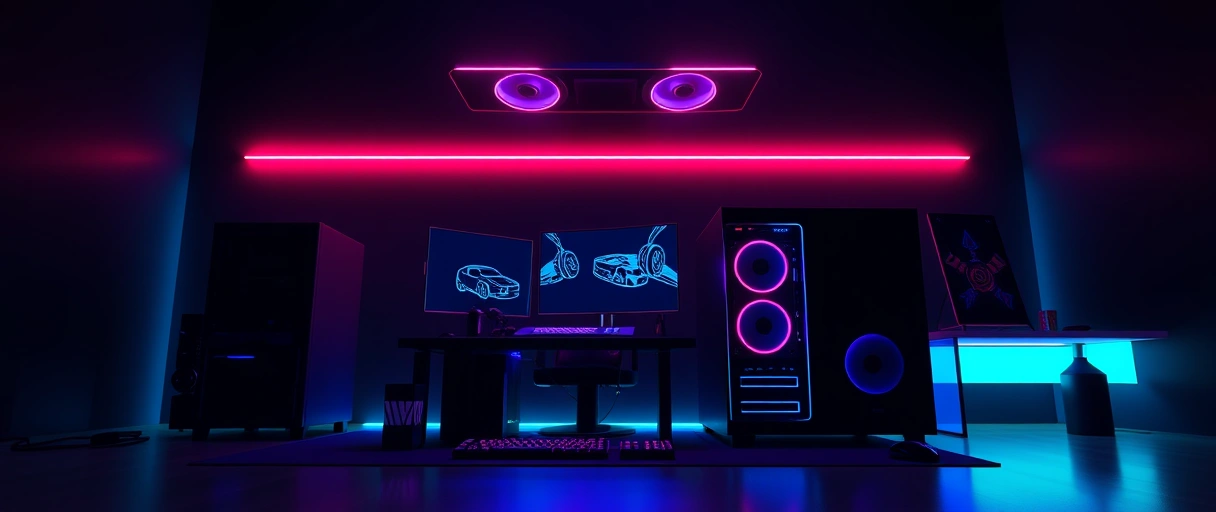
A curved panel, described by a radius such as 1000R, wraps the edges toward the player and suits ultrawide formats near 34 to 49 inches. The Samsung Odyssey line includes aggressively curved ultrawide and super-ultrawide panels. Viewing distance and desk depth determine the size that fills the field of view without forcing head movement during fast play.
Input Lag and Display Latency
Input lag measures the delay between a graphics card sending a frame and the panel showing it, distinct from pixel response time. Lower input lag makes controls feel more immediate, which matters in timing-sensitive competitive titles. A dedicated low-latency or game mode bypasses extra image processing to reduce delay.
Input lag is measured in milliseconds by independent testing rather than stated by manufacturers. The ASUS ROG and Alienware lines emphasize low processing latency in gaming modes. Combining low input lag with a high refresh rate and adaptive sync produces the most responsive feel, a point the refresh rate explanation expands for motion-heavy play.
Connectivity and HDMI Versus DisplayPort
Port choice determines the resolution and refresh a monitor can receive. DisplayPort 1.4 and 2.1 carry high resolutions at high refresh rates and support adaptive sync across both graphics card brands. HDMI 2.1 adds 4K at 120Hz and higher, which matters for current consoles as well as graphics cards.
Older HDMI versions cap the refresh rate at high resolutions, so the cable and port version must match the target output. The Samsung Odyssey and LG UltraGear lines include HDMI 2.1 for console compatibility. Console players benefit from HDMI 2.1, and the gaming monitor definition outlines the ports a gaming display should carry.
Backlight Strobing and Motion Clarity Modes
Backlight strobing reduces perceived motion blur beyond what refresh rate alone achieves. A strobing mode, branded as a blur-reduction feature, flashes the backlight in sync with each frame so the eye sees a sharper moving image. Strobing lowers overall brightness and usually cannot run at the same time as adaptive sync, so a player chooses between tearing-free sync and maximum motion clarity.
The mode suits fast competitive titles at a steady high frame rate. The ASUS ROG and BenQ Zowie lines include backlight strobing for esports. Players weigh strobing against adaptive sync based on whether frame rate stays consistent enough to keep strobing artifact-free.
Burn-In and OLED Care for Gaming Panels
OLED panels carry a burn-in risk because static elements can leave a lasting afterimage over long exposure. Health bars, scoreboards, and taskbars are common static elements in games and desktops. Manufacturers add protections such as pixel shifting, logo dimming, and periodic panel-refresh cycles to reduce the risk.
Varying content and hiding static interface elements further limit exposure. The LG UltraGear OLED and Samsung Odyssey OLED lines include burn-in mitigation and warranty coverage against it. A player who mixes gaming with long static desktop use weighs OLED contrast against the care an OLED panel requires.
Key Takeaways
- Match refresh to graphics power so the card can feed frames near the panel’s rate.
- Prioritize low response time and verified motion clarity for fast competitive titles.
- Balance resolution and refresh by choosing 1080p or 1440p for high frame rates and 4K for detail.
- Enable adaptive sync matched to the graphics card brand to remove tearing without lag.
- Weigh HDR by brightness since meaningful HDR needs high peak nits or OLED pixels.
Is 144Hz enough for gaming?
144Hz suits most gaming and gives a clear improvement over 60Hz. Competitive shooter players may prefer 240Hz or higher, but 144Hz balances smoothness and cost well.
Is 1440p or 4K better for gaming?
1440p balances sharp detail with high frame rates on mid-to-high graphics cards. 4K maximizes detail but needs a powerful card to sustain high refresh rates.
Do I need G-Sync or FreeSync?
Adaptive sync removes screen tearing without input lag. Match G-Sync to NVIDIA cards and FreeSync to AMD cards; many monitors now support both standards.
Is OLED good for gaming monitors?
OLED offers per-pixel black levels, instant response, and strong HDR contrast. It excels in dark and fast scenes, though static elements carry some burn-in risk over time.
Does response time matter for gaming?
Response time affects motion blur and ghosting behind fast objects. A 1ms gray-to-gray rating or an OLED panel reduces trailing in competitive fast-motion titles.
What refresh rate works for competitive esports?
Competitive esports players favor 240Hz and higher at 1080p or 1440p for the smoothest motion and lowest perceived latency, paired with a capable graphics card.
Last Thoughts on Best Monitors for Gaming
A gaming monitor selection rests on refresh rate, response time, the resolution balance, adaptive sync, panel type, and HDR rather than a single ranked verdict. Competitive players favor high refresh at 1080p or 1440p with low response time, while visual-first players favor 4K and OLED contrast with strong HDR.
The graphics card sets the practical ceiling for both refresh and resolution. Buyers building a dual-purpose desk can compare the office display recommendations for productivity tasks, and players assembling a streaming setup can review the streaming camera picks alongside the chosen display.

