
VR gaming is playing video games inside a head-tracked, three-dimensional world shown through a virtual reality headset that covers your whole field of view. The headset puts a separate image in front of each eye to create depth, then tracks your head and hand motion so the scene stays fixed in space as you look and reach around it. That is the core difference from a flat screen: you are placed inside the game rather than looking at it from a distance. In 2026 most VR gaming happens on standalone headsets such as the Meta Quest 3 that need no PC, while PC VR and the PlayStation VR2 trade convenience for higher visual quality.
What Is VR Gaming?
VR gaming is playing inside a fully immersive three-dimensional environment shown through a virtual reality headset that covers your vision and updates the view as your head moves. The headset renders a separate image for each eye to produce depth, and sensors track your position so the virtual world stays anchored in place while you look around. Virtual reality gaming joins three parts:
- The immersive display replaces your field of view with a rendered scene instead of a flat screen sitting at a distance.
- The head tracking measures the position and rotation of the headset so the view follows you as you turn or step.
- The motion controllers track each hand, letting you reach, grab, and interact with objects inside the world.
VR gaming places you inside the scene, which separates it from augmented reality that overlays content onto the real room. That line is drawn in the comparison of VR and AR. The rendering demand also ties VR to the components of a capable rig, covered in what makes a gaming PC.
How Does a VR Headset Work?
A VR headset shows a separate image per eye through lenses that focus the close screens, while tracking sensors measure head and controller motion to update the view in real time. Each eye sees a slightly offset image, and your brain fuses the two into one scene with depth. The work breaks into four stages:

- Render two views. The system draws the scene twice, once from each eye position, so the offset between them creates stereoscopic depth a flat screen cannot.
- Focus through the lenses. Lenses (modern headsets use thin pancake optics) sit between your eyes and the panels, making screens two inches away appear far off and widening the visible field of view to around 110 degrees.
- Track your motion. Inside-out cameras on the headset, or external base stations, combine with motion sensors to measure six degrees of freedom: where your head leans, steps, and turns.
- Map your hands. The motion controllers report position and button input, placing your hands into the scene so you can aim, grab, and gesture.
The two tracking styles differ in setup. Inside-out tracking builds the cameras into the headset and needs nothing else in the room, while outside-in tracking uses external base stations, the approach the SteamVR ecosystem made standard. The whole loop, from head movement to updated photons on the panel, has to finish in a few milliseconds to feel right.
What Are the Types of VR Gaming?
VR gaming comes in three forms that differ by where the game is rendered: standalone, PC VR, and console VR. The split decides what you need to buy, how the headset moves, and how good the graphics can look.
What Is the Difference Between Standalone and PC VR?
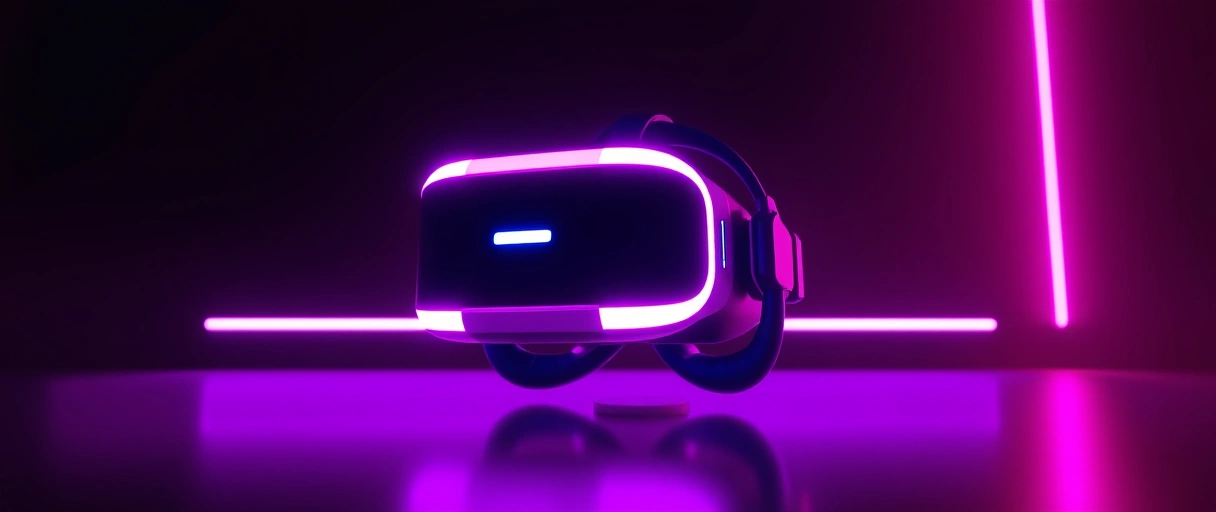
Standalone VR renders games on hardware built into the headset, while PC VR connects to a gaming computer that renders the game and streams the image to the headset. A standalone unit such as the Meta Quest 3 carries its own mobile chip; PC VR borrows the power of a desktop graphics card. They part ways in three places:
- Where it renders: standalone runs on the headset’s own chip, while PC VR runs on a connected computer’s graphics card.
- How good it looks: PC VR reaches higher detail and resolution through a desktop card than a self-contained mobile processor can match.
- How it moves: standalone works wirelessly with nothing attached, while PC VR needs a cable or a wireless link back to the host machine.
The line is not strict. Several standalone headsets, the Meta Quest among them, double as PC VR headsets by streaming from a PC over Air Link or a cable, so one device covers both modes. Where the work lands on a PC build is set out in what makes a gaming PC.
What Hardware Is Needed for VR Gaming?
VR gaming needs a headset and motion controllers, plus a gaming computer with a dedicated graphics card for PC VR; a standalone headset needs only itself. The demand depends on whether the headset renders on its own chip or leans on a connected PC. The full kit is:



- The VR headset holds the per-eye displays, lenses, and tracking sensors that present the immersive view.
- The motion controllers track hand position and carry the buttons and triggers you use to interact in game.
- The gaming computer renders PC VR titles on a dedicated graphics card; makers recommend a current mid-range to high-end card.
- The play space gives room-scale tracking somewhere to move, with a clear area marked by an on-screen boundary that warns you before you hit a wall.
PC VR leans hard on the graphics card because the headset draws two high-resolution images at a high refresh rate, roughly doubling the work of one screen. Standalone headsets sidestep that by rendering simpler scenes on an efficient mobile chip. The class of card that drives PC VR is the same hardware weighed in what makes a gaming PC.
Why Does Refresh Rate Matter in VR Gaming?
Refresh rate matters because a higher rate shrinks the gap between head movement and the matching view update, which lowers the motion sickness caused by mismatched motion cues. Most headsets run between 72 and 120 hertz, and the higher the rate, the closer the rendered view tracks your real head motion. It shapes comfort in three ways:
- The motion-to-photon delay falls at higher refresh rates, so the image updates sooner after you turn, cutting the sense of lag.
- The sickness risk drops when the visual update matches what your inner ear feels, which a higher rate supports; around 90 hertz is treated as the comfort floor.
- The frame demand rises with the rate, since a 90-hertz headset needs 90 fully rendered frames per second for each eye.
Motion sickness in VR comes from a conflict between sight and balance: your eyes report movement your inner ear does not feel. Beyond a high, stable refresh rate, the common fixes are setting the lens spacing (IPD) to your eyes, using teleport or snap-turn movement instead of smooth motion, and turning on vignetting that narrows your view during travel. A headset that drops below its target frame rate widens the delay and the discomfort, so VR systems guard a stable frame rate above all.
What Types of Games Run in VR?
VR games cover several genres built around motion controllers and head tracking rather than a gamepad and flat screen, including action, rhythm, simulation, exploration, and social titles. A VR game maps physical movement onto in-game action, so its design centers on reaching, aiming, and looking. The main types are:
- Action and shooter titles use the controllers for aiming and dodging, turning your arm and head movement into combat.
- Rhythm games score controller motion against timed targets, rewarding precise swings synced to music.
- Simulation titles recreate cockpits and vehicles, where you look around a rendered interior and reach for the controls.
- Exploration and adventure games drop you into an environment to walk, climb, and handle objects at human scale.
- Social and multiplayer spaces put several players in one environment, tracking head and hand motion to give each a sense of presence.
The library you can reach depends on the platform, since standalone, PC VR, and console VR each sell titles through separate stores. Where VR fits in the wider trajectory of the medium is taken up in the future of PC gaming.
What Are the Major VR Headsets?
The major 2026 headsets are the Meta Quest line, the Sony PlayStation VR2, and Valve’s Steam Frame, alongside PC VR units from Bigscreen, Pimax, and HTC. They differ in tracking method, display, and the platform they connect to:
- Meta Quest 3 and Quest 3S: standalone headsets with inside-out tracking and color passthrough. The Quest 3 is the all-round pick and the Quest 3S the budget entry, and both also stream PC VR over Air Link.
- Sony PlayStation VR2: a console headset that connects to the PS5, with OLED panels, eye tracking, and controller feedback, backed by a curated game list.
- Valve Steam Frame: announced in November 2025 as a standalone, streaming-first headset running SteamOS, with 2160×2160 per-eye LCD panels, pancake lenses, eye tracking, and up to a 120-hertz refresh rate. It replaced the discontinued Valve Index.
- PC VR specialists: the Bigscreen Beyond, Pimax Crystal, and HTC Vive line target enthusiasts who want the sharpest image and widest field of view over a SteamVR connection.
Which games you can run is set by the platform, since each headset family has its own store and library. The pace of new hardware like the Steam Frame is part of the trajectory traced in the future of PC gaming.
Last Thoughts on VR Gaming
VR gaming is head-tracked, immersive play inside a three-dimensional world shown through a headset that renders a separate image per eye and tracks your head and hands. It splits into three forms: standalone headsets that need no PC, PC VR that borrows a desktop graphics card for higher fidelity, and console VR that plugs into a PS5. Across all three, a high and stable refresh rate is what keeps the experience comfortable, because it closes the gap between your movement and the view that triggers motion sickness.
The standalone Meta Quest line made VR mainstream by removing the PC requirement, while the PlayStation VR2 and Valve’s new Steam Frame show the field still moving fast in 2026. To place VR among the rest of the hobby, continue with the comparison of VR and AR, the future of PC gaming, or the PC gaming guide hub for the full set of related concepts.
Key Takeaways:
- VR gaming puts you inside a head-tracked three-dimensional world shown through a headset that covers your field of view.
- The headset renders a separate image per eye for depth and tracks six degrees of freedom so the scene stays fixed as you move.
- The three forms are standalone (no PC), PC VR (rendered by a gaming PC), and console VR (plugged into a PS5).
- Standalone headsets like the Meta Quest 3 made VR mainstream by removing the PC requirement, and they dominate use in 2026.
- A refresh rate near 90 to 120 hertz reduces motion sickness by shrinking the delay between head movement and the view.
- Major headsets include the Meta Quest 3 and 3S, the PlayStation VR2, and Valve’s Steam Frame, which replaced the Valve Index.
Frequently Asked Questions (FAQs)
What is VR gaming in simple terms?
VR gaming is playing video games inside a head-tracked, three-dimensional world shown through a headset that covers your vision. The headset puts a separate image in front of each eye and tracks your head and hands, so the game responds to where you look and reach.
What is the difference between standalone and PC VR?
A standalone headset such as the Meta Quest 3 runs games on a chip built into the headset, with no computer or cable. PC VR connects the headset to a gaming PC and uses its graphics card to render, reaching higher visual quality at the cost of needing the PC.
Do you need a PC for VR gaming?
No. Standalone headsets like the Meta Quest 3 and Quest 3S play their own library with no PC. A gaming PC is only needed for PC VR titles, which the same Quest headsets can stream over Air Link or a cable when you want higher fidelity.
What are the best VR headsets in 2026?
The Meta Quest 3 is the leading all-round standalone headset and the Quest 3S is the budget entry point. The PlayStation VR2 is the main console headset for the PS5, and Valve’s Steam Frame, announced in November 2025, is the new standalone and streaming headset that replaced the discontinued Valve Index.
Why does VR cause motion sickness?
Motion sickness comes from a conflict between what your eyes see and what your inner ear feels. When the view lags behind your real head movement, the mismatch triggers nausea. A high refresh rate, correct lens spacing, and comfort options such as teleport movement and vignetting reduce it.
What refresh rate do VR headsets use?
Most headsets run between 72 and 120 hertz, with around 90 hertz treated as the comfort floor and 120 hertz reducing sickness further. A higher rate shrinks the motion-to-photon delay but requires the system to render that many frames per second for each eye.
About the author

Nizam Ud DeenFounder and Tech Blogger
Muhammad Nizam Ud Deen Usman is the founder of theCoreiTech and the author of The Local SEO Cosmos. He has worked in search since 2014 as an SEO consultant for eCommerce stores and local businesses, specialising in eCommerce SEO, local SEO and technical SEO, and runs SEO Academy and the SEO Community from Multan, Pakistan. He also founded ORM Digital Solutions, a digital agency serving medium and large businesses, and holds a degree from the University of Education, Lahore (Multan Campus). Plerdy lists him among its Best 20+ SEO Experts in Pakistan. Nizam started theCoreiTech in 2012 to make computers easier to understand and use for everyone. More of his work is at nizamuddeen.com.
