
A mid-range gaming PC build is a balanced desktop assembled to run current games at 2560×1440 (1440p) and 100 frames per second or higher, pairing an upper-mid graphics card with a strong eight-core gaming processor, 32GB of DDR5, and a 1TB to 2TB NVMe SSD. In 2026 the representative parts are an Nvidia RTX 5070 or RTX 5070 Ti or an AMD Radeon RX 9070 or RX 9070 XT, matched to a Ryzen 7 9800X3D or Core Ultra 7 265K on a B650E or B760 board with a 750W power supply. Cost balances across the graphics card and processor rather than concentrating on one part. Treat parts as tiers, not absolutes: an AI-driven memory and storage shortage has pushed 2026 prices up, so price the build the day you buy.
What Is a Mid-Range Gaming PC Build?
A mid-range gaming PC build is a balanced desktop assembled to run modern games at 2560×1440 and 100 frames per second or higher, with parts chosen to match an upper-mid graphics card to a strong gaming processor. It targets 1440p, the resolution that balances image sharpness against the graphics card cost of 4K, and it splits cost between the graphics card and the processor because high-refresh 1440p loads both. The build is defined by three constraints:
- Resolution targets 2560×1440, which raises the graphics card requirement over 1080p but stays below 4K.
- Frame rate targets 100 frames per second or higher on high settings to feed a high-refresh monitor.
- Cost balances the graphics card and processor, since high-refresh 1440p loads the GPU and the CPU together.
This build sits between the 1080p target of the budget gaming PC build and the 4K target of the high-end gaming PC build. The traditional spend is 1200 to 1500 US dollars, though the 2026 memory and storage shortage has lifted that band, a point this guide returns to in the cost section.
What Graphics Card Should a 1440p Build Use?
The graphics card for a mid-range build is an upper-mid 2026 model such as the Nvidia RTX 5070 or RTX 5070 Ti, or the AMD Radeon RX 9070 or RX 9070 XT, which runs current titles at 1440p and 100 frames per second or higher. The graphics card renders each frame, so the GPU sets the frame rate at 1440p. These are representative tiers, not the only options, and street prices move:
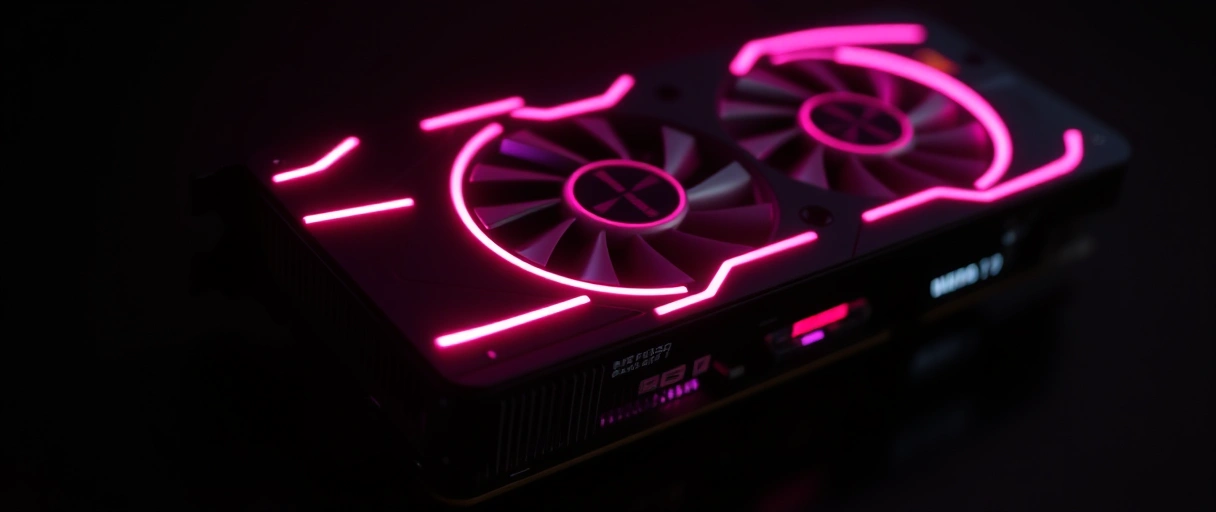
- Nvidia RTX 5070 (12GB GDDR7): the entry to this tier, around 610 to 630 US dollars, with DLSS 4 upscaling and frame generation for ray-traced scenes.
- Nvidia RTX 5070 Ti (16GB GDDR7): a clear step up with a 749 dollar list price, though scarcity has often pushed street prices to 880 dollars or more.
- AMD Radeon RX 9070 (16GB): a value pick near 549 to 619 dollars that holds higher textures at 1440p on its larger memory.
- AMD Radeon RX 9070 XT (16GB): the top of this tier, roughly 27 percent faster than the RTX 5070 and within a few frames of the RTX 5070 Ti at 1440p.
An upper-mid card with 12GB to 16GB of video memory runs current titles at 1440p on high settings, with upscaling adding frame rate for ray-traced or demanding scenes. The 16GB cards hold more headroom for high textures in newer titles. The ranking of these cards against entry and high-end options by resolution appears in the overview of the best GPUs for gaming.
What Processor Fits a Mid-Range Build?
The processor for a mid-range build is a strong eight-core gaming chip such as the AMD Ryzen 7 9800X3D, the Ryzen 7 9700X, or the Intel Core Ultra 7 265K, which feeds frames to an upper-mid graphics card at high-refresh 1440p. The processor prepares draw calls, so a strong gaming chip prevents a CPU bottleneck at high frame rates. Three representative options fit the tier:

- AMD Ryzen 7 9800X3D (~$479): the gaming value leader. Its 3D V-Cache enlarges the processor cache and raises frame rate in CPU-bound games, and it drops straight into a B650E board.
- AMD Ryzen 7 9700X (~$360): the same Zen 5 cores without the 3D cache, a lower-cost choice when the budget is tight and the GPU does most of the work at 1440p.
- Intel Core Ultra 7 265K (~$384): a mix of performance and efficiency cores on a B760 or Z890 board, a capable match for an upper-mid card.
A strong gaming processor prevents a CPU bottleneck at 100 frames per second or higher, where a weaker chip would cap the frame rate the graphics card could otherwise reach. The Ryzen 7 9800X3D leads gaming frame rate through its 3D V-Cache, with the full ranking in the overview of the best CPUs for gaming. Choosing each part to match the rest of the build is the subject of how to pick gaming PC parts.
How Much Memory and Storage Does It Need?
Memory is 32GB of DDR5 in a dual-channel pair around 6000 MT/s, and storage is a 1TB to 2TB NVMe Gen4 solid-state drive. Memory holds active data so the system does not swap to disk, and a fast NVMe drive shortens load times and texture streaming. The rules are short:
- Two 16GB DDR5 modules enable dual-channel mode at 32GB, which holds games alongside a browser, chat, and streaming software without swapping.
- A DDR5 speed near 6000 MT/s suits the AM5 platform, where memory speed affects frame rate; enable the EXPO or XMP profile in firmware.
- A 1TB to 2TB NVMe Gen4 drive reads at roughly 5,000 to 7,000 MB/s, well above 3,500 MB/s for Gen3 and 550 MB/s for SATA, and a 2TB drive holds 30 to 50 modern games.
This is the part of the build most affected by 2026 pricing. The AI-driven memory shortage lifted 32GB of DDR5 from 80 to 120 US dollars in 2025 to about 375 dollars at the start of June 2026, and high-capacity SSDs rose too, so memory and storage now claim a larger share of the budget than they used to. Capacity guidance for gaming and content work is in the guide to how much RAM is needed.



What Motherboard, Power Supply, and Cooling Are Right?
The platform parts are a B650E or B760 motherboard, a 750W 80 Plus Gold power supply, and a mid-tower case with a strong air or 240mm liquid cooler. The motherboard connects every component and sets the upgrade path, the power supply converts wall power with headroom for spikes, and the cooler holds the processor below its throttle temperature. The picks below cover both platforms:
A B650E board supports the Ryzen 7 9800X3D fully; the 3D V-Cache chip does not overclock, so a costlier X670E board is not required for it. The method for sizing wattage to the graphics card and processor appears in the gaming PC power supply requirements.
What Does the Full Parts List Look Like?
The recommended components for a 2026 mid-range gaming PC build are listed below, with representative picks and an approximate price for each. Prices are a June 2026 snapshot during the memory and storage shortage and shift week to week, so price the build the day you buy:
| Component | Representative Pick (2026) | Approx. Price (USD) |
|---|---|---|
| Graphics card | RTX 5070 / 5070 Ti / RX 9070 / 9070 XT | $550 to $900 |
| Processor | Ryzen 7 9800X3D / 9700X / Core Ultra 7 265K | $360 to $480 |
| Memory | 32GB DDR5 (2x16GB) ~6000 MT/s | $375+ |
| Storage | 1 to 2TB NVMe Gen4 SSD | $120 to $220 |
| Motherboard | B650E (AMD) or B760 (Intel) | $170 to $300 |
| Power supply | 750W, 80 Plus Gold | $90 to $130 |
| Case and cooling | Mid-tower + air or 240mm liquid cooler | $140 to $220 |
The decision between assembling these parts and buying an equivalent system is covered in the prebuilt versus custom gaming PC comparison, which weighs cost per performance against warranty and convenience.
What Is the Build Order?
Assemble outside the case first, test, then install, in a fixed order that avoids reworking finished steps. The sequence below is the common path for a first build:
- Seat the CPU and memory on the open board. Drop the processor into the socket by its alignment marks, then click the DDR5 pair into the slots the manual specifies for dual channel.
- Mount the cooler and do a bench test. Attach the air or liquid cooler, connect a power supply, GPU, and monitor on the bench, and confirm the system posts before it goes in the case.
- Install the board and power supply in the case. Stand off the motherboard on the tray, then fit the power supply and route its cables behind it.
- Add storage and the graphics card. Screw the NVMe drive into its M.2 slot, then seat the graphics card in the top PCIe slot and connect its power.
- Cable, then boot and tune. Connect front-panel and fan headers, enable the EXPO or XMP memory profile in firmware, update the BIOS, and install the operating system and GPU driver.
Bench-testing the core parts before they go in the case is the step that saves the most time, because a fault is far easier to trace on an open board than inside a finished build.
Where Does a Mid-Range Build Balance Cost?
A mid-range build spreads cost across components rather than concentrating it on one part, because high-refresh 1440p loads the graphics card and processor together. The balance rules are:
- Balance the graphics card and processor, since high-refresh 1440p loads both, unlike 1080p where the GPU dominates.
- Hold memory at 32GB, the practical baseline for gaming plus background apps, and price it carefully given the 2026 shortage.
- Add a strong aftermarket cooler, since an eight-core chip draws more heat than a stock cooler clears under sustained load.
- Choose 80 Plus Gold, since the higher efficiency tier lowers heat and wasted power across the build.
The 2026 pricing picture changes how the budget splits more than it changes the parts. Memory and storage take a larger slice than they did a year ago, so a build that once landed near 1200 to 1500 dollars can run several hundred dollars higher for the same tier. The fix is to track prices and buy memory and the GPU when they dip rather than overspend on the rest.
Last Thoughts on a Mid-Range Gaming PC Build
A mid-range gaming PC build reaches high-refresh 1440p by balancing cost between an upper-mid graphics card such as the RTX 5070 Ti or RX 9070 XT and a strong eight-core processor such as the Ryzen 7 9800X3D or Core Ultra 7 265K, with 32GB of DDR5, a 1TB to 2TB NVMe drive, a B650E or B760 board, a 750W 80 Plus Gold supply, and a strong cooler. Treat the named parts as representative tiers rather than fixed answers, because both the lineup and the prices move.
The one thing that has changed most in 2026 is price: the memory and storage shortage has lifted the cost of the same tier, so the old 1200 to 1500 dollar band is a starting point rather than a ceiling. Step down to the budget gaming PC build, step up to the high-end gaming PC build, or return to the PC gaming guide hub to plan the rest of the system.
Key Takeaways:
- A mid-range gaming PC build targets 1440p at 100 frames per second or higher on high settings, the current price-to-performance sweet spot.
- The 2026 graphics card is an upper-mid model: RTX 5070, RTX 5070 Ti, RX 9070, or RX 9070 XT.
- The processor is a strong eight-core gaming chip such as the Ryzen 7 9800X3D, the 9700X, or the Core Ultra 7 265K.
- Memory is 32GB of DDR5 near 6000 MT/s and storage is a 1 to 2TB NVMe Gen4 drive.
- A 750W 80 Plus Gold supply and a strong cooler handle the load; B650E or B760 sets the platform.
- The 2026 memory and storage shortage has lifted prices, so price the build the day you buy and treat 1200 to 1500 dollars as a starting point.
Frequently Asked Questions (FAQs)
What GPU is best for 1440p gaming in 2026?
An upper-mid card such as the Nvidia RTX 5070 (12GB), RTX 5070 Ti (16GB), AMD Radeon RX 9070 (16GB), or RX 9070 XT (16GB) runs current titles at 1440p and 100 frames per second or higher on high settings. The RX 9070 XT and RTX 5070 Ti sit at the top of this tier and land within a few frames of each other at 1440p.
What CPU should a mid-range 1440p build use?
A strong eight-core gaming chip such as the AMD Ryzen 7 9800X3D, the Ryzen 7 9700X, or the Intel Core Ultra 7 265K. The 9800X3D leads gaming frame rate through its 3D V-Cache and is the value pick for a build centered on games at high refresh.
How much does a mid-range gaming PC cost in 2026?
The traditional band is 1200 to 1500 US dollars, but the 2026 memory and storage shortage has lifted that. Thirty-two gigabytes of DDR5 now starts near 375 dollars, against 80 to 120 dollars in 2025, and GPUs and SSDs are elevated too, so the same parts list can run several hundred dollars higher. Prices shift week to week, so price the build the day you buy.
Do I need 32GB of RAM for 1440p gaming?
Thirty-two gigabytes of DDR5 holds current games alongside a browser, chat, and streaming software without swapping to storage. Sixteen gigabytes runs most games on their own but leaves no headroom for background apps, and 32GB is the practical baseline for a 1440p build in 2026.
What power supply does a 1440p gaming PC need?
A 750W unit with 80 Plus Gold certification from a known maker. It powers an upper-mid graphics card and a strong processor with headroom for transient spikes, and the Gold tier reaches about 87 to 90 percent efficiency, which lowers heat and wasted power.
Is 1440p worth it over 1080p for gaming?
Yes for most builds in this tier. 1440p adds noticeable image sharpness over 1080p while staying below the graphics card cost of 4K, which is why it is the current sweet spot for price to performance. A mid-range build pairs an upper-mid GPU with a high-refresh 1440p monitor to show the frame rate.
About the author

Nizam Ud DeenFounder and Tech Blogger
Muhammad Nizam Ud Deen Usman is the founder of theCoreiTech and the author of The Local SEO Cosmos. He has worked in search since 2014 as an SEO consultant for eCommerce stores and local businesses, specialising in eCommerce SEO, local SEO and technical SEO, and runs SEO Academy and the SEO Community from Multan, Pakistan. He also founded ORM Digital Solutions, a digital agency serving medium and large businesses, and holds a degree from the University of Education, Lahore (Multan Campus). Plerdy lists him among its Best 20+ SEO Experts in Pakistan. Nizam started theCoreiTech in 2012 to make computers easier to understand and use for everyone. More of his work is at nizamuddeen.com.
