
A gaming monitor is a display built for a high refresh rate, a low response time, variable refresh rate, and low input lag, which together let it show the fast frame rates a gaming PC produces with less ghosting, tearing, and delay than a standard monitor. A standard monitor refreshes 60 times per second with a slower pixel response; a gaming monitor refreshes 120 to 500 times per second and changes pixel color in roughly one millisecond or less. Of the four traits, the refresh rate and the response time are the two specifications that most separate a gaming monitor from a normal one. The clear direction in 2026 is toward OLED panels, which are now mainstream in the premium tier, and refresh rates of 240 hertz and above.
What Is a Gaming Monitor?
A gaming monitor is a display optimized for a high refresh rate, a low response time, variable refresh rate, and low input lag, which together show fast-moving game frames with reduced ghosting, tearing, and delay. It differs from a standard monitor in how many times it redraws the image per second, how fast its pixels change color, whether it synchronizes to the graphics card, and how quickly it reacts to input. The defining features are:
- A high refresh rate redraws the image 120 to 500 times per second, showing more frames for smoother motion.
- A low response time changes pixel color in around one millisecond or less, reducing trailing blur.
- Variable refresh rate matches the refresh rate to the frame rate, removing tearing without added input lag.
- Low input lag keeps the delay between an action and the screen update short, so the display feels responsive.
A gaming monitor displays the frames the graphics card renders, so it pairs with the GPU and the rest of the components that make a gaming PC. The exact specifications behind each feature are broken down in the gaming monitor specs explained guide.
What Are the Defining Features of a Gaming Monitor?
Four features set a gaming monitor apart from a general-purpose display, and they work together rather than in isolation. Each one controls a different part of how a rendered frame reaches the player:
No single feature defines a gaming monitor on its own. A fast refresh rate paired with a slow pixel response still blurs, and a fast panel with high input lag still feels sluggish, so the specifications are read together.
What Is Refresh Rate in Hertz?
Refresh rate, measured in hertz, is the number of times per second a monitor redraws the image, and a higher refresh rate displays more frames for smoother motion and lower perceived lag. A 60 Hz monitor redraws 60 times per second, while gaming monitors reach 120, 144, 240, 360, or 500 hertz. The refresh-rate tiers are:
- 60 hertz is the standard monitor rate, redrawing 60 times per second for general use.
- 120 and 144 hertz are the affordable gaming entry, showing roughly twice the frames of a standard display.
- 240 hertz is the current sweet spot, balancing smoothness against the GPU power needed to sustain it.
- 360 and 500 hertz serve competitive play, where every additional frame reduces perceived motion blur and lag.
A monitor cannot show frames the GPU does not render, so a high-refresh monitor pairs with a graphics card capable of those frame rates, ranked in the best GPUs for gaming overview. The case for pushing past 60 Hz is set out in the guide to high refresh rate gaming.
What Is Response Time in Milliseconds?
Response time, measured in milliseconds, is how long a pixel takes to change from one color to another, and a low response time reduces the ghosting and trailing blur behind moving objects. A gaming monitor specifies response time as gray-to-gray, often one millisecond or less, while slower panels trail moving images. The key points are:
- Gray-to-gray response time measures the shift between two gray shades, the common gaming specification.
- One millisecond or below marks a fast gaming panel; OLED panels reach roughly 0.1 millisecond.
- Moving picture response time describes perceived motion blur, a separate metric from the panel’s transition speed.
- A fast refresh rate cannot fix a slow pixel, so a high refresh rate paired with a slow response time still produces blur.
What Is the Difference Between Response Time and Input Lag?
Response time and input lag are often confused, but they measure different delays: response time is how fast a pixel changes color, while input lag is the delay between an action and the screen updating. Both matter for gaming, and a low number on one does not guarantee a low number on the other. The distinction is:



- Response time controls how clearly moving objects appear, since slow pixels leave a trail behind motion.
- Input lag controls how responsive the display feels, since it covers the whole path from input to a visible change.
- A 1 ms response time is not low input lag, because signal processing and scanout add delay the response-time figure never captures.
- Competitive play prioritizes input lag first, then response time, with a total delay under 10 milliseconds preferred.
Manufacturers advertise the response-time figure prominently because it is small and easy to compare, but a player feeling lag despite a 1 ms panel is reacting to input lag, not pixel speed. The two are read together when judging how a gaming monitor performs.
What Is Variable Refresh Rate With G-Sync and FreeSync?
Variable refresh rate matches the monitor’s refresh rate to the graphics card’s frame output in real time, removing screen tearing without the input lag of standard V-Sync. Nvidia G-Sync and AMD FreeSync are the two standards, each syncing the display to the GPU. The key points are:

- Nvidia G-Sync synchronizes the refresh rate to an Nvidia GPU’s frame output to remove tearing.
- AMD FreeSync performs the same synchronization with AMD and compatible GPUs over standard connections.
- Screen tearing appears when the refresh rate and frame rate fall out of step, which variable refresh rate prevents.
- Lower input lag than V-Sync results, since the display matches the GPU instead of holding frames in a buffer.
Variable refresh rate removes tearing while keeping latency lower than V-Sync, per Nvidia’s and AMD’s specifications, and most 2026 gaming monitors are certified for G-Sync, FreeSync, or both. The full comparison of the two standards, including certification tiers and compatibility, is covered in G-Sync vs FreeSync.
How Does the Resolution Versus Refresh Tradeoff Work?
The resolution-versus-refresh tradeoff is the choice between more pixels for sharpness and more frames for smoothness, since a graphics card splits its rendering budget between the two. A higher resolution demands more GPU work per frame, which lowers the frame rate the card sustains, so resolution and refresh rate compete for the same hardware. The points are:
- A higher resolution sharpens the image but raises the GPU work per frame, lowering the achievable frame rate.
- A higher refresh rate smooths motion but requires the GPU to render more frames per second.
- Competitive players favor refresh rate, choosing 1080p or 1440p at a high hertz for the smoothest motion.
- Immersive players favor resolution, choosing 1440p or 4K for sharpness at a lower frame rate.
A graphics card renders a fixed budget of pixels per second, so raising resolution lowers frame rate and raising refresh demands more frames, a balance the GPU tier sets, ranked in the best GPUs for gaming overview. The competitive-versus-immersive choice is detailed further in the gaming monitor specs explained guide.
Which Panel Types Suit Gaming?
Gaming monitors use TN, IPS, VA, or OLED panels, each trading response time, color, contrast, and price differently, with IPS and OLED common on current gaming displays. The panel type sets the monitor’s color, viewing angle, contrast, and response time. The panel types are:
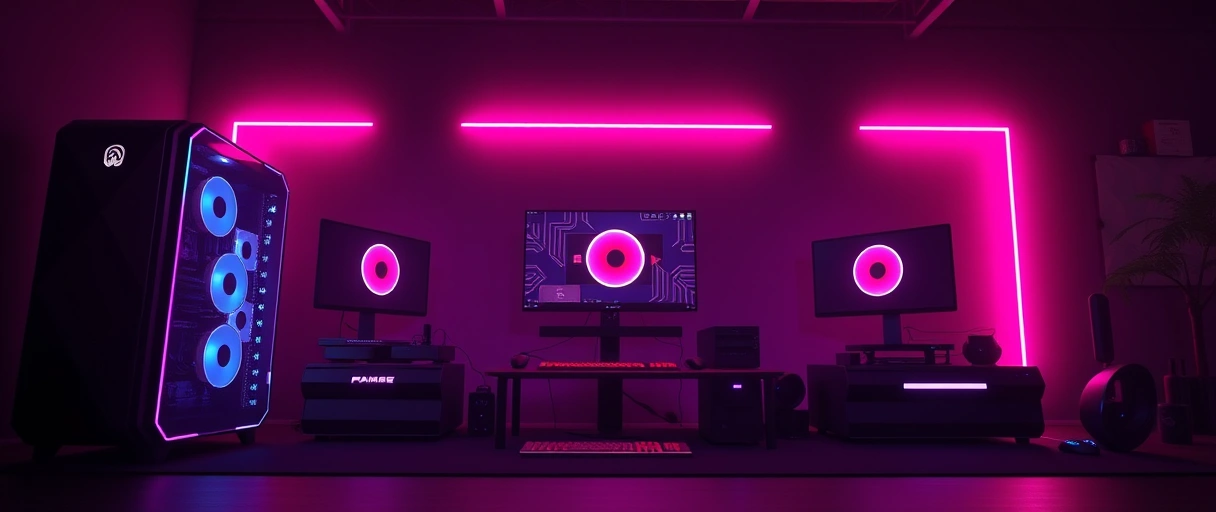
- TN panels reach the lowest response time, around 0.5 millisecond, at the lowest cost, with weaker color and viewing angles.
- IPS panels offer accurate color and wide viewing angles, with Fast IPS variants now under one millisecond.
- VA panels offer high contrast and deep blacks, typically 3000:1 or more, with a slower response time than IPS.
- OLED panels offer near-instant response near 0.1 millisecond and per-pixel contrast, at a higher price and with a burn-in risk.
OLED reached the mainstream premium segment in 2026 and is now the benchmark other panels are measured against, while Fast IPS has narrowed TN’s old speed advantage, leaving TN for budget competitive displays and VA for high-contrast immersive use. The panel-type differences and their full specifications appear in monitor panel types explained, complementing input devices such as a gaming mouse and a gaming headset that complete a gaming setup.
Which Connection Ports Does a Gaming Monitor Use?
A gaming monitor connects to a graphics card through DisplayPort or HDMI, and the port version sets the maximum resolution and refresh rate the connection carries. A high refresh rate at a high resolution demands enough bandwidth, which only the newer port versions provide. The connection ports are:
- DisplayPort 2.1a (UHBR20) carries up to 80 gigabits per second, enough for 4K at 240 hertz uncompressed.
- HDMI 2.1 carries 48 gigabits per second, reaching 4K at 240 hertz only with Display Stream Compression.
- HDMI 2.0 caps 4K at 60 hertz, so it limits a high-refresh 4K monitor over that connection.
- USB-C with DisplayPort Alt Mode carries video and power on monitors that support it, common on laptop pairings.
A connection that lacks bandwidth caps the refresh rate or resolution regardless of the monitor’s panel, so the port version matters as much as the display itself. At lower resolutions and refresh rates either port is sufficient, and matching the port to the graphics card output ensures the full refresh rate reaches the screen, a pairing the best GPUs for gaming overview reflects in each card’s output specification.
What Is Motion Blur Reduction on a Gaming Monitor?
Motion blur reduction is a backlight-strobing feature that flashes the backlight in sync with the refresh rate to sharpen moving images beyond what response time alone achieves. Marketed as ULMB by Nvidia or under manufacturer names, it reduces the blur the eye perceives during motion. The points are:
- Backlight strobing flashes the backlight between frames, shortening the time each frame stays visible.
- A reduction in perceived motion blur follows, sharpening fast-moving objects beyond the panel’s response time.
- A lower screen brightness results, since the strobing backlight is off for part of each cycle.
- A conflict with variable refresh rate exists on many monitors, so strobing and a variable refresh rate often cannot run together.
Backlight strobing sharpens motion at the cost of brightness and usually cannot run alongside variable refresh rate, so a player chooses between tear-free output and reduced blur on most monitors. The feature suits competitive play at a fixed high frame rate, where the response-time and refresh-rate specifications defined earlier already favor speed over the wider spec set.
Last Thoughts on Gaming Monitors
A gaming monitor is a display built for a high refresh rate, a low response time, variable refresh rate, and low input lag, which together show the fast frame rates a gaming PC produces with less ghosting, tearing, and delay than a standard monitor. Of those traits, the refresh rate and the response time are the two specifications that most separate a gaming monitor from a normal one: one sets how many frames per second the panel shows, the other sets how cleanly each frame resolves. Variable refresh rate removes tearing, low input lag keeps the display responsive, the resolution-versus-refresh tradeoff balances sharpness against smoothness, and the panel type sets color and contrast.
The 2026 landscape has moved toward OLED panels in the premium tier and refresh rates of 240 hertz and above, with 360 to 500 hertz available for competitive play. Together these features define the gaming monitor against a standard display. Readers can continue with the gaming monitor specs explained guide, the guide to high refresh rate gaming, the G-Sync vs FreeSync comparison, or the PC gaming guide hub.
Key Takeaways:
- A gaming monitor is defined by a high refresh rate, a low response time, variable refresh rate, and low input lag.
- Refresh rate and response time are the two specifications that most separate it from a standard monitor.
- 240 hertz is the current sweet spot, with 120 to 144 hertz the entry and 360 to 500 hertz for competitive play.
- Response time controls ghosting; input lag controls how responsive the display feels, and they are not the same.
- Variable refresh rate through G-Sync or FreeSync removes tearing without the input lag of V-Sync.
- OLED panels reached the mainstream premium tier in 2026, with the fastest response of any panel near 0.1 millisecond.
Frequently Asked Questions (FAQs)
What makes a monitor a gaming monitor?
A gaming monitor is defined by a high refresh rate, a low response time, variable refresh rate (G-Sync or FreeSync), and low input lag. These four traits let it show the fast frame rates a gaming PC produces with less ghosting, tearing, and delay than a standard monitor.
What refresh rate is good for gaming in 2026?
240 hertz is the current sweet spot for gaming, with 120 and 144 hertz as the affordable entry and 360 to 500 hertz for competitive play. A higher refresh rate displays more of the frames a GPU renders, smoothing motion and lowering perceived lag, but the GPU must sustain those frame rates.
What is the difference between response time and input lag?
Response time is how fast a pixel changes color, which controls ghosting behind moving objects. Input lag is the delay between an action and the screen updating, which controls how responsive the display feels. A 1 ms response time does not guarantee low input lag, since the two measure different things.
Is an OLED gaming monitor worth it in 2026?
OLED gaming monitors reached the mainstream premium segment in 2026 and offer the fastest response time of any panel, under 0.1 ms, with per-pixel contrast and refresh rates up to 500 hertz. The trade-offs are a higher price and a burn-in risk from static elements such as a game HUD over long sessions.
What is the difference between G-Sync and FreeSync?
G-Sync is Nvidia’s variable refresh rate standard and FreeSync is AMD’s. Both match the monitor’s refresh rate to the GPU’s frame output in real time to remove tearing with lower input lag than standard V-Sync. Most current monitors are certified for one or both.
Do I need DisplayPort 2.1 or HDMI 2.1 for a gaming monitor?
The port version sets the maximum resolution and refresh rate a connection carries. DisplayPort 2.1a (UHBR20, 80 Gbps) carries 4K at 240 hertz uncompressed, while HDMI 2.1 (48 Gbps) reaches the same only with Display Stream Compression. For lower resolutions and refresh rates, either port is sufficient.

