
A high-end gaming PC build from 2,500 USD and up targets 4K resolution and high refresh rates, built around a flagship graphics card, a strong gaming CPU, fast DDR5 memory, and a power supply with the headroom to feed it. The graphics card is the single most important and most expensive part, with the RTX 5090 aimed at 4K high refresh and the RTX 5080 at 4K 60. The rest of the build exists to keep that card fed: a current Ryzen X3D or Intel Core Ultra CPU, 32 GB of DDR5, a 2 TB NVMe drive, and a 1000W ATX 3.1 power supply. In 2026 a memory and NAND shortage has pushed RAM, storage, and the top GPU well above their launch prices, so treat every figure here as a tier that moves.
What Is a High-End Gaming PC Build?
A high-end gaming PC is a system built to run demanding games at 4K resolution, at high refresh rates, with the visual settings turned up. It is the tier above a mainstream 1440p machine, and the budget reflects that. The defining trait is balance at the top end: every part is chosen so nothing holds back the graphics card.
- Target: 4K (3840 x 2160) at 100 frames per second and up, or very high frame rates at 1440p, with ray tracing on where you want it.
- Budget: roughly 2,500 USD and up for the full system, with the graphics card taking the largest share by far.
- Balance: a flagship GPU, a current gaming CPU, 32 GB of fast DDR5, and a power supply sized for the load, so no single part is the weak link.
If your target is 1440p rather than 4K, you do not need this tier; the mid-range gaming PC build guide covers a system that hits high frame rates at 1440p for far less money.
Which Graphics Card Should a 4K Build Use?
The graphics card is the heart of a 4K build, and the choice comes down to the RTX 5090 for 4K high refresh or the RTX 5080 for 4K at 60 frames per second.
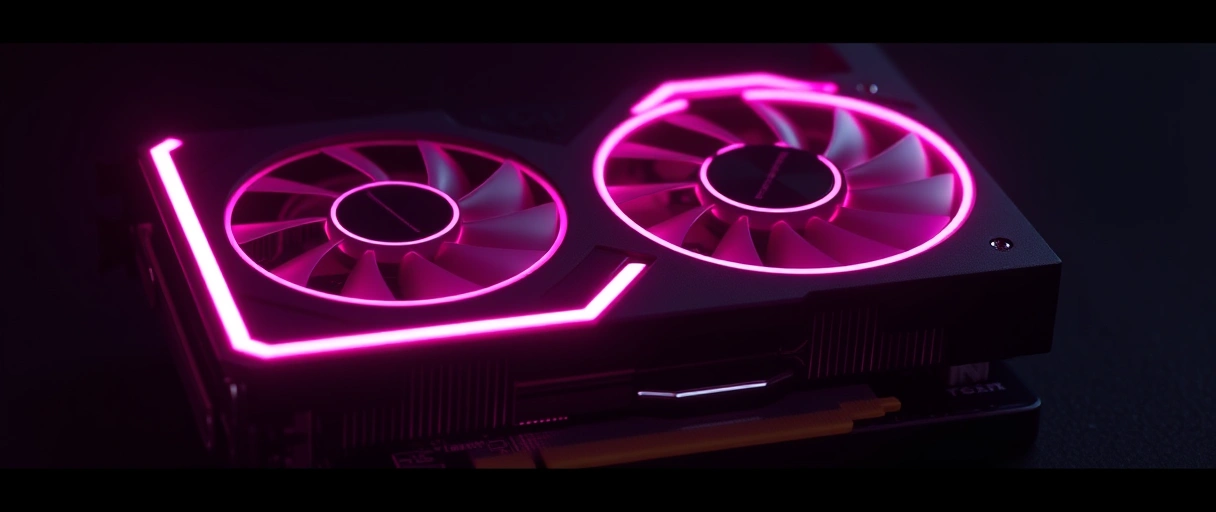
- RTX 5090 (32 GB): the flagship, roughly 30 to 50% faster than the RTX 4090 and the clear choice for 4K at 120 Hz or higher and for heavy ray tracing. It carries a large premium and during the 2026 shortage has sold for 3,800 to 4,300 USD against a 1,999 USD launch price.
- RTX 5080: launched at 999 USD and runs 4K at maximum settings on a 60 Hz display comfortably. It is the value pick for 4K when you are not chasing the highest frame rates.
- Memory matters: the 5090’s 32 GB of VRAM gives headroom for 4K textures, ray tracing, and creative work; the 5080 has less but is still ample for gaming.
Match the card to your monitor. A 4K 240 Hz display rewards the RTX 5090, while a 4K 60 Hz panel is well served by the RTX 5080 for a much lower price.
Does a 4K Build Still Need a Strong CPU?
Yes. 4K leans on the graphics card, but a flagship GPU pushes so many frames that a weak CPU becomes the limit, especially at high refresh.

- Ryzen 7 9800X3D: the value sweet spot for pure gaming, with 8 cores and 96 MB of 3D V-Cache that keeps a flagship GPU fed at any resolution.
- Ryzen 9 9950X3D: 16 cores for people who also stream, render, or edit, with gaming performance close to the 9800X3D.
- Intel Core Ultra 9: the Intel alternative on the Z890 platform, strong in productivity and competitive on price.
For pure 4K gaming the 9800X3D is usually the smart spend, leaving more budget for the graphics card. Step up to the 9950X3D or a Core Ultra 9 only if your workload is also heavy outside games.
How Much Memory and Storage for a High-End Build?
32 GB of DDR5 is the high-end standard, and a 2 TB or larger NVMe SSD covers a modern game library.

- Memory: 32 GB of DDR5-6000 CL30 is the sweet spot for gaming, run with the EXPO or XMP profile enabled so it reaches its rated speed. Move to 64 GB only if you also do heavy creative work.
- Boot and games drive: a 2 TB Gen4 NVMe SSD is the practical baseline; a Gen5 drive is faster on paper but rarely changes in-game loading.
- Library drive: add a second large NVMe or SATA SSD when one 2 TB drive fills up, since modern 4K titles can each take 100 GB or more.
The 2026 memory and NAND shortage has pushed both DDR5 and SSD prices well above their 2025 lows, so a 32 GB kit and a 2 TB drive cost noticeably more than they used to. Buy the capacity you need and skip speeds that do not help in games.



Which Motherboard Fits a High-End Build?
Choose a board that matches your CPU and gives you a PCIe 5.0 graphics slot, fast M.2 storage, and a strong power delivery design.
You do not need the most expensive board. A solid mid-tier X870E or Z890 has the power delivery and connectivity a flagship build needs; the extra spend on top-end boards mostly buys overclocking features and aesthetics.
What Power Supply Does a High-End Build Need?
Use a 1000W or higher ATX 3.1 power supply with a native 12V-2×6 cable for an RTX 5090 system, or 850W for an RTX 5080.
- Wattage: 1000W or more for an RTX 5090 plus a flagship CPU; 850W is enough for an RTX 5080 build. The headroom keeps the unit efficient and quiet.
- Standard: ATX 3.1 with a native 12V-2×6 connector, so you avoid adapters and get proper handling of GPU power transients.
- Quality: 80 Plus Gold or better from a reputable maker, with a long warranty, since the PSU protects every other part.
Sizing and the 12V-2×6 connector are covered in depth in the gaming PC power supply requirements guide, which walks through wattage math and efficiency ratings.
What Case and Cooling Suit a High-End Build?
A flagship build runs hot, so it needs strong cooling and a case with the airflow and clearance to support it.
- CPU cooling: a 360 mm AIO liquid cooler, or a large dual-tower air cooler, keeps a flagship CPU at its boost clocks under load.
- Case airflow: a mid-tower or full-tower with mesh front panels and several fans moves the heat a high-end GPU and CPU produce.
- Clearance: confirm the case fits a long flagship graphics card and your chosen cooler before you buy, as RTX 5090 cards are large.
If you want this performance in a small chassis instead of a tower, the small form factor gaming PC guide covers the tighter thermal and clearance limits a compact build adds.
High-End Gaming PC Parts List and Build Order
The table below is a representative 2026 high-end 4K build, with prices shown as tiers because they move week to week.
| Component | Representative pick (2026) | Approx price (USD) |
|---|---|---|
| Graphics card | GeForce RTX 5090 (32 GB) for 4K high refresh, or RTX 5080 for 4K 60 | 3,800 to 4,300 (5090), 1,100 to 1,200 (5080) |
| Processor | Ryzen 7 9800X3D for pure gaming, Ryzen 9 9950X3D if you also create | 480 (9800X3D), 700 (9950X3D) |
| Motherboard | X870E or X670E (AM5), or Z890 for Intel Core Ultra | 240 to 575 |
| Memory | 32 GB DDR5-6000 CL30 (64 GB if you also create) | 285 to 400 (32 GB) |
| Storage | 2 TB Gen4 NVMe SSD (add a second drive for a large library) | 300 to 480 |
| Power supply | 1000W or higher, ATX 3.1, 80 Plus Gold or better, native 12V-2×6 | 180 to 320 |
| Cooling | 240 mm or 360 mm AIO, or a large dual-tower air cooler | 90 to 220 |
| Case | Mid-tower or full-tower with high airflow and GPU clearance | 110 to 250 |
With the parts chosen, the assembly follows a standard order that makes cable management and troubleshooting easier:
- Prepare the motherboard outside the case. Install the CPU, the M.2 SSD, and the memory while the board is on its box, where access is easy.
- Mount the cooler. Fit the AIO or air cooler per its instructions, then set the radiator or confirm tower clearance.
- Install the board and PSU in the case. Secure the motherboard on its standoffs and mount the power supply.
- Connect power and front-panel cables. Run the 24-pin, the CPU power, and the case headers before the GPU blocks access.
- Install the graphics card last. Seat it in the PCIe 5.0 x16 slot, then plug in the 12V-2×6 cable and push it until it clicks.
- First boot and tuning. Power on, enter the BIOS, enable the EXPO or XMP memory profile, and confirm temperatures before installing the operating system.
Last Thoughts on a High-End Gaming PC Build
A high-end gaming PC is a balanced 4K machine built around a flagship graphics card, with every other part chosen to keep that card fed. The RTX 5090 is the pick for 4K high refresh and the RTX 5080 for 4K 60, paired with a current Ryzen X3D or Intel Core Ultra CPU, 32 GB of DDR5, a 2 TB NVMe drive, and a 1000W ATX 3.1 power supply with a fully seated 12V-2×6 connector. The two parts that cause the most regret are an underpowered CPU that bottlenecks the GPU and a power supply that is too small or poorly connected, so do not cut corners on either.
Pricing is the moving target in 2026, with the memory and NAND shortage pushing RAM, storage, and the top GPU well above their launch prices, so buy when a part hits a tier you are comfortable with rather than waiting for an old low. For the full picture of building, upgrading, and tuning a gaming PC, the PC gaming guide connects this build to the wider set of decisions.
Key Takeaways:
- A high-end 4K build starts around 2,500 USD and is built around a flagship graphics card.
- The RTX 5090 suits 4K high refresh; the RTX 5080 suits 4K at 60 frames per second for far less.
- 4K is GPU-bound, but a flagship GPU still needs a current CPU such as the Ryzen 7 9800X3D to avoid a bottleneck.
- 32 GB of DDR5-6000 and a 2 TB NVMe SSD are the high-end standard; move to 64 GB or a second drive only as needed.
- Use a 1000W or higher ATX 3.1 PSU and seat the 12V-2×6 connector fully to avoid the melting issue.
- In 2026 a memory and NAND shortage has pushed RAM, storage, and the top GPU above launch prices, so treat all figures as tiers.
Frequently Asked Questions (FAQs)
How much does a high-end gaming PC cost in 2026?
A high-end 4K build starts around 2,500 USD and commonly runs 3,500 to 6,000 or more, driven mostly by the graphics card. An RTX 5080 build sits at the lower end, while an RTX 5090 build is far higher because the card alone is selling for 3,800 to 4,300 USD during the 2026 memory shortage.
Is the RTX 5090 worth it over the RTX 5080 for 4K?
For 4K at 120 Hz or higher, or for heavy ray tracing, the RTX 5090 is the clear pick because it pushes far more frames. For a 4K 60 Hz display the RTX 5080 already runs maximum settings, and the 5090 commands a large premium for headroom you may not use.
What CPU should I pair with an RTX 5090?
The Ryzen 7 9800X3D is the value sweet spot for pure 4K gaming thanks to its large 3D V-Cache. Choose the Ryzen 9 9950X3D or an Intel Core Ultra 9 if you also stream, render, or edit. At true 4K the gap between them is small because the GPU does most of the work.
Does a 4K build still need a fast CPU?
Yes. 4K is GPU-bound, but the RTX 5090 produces so many frames that a weak CPU can cap your frame rate, especially at high refresh or with ray tracing and frame generation. A current X3D or Core Ultra chip keeps the GPU fed and avoids a bottleneck.
How much power supply do I need for an RTX 5090?
Use a 1000W or higher ATX 3.1 unit with a native 12V-2×6 cable for an RTX 5090 system, or 850W for an RTX 5080. The ATX 3.1 standard handles the card’s power spikes, and the headroom keeps the supply efficient and quiet under load.
Why do RTX 5090 power connectors melt, and how do I prevent it?
Melting happens when the 12V-2×6 connector is not fully seated, which forces too much current through a few pins. Push the plug in until it clicks, route the cable without sharp bends near the plug, use the PSU maker’s native cable rather than an adapter, and check it after moving the PC.
About the author

Nizam Ud DeenFounder and Tech Blogger
Muhammad Nizam Ud Deen Usman is the founder of theCoreiTech and the author of The Local SEO Cosmos. He has worked in search since 2014 as an SEO consultant for eCommerce stores and local businesses, specialising in eCommerce SEO, local SEO and technical SEO, and runs SEO Academy and the SEO Community from Multan, Pakistan. He also founded ORM Digital Solutions, a digital agency serving medium and large businesses, and holds a degree from the University of Education, Lahore (Multan Campus). Plerdy lists him among its Best 20+ SEO Experts in Pakistan. Nizam started theCoreiTech in 2012 to make computers easier to understand and use for everyone. More of his work is at nizamuddeen.com.
