
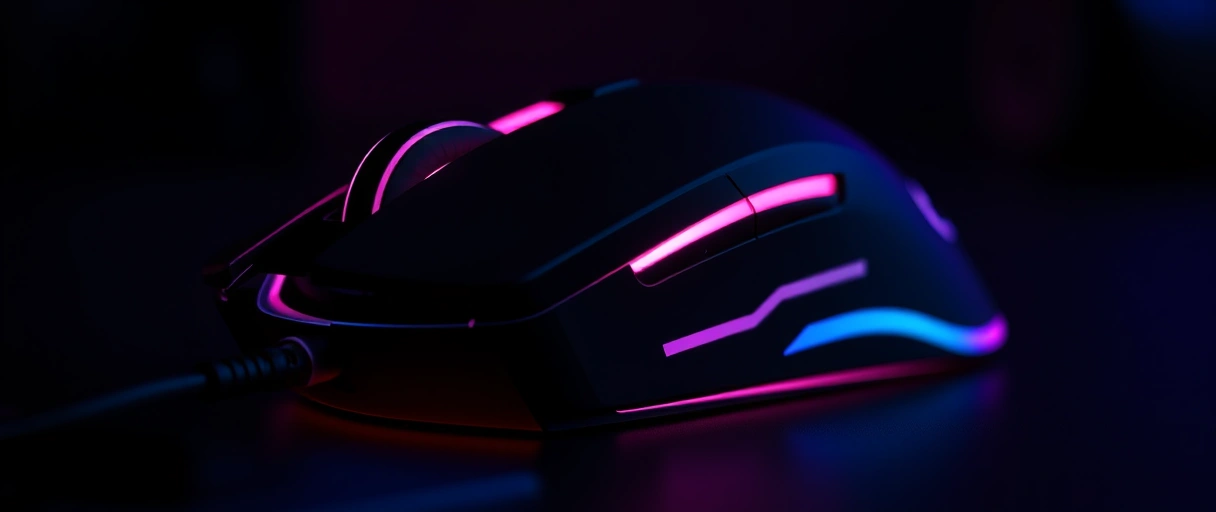
A gaming mouse is a pointing device built for precise, fast, and consistent cursor tracking during play, using a high-resolution optical sensor, a high polling rate, a low weight, a shape matched to your grip, and programmable buttons. What separates it from a standard office mouse is tracking quality and response: a clean sensor that turns hand motion into cursor motion 1:1, a reporting rate that lowers input delay, and a light, balanced body that is easy to start and stop. A higher DPI number does not mean better aim; control comes from sensor quality and a sensitivity you can repeat, which is why pros run far below the sensor maximum.
What Is a Gaming Mouse?
A gaming mouse is a pointing device engineered so that hand motion becomes cursor motion as precisely and quickly as possible. It images the surface thousands of times per second with an optical sensor, the same basic mechanism the explanation of how computer mice work details, but every part is tuned for tracking quality rather than cost. The features that define it are:
- A high-resolution sensor that tracks cleanly with no jitter, so what your hand does is exactly what the cursor does.
- A high polling rate that reports position often enough to lower the delay between movement and on-screen response.
- A low, balanced weight that reduces the force to start and stop the mouse during fast aim.
- A shape matched to a grip style so the hand controls the mouse comfortably over long sessions.
- Programmable buttons a player remaps to in-game actions or DPI changes.
A gaming mouse pairs with a gaming keyboard as the primary PC input set, and the choice between the two and a gamepad is covered in controller vs keyboard and mouse. The sections below define each specification that matters and clear up the biggest myth around DPI.
What Specifications Actually Matter on a Gaming Mouse?
Four specifications carry most of the difference between a gaming mouse and an office mouse: the sensor, the polling rate, the weight, and the wireless link. Each one affects how the mouse feels and performs in a different way:
Build quality, switch type, and shape sit alongside these four. A mouse can post huge numbers on the box and still aim worse than a well-tuned, lighter mouse with a proven sensor, which is why specifications are read together rather than ranked by a single figure.
What Does DPI Mean, and Does a Higher Number Help?
DPI means dots per inch: the number of movement counts the sensor reports for each inch the mouse physically moves, which sets sensitivity, not accuracy. At 800 DPI a one-inch move shifts the cursor 800 counts before any system scaling. The key points are:
- DPI is sensitivity, not precision. A higher DPI moves the cursor farther per inch; it does not make the sensor read more accurately.
- Pros run low. Sensors advertise up to about 35,000 DPI, yet most competitive players use 400 to 1,600 DPI for finer control over slow, deliberate aim.
- Too high hurts. A very high DPI amplifies hand tremor and tiny surface imperfections, so the cursor gets harder to control, not easier.
- On-the-fly switching lets a player bind a button to raise DPI for fast travel and drop it for fine aim.
What Is Polling Rate on a Gaming Mouse?
Polling rate is how many times per second the mouse reports its position to the computer, measured in hertz, and a higher rate lowers the delay between your hand and the cursor. A 125 Hz rate reports every 8 milliseconds, 500 Hz every 2 ms, and 1,000 Hz every 1 ms.
- 1,000 Hz is the default that suits the vast majority of players and games.
- 4K and 8K are now real on wireless. Mice such as the Razer Viper V3 Pro push 4,000 to roughly 8,000 hertz over a dedicated 2.4 GHz link, not just over a cable.
- The gain shrinks at the top. Moving from 4,000 to 8,000 Hz halves input delay from 0.25 ms to 0.125 ms, a difference that mainly shows on a very high refresh rate monitor.
- It costs resources. An 8K rate needs hardware able to sustain it and drains a wireless battery faster, often sending repeat reports at low DPI when the mouse has not moved.
Polling rate is one half of how responsive a setup feels; the rest of the chain from click to screen is covered in input lag in gaming. A faster polling rate only helps if the display and the game can keep up with the extra reports.
How Do Weight, Shape, and Switches Affect a Gaming Mouse?
Weight sets the force to move and stop the mouse, shape sets how your hand controls it, and the switch type sets how each click registers. Together they decide comfort and consistency over a long session:



- Weight: a lighter mouse takes less force to accelerate, stop, and flick, which lowers fatigue. Competitive mice run 45 to 80 grams, and ultralights sit under 65 grams using thinner shells, lighter parts, or a honeycomb shell.
- Grip and shape: the three common grips are palm (whole hand on a longer, contoured shape), claw (arched fingers for control), and fingertip (a small, light shape moved by the fingers). The shell should match your hand size and grip.
- Feet: PTFE feet lower friction against the mousepad so the mouse glides with less effort.
- Switches: most use mechanical microswitches, often Omron units rated for 20 to 50 million clicks. Optical switches break a light beam instead, registering fast and avoiding the double-click failure worn mechanical switches develop.
Programmable buttons extend this further: a player binds weapon swaps, abilities, or push-to-talk to side buttons and stores the layout in onboard memory, reducing the keys the other hand must reach on the gaming keyboard.
Is a Gaming Mouse Different From a Normal Mouse?
Yes. A gaming mouse and a normal mouse share the same job but are built to different priorities: tracking consistency and response versus low cost and general use. The practical differences are:
- Sensor: a gaming mouse uses a high-grade optical sensor with clean 1:1 tracking; a typical office mouse uses a cheaper sensor where small tracking errors are acceptable.
- Polling rate: office mice usually report at 125 Hz; gaming mice report at 1,000 Hz or more, cutting input delay.
- Weight and shape: gaming mice are lighter and shaped for a grip; office mice favor a generic shape and fixed weight.
- Buttons and software: gaming mice add remappable buttons, DPI switching, and onboard profiles that an office mouse does not have.
None of this turns a new player into a pro by itself. A gaming mouse removes the hardware limits on precision and consistency, but the aim still comes from a repeatable eDPI and practice, not from the highest number on the box.
eDPI = mouse DPI x in-game sensitivity. It keeps your aim consistent across mice and games. Most competitive shooter players sit near 800 eDPI. A higher polling rate (1000-8000 Hz) only helps visibly on a 240 Hz+ monitor.
Last Thoughts on Gaming Mice
A gaming mouse is defined by tracking precision and response rather than by any single headline number. A clean optical sensor turns hand motion into cursor motion 1:1, a 1,000 hertz or higher polling rate lowers input delay, a low and balanced weight reduces the force to start and stop the mouse, and programmable buttons extend in-game control. DPI sets sensitivity, not accuracy, which is why most players run far below the sensor maximum and keep a steady eDPI so their aim stays consistent.
The mouse is one piece of a setup where the keyboard, monitor, and input chain all matter together. The PC gaming guide shows how a mouse fits the full build, and from there the gaming keyboard, input lag, and wired versus wireless explanations fill in the rest.
Key Takeaways:
- A gaming mouse is built for precise, fast, consistent tracking, not low cost, and is set apart by its sensor, polling rate, weight, and buttons.
- Sensor quality matters most, because a tracking error becomes a cursor error; modern optical sensors track cleaner than the high DPI figure implies.
- DPI is sensitivity, not accuracy, so a higher number does not improve aim and a very high DPI amplifies hand tremor.
- eDPI, your DPI multiplied by in-game sensitivity, is the number pros keep constant so muscle memory carries across games.
- A 1,000 hertz polling rate is the practical default; 4K and 8K wireless cut delay further with shrinking returns and more battery use.
- A light, grip-matched body and proven switches matter more than headline specs, and 2.4 GHz wireless now matches wired latency.
Frequently Asked Questions (FAQs)
What makes a mouse a gaming mouse?
A gaming mouse combines a high-resolution optical sensor, a high polling rate, a low weight, a shape matched to your grip, and programmable buttons. These give precise, fast, and consistent tracking that a standard office mouse does not prioritize.
Does a higher DPI mean better aim?
No. DPI sets sensitivity, not accuracy, and a very high DPI amplifies hand tremor and surface noise. Most competitive players run 400 to 1,600 DPI because a lower DPI gives finer control over slow, precise aim.
What is eDPI?
eDPI is effective DPI: your mouse DPI multiplied by your in-game sensitivity. It is the single number that sets how far the view turns per inch of hand movement, so two players with different DPI but the same eDPI aim at the same speed.
Do I need an 8K polling rate mouse?
For most players, no. A 1,000 hertz polling rate is still the practical default. Moving from 4,000 to 8,000 hertz halves input delay from 0.25 to 0.125 milliseconds, a gain that mainly shows on a very high refresh rate display and costs battery on wireless.
Is a wireless gaming mouse good for competitive play?
Yes. A dedicated 2.4 gigahertz wireless link now reaches latency close to a wired connection, and top wireless mice support 4K and even higher polling rates. Bluetooth adds more delay and suits general use over competitive play.
What switches do gaming mice use?
Most use mechanical microswitches, often Omron units rated for 20 to 50 million clicks. Newer optical switches break a light beam instead of touching metal contacts, which registers fast and avoids the double-click failure that worn mechanical switches develop.
About the author

Nizam Ud DeenFounder and Tech Blogger
Muhammad Nizam Ud Deen Usman is the founder of theCoreiTech and the author of The Local SEO Cosmos. He has worked in search since 2014 as an SEO consultant for eCommerce stores and local businesses, specialising in eCommerce SEO, local SEO and technical SEO, and runs SEO Academy and the SEO Community from Multan, Pakistan. He also founded ORM Digital Solutions, a digital agency serving medium and large businesses, and holds a degree from the University of Education, Lahore (Multan Campus). Plerdy lists him among its Best 20+ SEO Experts in Pakistan. Nizam started theCoreiTech in 2012 to make computers easier to understand and use for everyone. More of his work is at nizamuddeen.com.
