
A streaming PC build is a standard gaming build plus the hardware to capture, encode, and broadcast gameplay live while the game runs. The one part streaming adds is an encoding load, and how you handle it sets the whole build. A hardware encoder on the graphics card (NVIDIA NVENC, AMD AMF, or Intel Quick Sync) compresses the stream on dedicated silicon with little frame-rate cost, so a single modern PC games and streams at the same time. That single-PC path fits most streamers; a dual-PC setup, which splits the game and the stream across two machines linked by a capture card, is reserved for the highest production needs.
This guide covers what streaming adds to a build, the encoder options, the processor core count for single-PC streaming, memory, upload bandwidth, the single-PC versus dual-PC decision, and the capture card a dual-PC setup needs. Representative 2026 parts and a comparison table follow. Each section answers one question about building a system that games and streams at the same time.
What Does Streaming Add to a Gaming Build?
Streaming adds one main load to a gaming build: real-time video encoding, the work of compressing gameplay into a broadcast stream while the game keeps running. That load lands on either the graphics card’s hardware encoder or the processor’s cores, and everything else in a streaming build supports it.
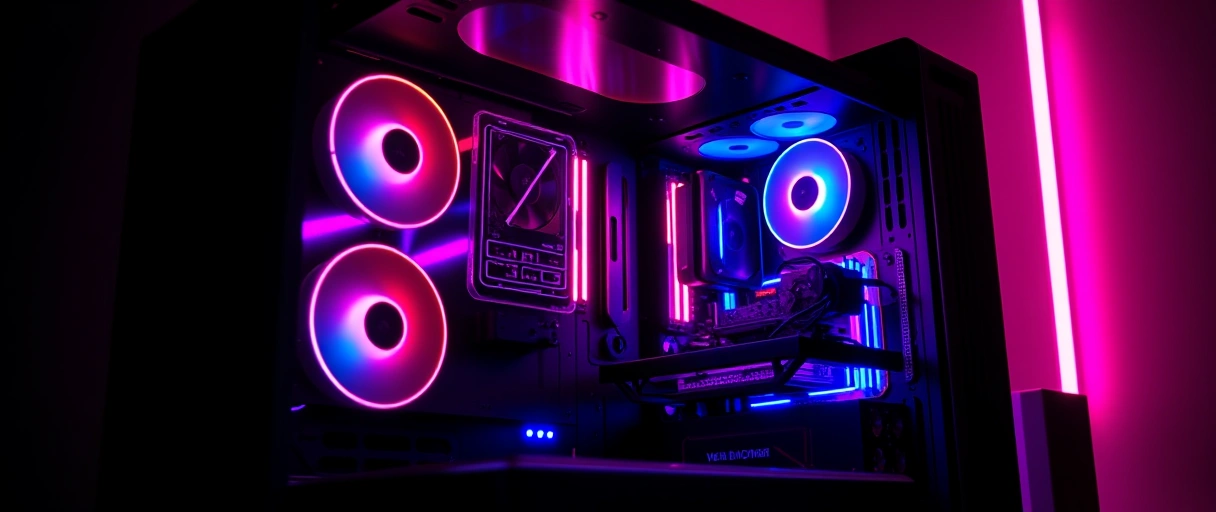
- Video encoding: compresses the gameplay into a broadcast stream, the central load streaming adds beyond running the game.
- Capture and overlay: software such as OBS Studio captures the game, adds overlays and alerts, and sends the stream to the platform.
- Upload bandwidth: sends the encoded stream over the internet continuously, which needs a stable upload connection.
- Extra system load: the streaming software, browser, and chat tools consume processor, memory, and graphics card resources alongside the game.
The capture software, the encoder, and the upload connection together broadcast the stream. The key point is that a hardware encoder absorbs the encoding load on dedicated silicon, so the rest of the build looks much like an ordinary gaming PC. The guide to streaming games on Twitch covers the platform setup, while this article covers the hardware, starting from the gaming build the part selection guide describes.
Which Encoder Should a Streaming PC Use?
A streaming PC should use a hardware encoder (NVIDIA NVENC, AMD AMF, or Intel Quick Sync), because it compresses the stream on dedicated silicon at little frame-rate cost, unlike a processor-based x264 encoder. The encoder choice is the single decision that sets how much the stream affects the game.

- NVIDIA NVENC: a dedicated encoder on GeForce cards. RTX 40 and 50 series add AV1, which is about 40 percent more efficient than H.264, so AV1 at 5000 kbps looks close to H.264 at 8000 kbps.
- AMD AMF: the encoder on Radeon cards. RX 7000 (VCN 4) added solid AV1, and RX 9000 (VCN 5) improves it again, closing much of the older quality gap.
- Intel Quick Sync: the encoder built into Intel processors with integrated graphics and Arc cards, which also support AV1 on recent generations.
- x264 software encoding: runs on the processor for a small quality edge at a given bitrate, but consumes many cores the game also needs.
Because a hardware encoder runs off dedicated silicon, it leaves the processor free for the game, which is why modern guidance puts roughly nine in ten single-PC streamers on NVENC or AMF rather than x264. Software x264 still wins a little on raw quality, but only on a dedicated streaming PC with cores to spare. The best gaming GPU guide notes which cards include these encoders.
How Many CPU Cores Does Single-PC Streaming Need?
Single-PC streaming needs at least eight cores, because one processor runs the game, the streaming software, and the background tools at the same time. A hardware encoder keeps that demand modest; software encoding raises it sharply.
- Eight cores or more: gives headroom to run the game, OBS, a browser, chat, and alerts together. An eight-core part such as the AMD Ryzen 7 9800X3D handles game plus NVENC well.
- Hardware encoding: NVENC or AMF moves the encode off the processor, so an eight-core chip is enough for most single-PC streaming.
- Software x264 encoding: runs the encoder on the processor alongside the game, pushing toward a twelve or sixteen core part such as the Ryzen 9 9950X or an Intel Core i9.
The pattern is simple: hardware encode and eight cores is the mainstream single-PC build, while x264 encode is what drives the jump to a high core count. Processors with high core counts appear in the best workstation CPU guide, and the split between game and stream work is the same trade-off explained in CPU vs GPU bottleneck.
How Much RAM and Upload Bandwidth Does Streaming Require?
Plan on 32 GB of memory and an upload connection well above your stream bitrate, because the game and the streaming software both hold memory while the stream sends video continuously.

- 32 GB of memory: covers the game, the streaming software, and a browser or chat tools at once. 16 GB can work but leaves little headroom for background apps.
- Upload above the bitrate: keep your video bitrate at or below 75 percent of your upload speed. Twitch’s classic ingest caps video at 6000 kbps, so 1080p60 wants at least 8 Mbps of stable upload.
- Wired connection: Ethernet gives a steadier upload than wireless, which cuts the dropped frames an unstable connection produces.
Twitch Enhanced Broadcasting can ship higher bitrates and AV1, around 8 Mbps for 1080p60 and up to about 10 Mbps for 2160p60, which needs more upload headroom again. The platform sets the recommended bitrate, which the Twitch streaming guide covers alongside the channel setup.
How Do You Set Up Encoding for a Stream?
Setting up encoding in OBS Studio is a short, repeatable sequence once the hardware is in place.
- Pick the encoder. In OBS output settings choose the hardware encoder for your card: NVIDIA NVENC, AMD AMF, or Intel Quick Sync, not x264, on a single PC.
- Choose the codec. Use AV1 if your card and platform support it (RTX 40 or 50, recent Radeon or Arc); otherwise use H.264 or HEVC.
- Set resolution and frame rate. 1080p at 60 fps is the common target; match it to your monitor and to what your upload can carry.
- Set the bitrate to your upload. Keep video bitrate at or below 75 percent of upload speed, within the platform cap (6000 kbps on classic Twitch ingest).
- Wire the network and test. Use Ethernet, then run a short test stream and watch the dropped-frame counter before going live.
On supported hardware, Twitch Enhanced Broadcasting can configure much of this automatically from your GPU and upload speed, including AV1 ingest. Either way the goal is the same: a stable stream that leaves the game enough resources to run smoothly.
Single-PC or Dual-PC: Which Setup Fits?
A single-PC setup runs the game and the stream on one machine and fits most streamers; a dual-PC setup splits them across two machines for zero stream impact on the game, at higher cost and complexity.
The honest summary is that hardware encoders have made the single PC the default answer: NVENC or AMF encodes the stream without taking the cores the game uses, so a dual-PC rig is now a niche choice rather than a streaming rite of passage. The decision parallels the weighing of cost against control in the prebuilt versus custom gaming PC comparison.
What Capture Card Does a Dual-PC Setup Need?
A dual-PC setup needs a capture card that takes the gaming PC’s HDMI output and feeds it to the streaming PC, with passthrough that does not cap your gaming monitor.
- Internal capture card: installs in a PCIe slot on the streaming PC and receives the gaming PC’s video over HDMI. Cards such as the Elgato 4K Pro offer 4K60 capture with 8K60 passthrough.
- External capture card: connects to the streaming PC over USB without an internal slot. A 10 Gbps USB card such as the Elgato 4K X can capture up to 4K144.
- High-refresh passthrough: the card must pass your gaming monitor’s full resolution and refresh rate, or it will limit the display you actually play on.
Match the card to the gaming PC’s output, so a 1440p high-refresh stream needs a card rated for that resolution and refresh with variable refresh rate support. The capture card completes the dual-PC setup the PC gaming guide links within the broader build cluster.
What Are Representative 2026 Streaming PC Parts?
The parts below are representative single-PC streaming choices for 2026, not a fixed shopping list. Treat them as the role each component plays, then size them to your budget and target resolution.
| Part | Role in a streaming build | Representative 2026 choice |
|---|---|---|
| Processor | Run game plus OBS and background tools | AMD Ryzen 7 9800X3D (8 cores) for game plus NVENC; Ryzen 9 9950X (16 cores) for x264 |
| Graphics card | Render the game and encode the stream | GeForce RTX 40 or 50 series (NVENC AV1), or Radeon RX 9000 (AMF AV1) |
| Memory | Hold game, stream software, browser, chat | 32 GB DDR5 |
| Encoder | Compress the stream | Hardware NVENC or AMF, AV1 where supported |
| Network | Carry the stream upload | Wired Ethernet, upload above 8 Mbps for 1080p60 |
| Capture card | Only for a dual-PC setup | Elgato 4K Pro (internal) or 4K X (USB), high-refresh passthrough |
Single-PC vs Dual-PC Streaming Comparison
The table below compares single-PC and dual-PC streaming across encoding load, hardware, cost, and complexity, summarizing the choice between the two setups.
| Factor | Single-PC Streaming | Dual-PC Streaming |
|---|---|---|
| Systems | One computer | Gaming PC plus streaming PC |
| Encoder | Hardware NVENC, AMF, or Quick Sync | Software or hardware on the second PC |
| Game frame-rate impact | Low with a hardware encoder | None on the gaming PC |
| CPU need | 8+ cores with hardware encode | Gaming PC unaffected by encode |
| Capture card | Not required | Required to link the two PCs |
| Cost | Lower | Higher, second system needed |
| Best for | Most streamers | Highest production requirements |
Last Thoughts on a Streaming PC Build
A streaming PC build is a gaming build plus one extra load, the real-time encoding that turns gameplay into a broadcast. The decision that shapes the whole build is the encoder: a hardware encoder such as NVIDIA NVENC or the AMD AV1 encoder compresses the stream on dedicated silicon with little frame-rate cost, which is why one modern PC now games and streams at the same time for most people. Around that, eight cores, 32 GB of memory, and a wired upload above your stream bitrate carry a comfortable 1080p60 stream, and AV1 stretches that bitrate roughly 40 percent further where the card and platform support it.
The dual-PC setup with a capture card has not disappeared, but it has narrowed to full-time creators who need total isolation or x264 quality. For everyone else the single PC is the answer. To place a streaming build inside the wider cluster, see the high-end build in the high-end gaming PC build guide and the hub on PC gaming that connects the full set of build guides.
Key Takeaways:
- A streaming build is a gaming build plus a real-time video encoding load, and the encoder choice sets everything else.
- A hardware encoder (NVENC, AMF, or Quick Sync) compresses the stream on dedicated silicon, so a single modern PC games and streams with little frame-rate cost.
- One PC fits most streamers; a dual-PC setup with a capture card is now a niche choice for full-time production.
- Eight cores is the practical baseline for single-PC streaming; software x264 encoding is what pushes toward twelve or sixteen cores.
- Plan on 32 GB of memory and keep your bitrate at or below 75 percent of a wired upload (at least 8 Mbps for 1080p60 on Twitch).
- AV1 on RTX 40 or 50 and recent Radeon cards is about 40 percent more efficient than H.264, so the same quality costs less bitrate.
Frequently Asked Questions (FAQs)
Do you need two PCs to stream games in 2026?
No. A single modern PC with a hardware encoder such as NVIDIA NVENC games and streams at the same time with little frame-rate cost, which fits most streamers. A dual-PC setup isolates the stream completely but adds a second computer and a capture card, so it suits only the highest production needs.
Is NVENC AV1 better than x264 for streaming?
For a single PC, yes in practice. NVENC AV1 on an RTX 40 or 50 series card encodes on dedicated silicon with almost no impact on game frame rate, and AV1 is about 40 percent more efficient than H.264, so AV1 at 5000 kbps looks close to H.264 at 8000 kbps. The x264 slow preset can edge it on raw quality, but only on a dedicated streaming PC with cores to spare.
How many CPU cores do you need to stream and game on one PC?
Eight cores is the practical baseline for single-PC streaming with a hardware encoder, giving headroom for the game, OBS, a browser, chat, and alerts at once. An eight-core part such as the Ryzen 7 9800X3D handles game plus NVENC well; software x264 encoding pushes toward a twelve or sixteen core chip such as the Ryzen 9 9950X.
How much upload speed do you need to stream on Twitch?
Keep your video bitrate at or below 75 percent of your upload speed. Twitch’s classic ingest caps video at 6000 kbps, so a 1080p60 stream wants at least 8 Mbps of stable upload. Enhanced Broadcasting can ship higher bitrates with AV1, around 8 Mbps for 1080p60, which needs more headroom still.
Do you need a capture card to stream on one PC?
No. A single-PC setup encodes inside the same machine, so no capture card is needed. A capture card is only required for a dual-PC setup, where it takes the gaming PC’s HDMI output and feeds it to the streaming PC. Choose one with high-refresh passthrough so it does not cap your gaming monitor.
Does streaming lower your game frame rate?
With a hardware encoder such as NVENC the cost is small, because the encoder runs on dedicated silicon rather than the cores the game uses. Software x264 encoding does lower frame rate on a single PC, since it runs the encoder on the same processor the game depends on.
About the author

Nizam Ud DeenFounder and Tech Blogger
Muhammad Nizam Ud Deen Usman is the founder of theCoreiTech and the author of The Local SEO Cosmos. He has worked in search since 2014 as an SEO consultant for eCommerce stores and local businesses, specialising in eCommerce SEO, local SEO and technical SEO, and runs SEO Academy and the SEO Community from Multan, Pakistan. He also founded ORM Digital Solutions, a digital agency serving medium and large businesses, and holds a degree from the University of Education, Lahore (Multan Campus). Plerdy lists him among its Best 20+ SEO Experts in Pakistan. Nizam started theCoreiTech in 2012 to make computers easier to understand and use for everyone. More of his work is at nizamuddeen.com.
