
To pick gaming PC parts, start from your target resolution and frame rate, choose the graphics card to hit that target, then match a CPU that will not bottleneck it, a compatible motherboard, the right RAM, a power supply with headroom, a case with airflow and clearance, and finally cooling and storage. The order matters because each choice constrains the next: the resolution decides the GPU tier, the GPU decides the CPU and power budget, and the motherboard socket, RAM type, case size, and PSU connectors all have to agree. Run the finished list through a compatibility checker before you buy so a socket, RAM, clearance, or connector mismatch is caught on screen instead of at the bench.
Picking gaming PC parts means choosing a graphics card, processor, memory, storage, motherboard, power supply, case, and cooling that hit a target resolution and frame rate while staying compatible with one another. The selection is an order, not a shopping list: it starts with the resolution and frame rate the build targets, because 1080p, 1440p, and 4K each demand a different graphics card and a different CPU balance. The graphics card takes the largest share of the budget, and every other component is chosen to support it.
This guide explains how to set a resolution and budget target, why the graphics card leads, how to match the CPU so it does not bottleneck the card, and how to choose memory, storage, a motherboard, a power supply, a case, and cooling. It ends with the compatibility checks that confirm the parts fit and connect before purchase. Each section answers one question about choosing parts that perform together at a defined resolution.
What Do You Need to Pick Gaming PC Parts?
Picking gaming PC parts requires eight core components: a graphics card, a processor, memory, storage, a motherboard, a power supply, a case, and a cooling solution. Each part performs one job, and the parts have to share a compatible socket, form factor, and power budget. The components a gaming build requires are:
- Graphics card (GPU): renders the game image and sets the frame rate at your target resolution, taking the largest budget share.
- Processor (CPU): handles game logic, physics, and draw calls, feeding frames to the GPU without becoming the limit.
- Memory (RAM): holds active game and system data; 32GB of DDR5 serves current titles at high settings.
- Storage: holds the operating system and games, where an NVMe solid-state drive loads levels far faster than a hard drive.
- Motherboard: connects every component through a CPU socket and chipset that define expansion and features.
- Power supply (PSU): delivers stable wattage to all parts, sized above the combined draw of the GPU and CPU.
- Case and cooling: hold the parts and move air across them, keeping every component within its rated temperature.
The parts depend on one another, so the GPU needs a CPU that keeps pace, a PSU that meets its wattage and has the right connector, and a case that fits its length. This article focuses on selecting each part in the right order. That order starts with the target resolution, then the graphics card, then every supporting component in turn.
What Order Do You Pick Gaming PC Parts In?
Pick parts in a fixed order that flows from your target resolution outward, because each choice sets a constraint for the next. Working in this sequence stops the most common planning errors, where a strong card is paired with a weak CPU or a case that cannot fit it. The selection order is:
- Set the resolution and frame rate. Decide on 1080p, 1440p, or 4K and a refresh target such as 144Hz. This single choice sizes everything downstream.
- Choose the graphics card. Pick the GPU tier that sustains that resolution and frame rate; it takes the largest budget share.
- Match the CPU. Select a processor fast enough to feed the card so neither part bottlenecks the other.
- Pick the motherboard. Choose a board whose socket matches the CPU and whose chipset gives the features and slots you need.
- Choose the RAM. Fit 32GB of DDR5 as a matched dual-channel pair at a speed the board and CPU support.
- Size the power supply. Total the GPU and CPU draw, add headroom, and confirm it has the connectors both parts need.
- Select the case. Confirm it fits the GPU length, the cooler height, and the motherboard form factor, with airflow for the components.
- Add cooling and storage. Choose a CPU cooler sized to its heat output and an NVMe SSD of 1TB or more for the OS and games.
How Do You Set a Resolution and Budget Target?
Set the target by choosing the monitor resolution and refresh rate the build must drive, then assigning a total budget that the graphics card claims the largest share of. The resolution defines how much work the GPU does each frame, and the refresh rate sets the frame-rate goal. The decisions that anchor the build are:
- 1080p renders about two million pixels per frame, the lightest load, suited to high frame rates on a mid-tier card.
- 1440p renders about 3.7 million pixels per frame, the current sweet spot, needing a stronger card to hold a high frame rate.
- 4K renders about 8.3 million pixels per frame, the heaviest load, demanding a high-end card and often upscaling.
- Refresh rate sets the goal: a 144Hz monitor wants a card and CPU that sustain well over 100 frames per second.
A higher resolution multiplies the GPU’s work, so a 4K target needs a far stronger card than a 1080p target at the same frame rate. The budget then divides across the components, with the graphics card claiming roughly 35 to 45 percent. Setting this anchor first is what keeps the rest of the build in proportion, and it decides which graphics card you reach for next.
Why Do You Pick the Graphics Card First?
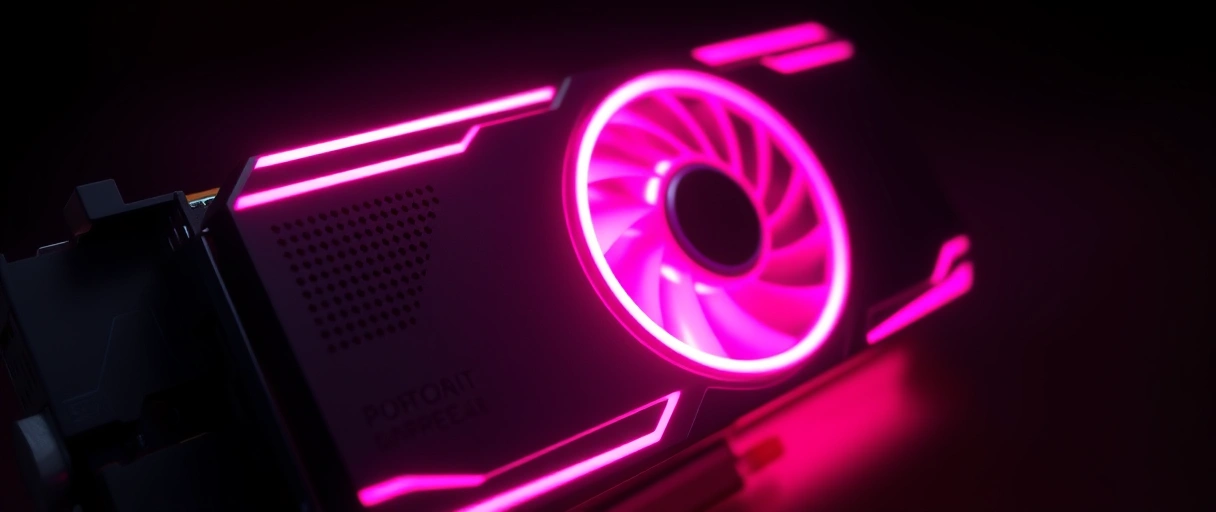
The graphics card is picked first because it determines gaming frame rate and image quality more than any other part, and it claims the largest share of the budget. The GPU renders every frame, so its capability sets the ceiling for performance at your target resolution. The reasons it leads the selection are:



- Frame-rate impact is largest from the GPU, since it renders the image and sets how many frames reach the monitor.
- Resolution scaling rests on the GPU, because higher resolutions multiply the rendering work it performs each frame.
- Budget share goes mostly to the GPU, often 35 to 45 percent of a gaming build’s total cost.
In current cards, an Intel Arc or an entry NVIDIA GeForce RTX 50 or AMD Radeon RX 9000 card suits 1080p, an RTX 5070 or RX 9070 XT suits 1440p, and an RTX 5080 or RTX 5090 suits 4K, often leaning on DLSS 4 or FSR upscaling. NVIDIA leads on ray tracing and DLSS 4, AMD offers strong rasterized value at 1440p with more VRAM on more cards, and Intel Arc is the budget pick at 1080p. The card you choose here defines the CPU the build needs next, which is the matching step that prevents a CPU versus GPU bottleneck.
How Do You Match the CPU to Avoid a Bottleneck?
Match the CPU to the graphics card by choosing a processor fast enough to supply frames without limiting the card, since a weak CPU creates a bottleneck that lowers frame rate. A bottleneck happens when the processor cannot feed the GPU fast enough, and it is most common at 1080p, where the CPU does proportionally more work. The matching rules are:

- Core count of six to eight cores serves most current games, with eight cores helping titles that use many threads.
- Single-thread speed drives frame rate in most games, so a high-clock CPU supplies frames faster to the card.
- Tier matching pairs a mid-tier CPU with a mid-tier card, so a slow processor never throttles a fast GPU.
- Resolution effect matters: at 1440p and 4K the GPU is usually the limit, so CPU choice loosens as resolution rises.
A processor such as an AMD Ryzen 5 or Intel Core i5 pairs with a mid-tier card, while a Ryzen 7 X3D or a Core i7 pairs with a high-end card and keeps frame stability high. A bottleneck shows as the GPU running below full usage while the frame rate stays low. A CPU and GPU imbalance is one of the most frequent planning errors in the list of common gaming PC build mistakes, so confirm the pairing before moving on.
What Motherboard and RAM Do You Choose?
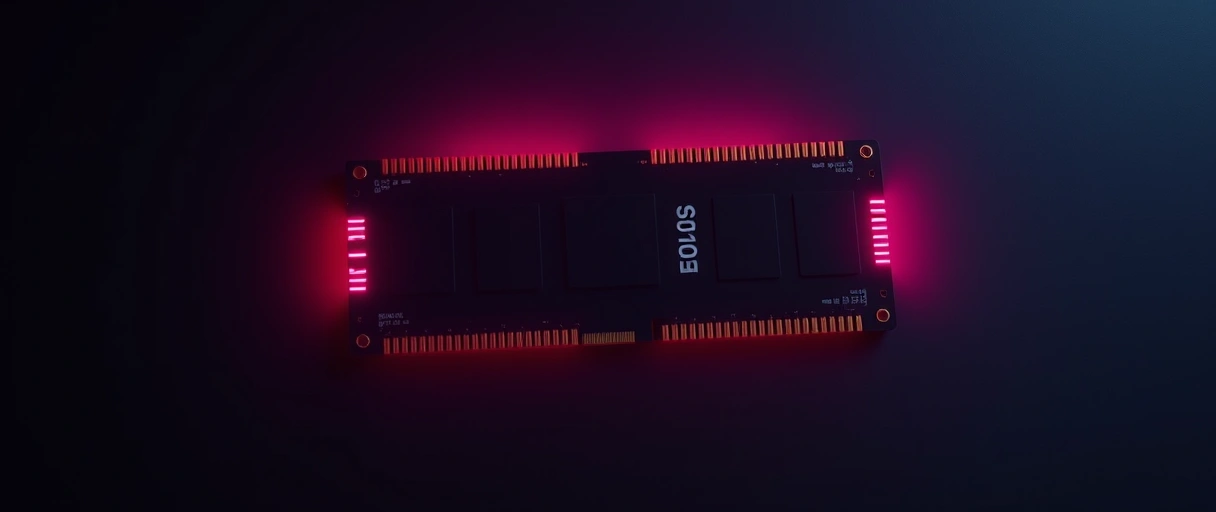
Choose a motherboard whose socket and chipset match the CPU, then 32GB of DDR5 in a matched dual-channel pair at a speed the board supports. The motherboard sets compatibility for the whole build, and the memory choice follows the platform. The motherboard and RAM rules are:
- CPU socket must match the processor exactly, such as AMD AM5 for current Ryzen or Intel LGA1851 for current Core.
- Chipset defines features and PCIe lanes, where a B-series board suits most builds and an X-series adds expansion and overclocking.
- Capacity of 32GB suits current games; 16GB remains a working minimum that some newer titles fully consume.
- DDR5 and dual channel: current AM5 and LGA1851 platforms use DDR5, installed as two modules across two channels for full bandwidth.
- Speed and timing matter on AMD, where DDR5 around 6000 MT/s pairs well with Ryzen; enable it through the board’s memory profile.
A 32GB DDR5 kit installed as two 16GB modules runs in dual channel and supplies more bandwidth than a single 32GB stick, which lifts frame rate. The board and CPU must support the chosen speed, which the BIOS enables through a memory profile, and a new CPU can need a BIOS update on an older board. Running memory in a single channel is a frequent error the build mistakes guide identifies, so always fit memory in matched pairs.
How Do You Size the Power Supply, Case, Cooling, and Storage?
Size the power supply above the combined draw of the GPU and CPU with headroom, pick a case that fits and ventilates the parts, add cooling sized to the CPU’s heat, and choose an NVMe SSD of 1TB or more. These final parts protect and complete the build. The sizing rules are:
- Wattage headroom sets the PSU above peak draw, where 650W to 850W suits most single-card builds and a high-end card wants 850W to 1000W.
- Efficiency and connector: an 80 Plus Gold unit runs near 90 percent efficiency at half load, and a current ATX 3.1 PSU feeds the GPU through a single 12V-2×6 connector rated to 600W.
- Case airflow and clearance: intake and exhaust fans move cool air over the parts, and the case must fit the GPU length (often 350mm to 410mm) and cooler height (around 165mm to 180mm).
- CPU cooling: an air tower or an all-in-one liquid cooler (240mm to 360mm) sized to the CPU’s heat output keeps it within its thermal limit.
- Storage: an NVMe SSD on the PCIe bus loads games in seconds; 1TB holds the OS and several games, and 2TB suits a larger library.
A graphics card lists a recommended PSU wattage, so a current mid-tier card often pairs with a 650W to 750W unit and a high-end card with 850W or more from a known maker. The case has to fit the card and cooler with room for the power connector, and airflow does more for temperatures than cooler specs alone. The full method for matching a unit to a build is in the guide to gaming PC power supply requirements.
How Do You Confirm Part Compatibility?
Confirm compatibility by checking the CPU socket, the RAM type and speed, the case clearance, and the power connectors against every chosen part before purchase. A compatibility pass catches parts that will not fit or connect. The checks that matter most are:
Socket and chipset
RAM type and speed
Physical clearance
PSU connectors
A compatibility checker such as PCPartPicker cross-checks the socket, memory, clearance, and connectors before you buy and catches over 95 percent of physical and electrical conflicts. It does not validate airflow, thermals, or firmware, so a case with good airflow and a quick BIOS check still matter. Skipping this pass causes the incompatible-parts error the common mistakes guide documents, and the PC gaming guide links the full build cluster.
Gaming PC Component Checklist
The table below lists each gaming PC component, its function, the selection rule, and a representative current model, summarizing how to pick parts that perform together at a target resolution. Pricing varies by market and time and is not listed here.
| Component | Function | Selection Rule | Representative Model |
|---|---|---|---|
| Graphics card | Renders frames | Match to resolution; largest budget share | RTX 5070 / 5080, Radeon RX 9070 XT, Intel Arc |
| Processor | Game logic and draw calls | Pair to GPU tier; avoid bottleneck | Ryzen 5, Core i5, Ryzen 7 X3D |
| Memory | Holds active data | 32GB DDR5, dual channel | 32GB DDR5-6000 kit (2 x 16GB) |
| Storage | OS and games | NVMe SSD, 1TB or more | 1TB-2TB PCIe 4.0 NVMe |
| Motherboard | Connects components | Match socket and chipset | AM5 B650 or LGA1851 B860 |
| Power supply | Delivers wattage | Above peak draw, ATX 3.1, 80 Plus rated | 650W-1000W 80 Plus Gold |
| Cooling | Controls temperature | Sized to CPU heat output | Air tower or 240-360mm AIO |
| Case | Holds and cools parts | Fits GPU, cooler, form factor; airflow | ATX or Micro-ATX with airflow |
Last Thoughts on Picking Gaming PC Parts
Picking gaming PC parts is an order, not a shopping list. It begins with a resolution and frame-rate target, then selects the graphics card to hit that target and builds every other part around it. The CPU matches the card to avoid a bottleneck, the motherboard socket matches the CPU, the RAM is 32GB of DDR5 in dual channel, the power supply sits above peak draw with the right connector, and the case, cooling, and storage complete a build that runs cool and fits together.
The last step before buying is a compatibility check that confirms socket, RAM, clearance, and connectors all agree. From here you can continue with the CPU versus GPU bottleneck guide, the common build mistakes to avoid, the power supply requirements guide, or the PC gaming guide that links the full gaming cluster.
Key Takeaways:
- Pick parts in order, starting from your target resolution and frame rate, because each choice constrains the next.
- Choose the graphics card first; it sets the frame rate and takes 35 to 45 percent of the budget.
- Match the CPU to the card to avoid a bottleneck, with six to eight cores for current games.
- Use 32GB of DDR5 in dual channel and an NVMe SSD of 1TB or more for storage.
- Match the motherboard socket to the CPU, and size the PSU above peak draw with the right 12V-2×6 connector.
- Run the list through a compatibility checker such as PCPartPicker, then confirm case airflow and clearance yourself.
Frequently Asked Questions (FAQs)
What order do you pick gaming PC parts in?
Start with your target resolution and frame rate, then pick the graphics card, then a CPU that will not bottleneck it. After that choose a compatible motherboard, the right RAM, a power supply with headroom, a case with airflow and clearance, and finally cooling and storage. Each step constrains the next.
Should I pick the CPU or GPU first for gaming?
Pick the GPU first. It sets the frame rate and image quality at your target resolution and takes the largest share of the budget, usually 35 to 45 percent. Choose the CPU afterward to match the card so neither part holds the other back.
How do I make sure all my PC parts are compatible?
Check four things against every chosen part: the CPU socket matches the motherboard, the RAM type and speed are on the board’s supported list, the GPU length and cooler height fit the case, and the power supply has the wattage and the exact connectors each part needs. A tool such as PCPartPicker flags most physical and electrical conflicts automatically.
How much RAM do I need for a gaming PC in 2026?
32GB of DDR5 in a matched dual-channel pair is the current target and covers modern titles at high settings. 16GB still works as a minimum, but some newer games fully consume it. Install two modules, not one, so the memory runs in dual channel.
What power supply wattage and connector do I need?
Size the unit above the combined peak draw of the GPU and CPU with headroom; most single-card builds use 650W to 850W, and high-end cards want 850W to 1000W. On a current ATX 3.1 unit the GPU uses a single 12V-2×6 connector rated for up to 600W, which replaced the earlier 12VHPWR plug.
Do I need to check GPU length before buying a case?
Yes. Compare the card’s listed length against the case’s maximum GPU clearance, and leave room for the power connector, which can add a few centimetres. Good 2026 cases support 350mm to 410mm cards, around 165mm to 180mm of cooler height, and a 240mm to 360mm radiator.

