
Choosing a power supply starts with the wattage the hardware draws, then moves to efficiency, modular cabling, the ATX standard and GPU connector, form factor, and build quality. A power supply unit (PSU) converts AC mains into the regulated DC voltages a computer runs on, so it must deliver enough clean, stable power for the whole build with headroom to spare. The graphics card and processor set most of the requirement, which is why the wattage is sized to them first and the brand is chosen last.
How Do You Choose a Power Supply?
Choosing a power supply means sizing the wattage to the CPU and GPU first, then selecting efficiency, cabling, the ATX/connector standard, form factor, and build quality in order. The hardware draw sets the requirement, so the components come before the brand or price. Work the decision in this order:
- 1. Wattage. Add CPU + GPU power + ~60W for the rest, then add headroom so typical load sits near 50-60% of the rating.
- 2. Efficiency tier. 80 Plus Gold for most builds; Platinum or Titanium only for heat, noise, or 24/7 duty.
- 3. ATX standard + connector. ATX 3.1 with a native 12V-2×6 cable for any current high-power GPU.
- 4. Modular type. Full, semi, or non-modular, the case and budget decide.
- 5. Form factor. ATX for towers, SFX / SFX-L for small-form-factor cases.
- 6. Build quality. Full protection set, Japanese 105C capacitors, a reputable OEM platform, and a long warranty.
A power supply does not raise frame rates or clock speeds, so spending targets clean, reliable power rather than a bigger number than the build can use. The order above starts from the actual draw of the graphics card and CPU, which the guide to PSU wattage breaks down in detail.
How Do You Calculate the Wattage You Need?
You calculate the wattage by adding the CPU power and GPU power to about 60W for the rest of the system, then sizing the PSU so that total sits near 50-60% of its rating. A common shortcut is to take the total draw and multiply by roughly 1.5 for headroom:
- Add the big two: the CPU and GPU draw the most, a high-end CPU peaks near 200-250W and a top GPU near 250-575W.
- Add ~60W for the rest: the motherboard, RAM, drives, and fans together draw far less than either big component.
- Add headroom: target ~50-60% load so the unit runs at its efficiency sweet spot, cooler, quieter, and longer-lived than a PSU pinned near its limit.
- Use the continuous rating: size against the sustained wattage, never a peak/max number a cheap unit cannot hold.
A worked RTX 5090 example: 575W GPU + ~250W CPU + ~60W rest is about 885W, and x1.5 headroom lands near 1300W, so a 1000W unit is the floor and 1200-1500W is comfortable for an overclocked, high-end CPU. If you mention the calculator, the PSU wattage explainer covers the math, and you can size a build with the tool below.
Estimates use typical TGP/TDP values (NVIDIA RTX 50, AMD RX 9000, current CPUs) plus a ~60 W system base, sized to about 50-60% load for the 80 Plus efficiency sweet spot. RTX 50-series cards also draw brief transient spikes above their rated wattage, so the headroom matters.
Which 80 Plus Efficiency Tier Should You Choose?
The 80 Plus tier to choose is Gold for most builds, because it is the practical sweet spot of efficiency against price. Efficiency is the share of wall power that reaches the components; the rest is lost as heat, and it peaks near 50% load:
- Gold (~90% at 50% load): the desktop sweet spot, a meaningful jump over Bronze for a moderate premium.
- Platinum / Titanium (~92-94%): only ~2 points more each, justified by lower heat and noise or 24/7 duty, rarely by the power bill alone.
- Bronze / White: fine for a tight budget, but the extra heat and running cost add up over years of use.
Higher efficiency means less waste heat (so the fan spins slower) and a slightly lower power bill, but it adds no performance. The 80 Plus certification guide details each tier; the stricter Cybenetics ETA scheme tests thousands of load points and adds a separate noise rating.
Which Modular Cabling Type Should You Choose?
The modular cabling type to choose is fully modular for a clean, compact, or glass-panel build, and non-modular only to save money in a budget tower. Modularity affects cabling and airflow, not efficiency or power:


Fully modular
Semi-modular
Non-modular
A fully modular unit pays off in a small case or a tempered-glass build where loose cables block airflow and spoil the look, while a roomy tower can hide the extra cables of a cheaper non-modular unit. The trade-off is covered in the modular vs non-modular comparison.
What ATX Standard and Connectors Does a Modern GPU Need?
A modern GPU needs an ATX 3.1 power supply with a native 12V-2×6 connector, the current 2026 standard for high-power graphics:
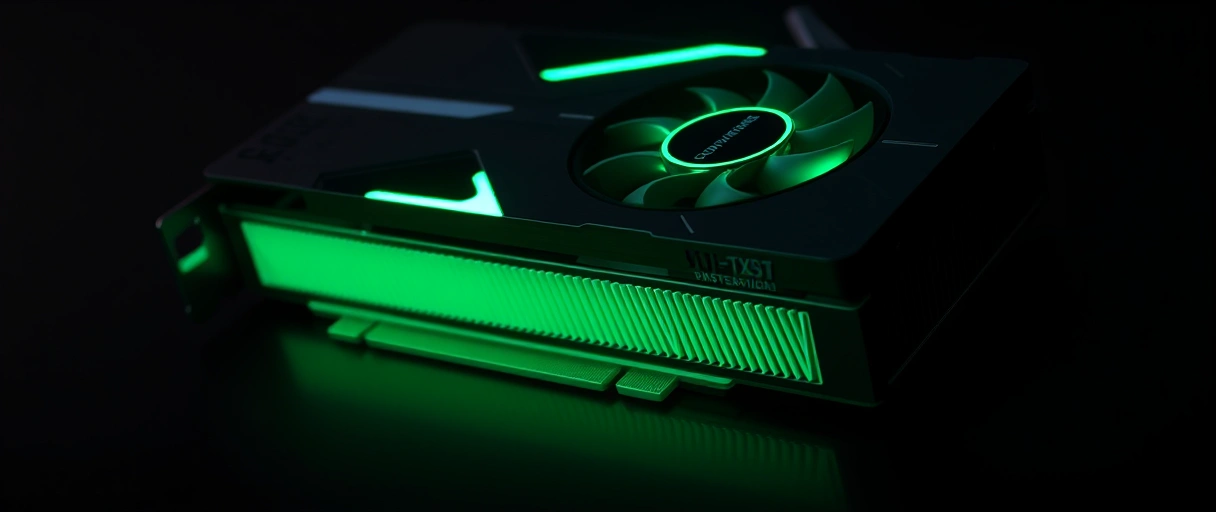
- 12V-2×6: “12 volt, 2 rows of 6 pins,” delivering up to 600W to the GPU over a single PCIe 5.x cable, the successor to 12VHPWR.
- Safer seating: longer power pins and shorter sense pins mean the card only powers up when the plug is fully seated, fixing the melting-connector issue of poorly-seated 12VHPWR.
- Transient handling: a quality ATX 3.1 unit briefly rides out power excursions up to ~200% of its rating, which suits spiky modern GPUs.
- Native cable: buy the unit with a native 12V-2×6 cable so you skip adapters, see the guide to PSU connectors for the full cable set.
An older ATX 2.x unit still works for a modest system with 8-pin PCIe cards, but a current high-power GPU should sit on an ATX 3.1 unit with the native connector. The standard and connector are explained further in how power supplies work.
Which Form Factor Fits Your Case?
The form factor that fits your case is ATX for standard towers and SFX or SFX-L for small-form-factor builds. The case lists the PSU size it accepts, so the case sets the limit:
- ATX is the standard desktop size and fits mid-tower and full-tower cases, the default for most builds.
- SFX is a smaller unit for compact small-form-factor (SFF) cases, where a full ATX PSU will not fit.
- SFX-L is slightly larger than SFX, allowing a bigger, quieter fan while still fitting many SFF cases.
A standard tower takes an ATX unit, while a mini-ITX or SFF case usually requires SFX or SFX-L, confirm the case’s PSU specification before buying, because an ATX unit will not physically fit a small case rated for SFX.
What Quality Indicators Identify a Good Power Supply?
The quality indicators of a good power supply are a full protection set, Japanese 105C capacitors, a reputable OEM platform, and a long warranty. These separate a reliable unit from a hazardous one, and a current PSU tier list ranks them:
- Warranty length signals the manufacturer’s confidence, with quality units carrying 7 to 12 year warranties and budget units offering 3 to 5 years.
- Protection circuits guard the system, and a quality unit includes OVP, UVP, OCP, OPP, SCP, and OTP for over-voltage, under-voltage, over-current, over-power, short-circuit, and over-temperature events.
- Japanese capacitors rated at 105 degrees Celsius indicate durable internal components, because capacitor quality strongly affects a power supply’s lifespan.
- The original equipment manufacturer matters because the OEM that builds the unit, such as Seasonic, Super Flower, or CWT, determines the internal platform quality regardless of the brand label.
The full protection set guards the whole system, a unit missing SCP or OCP can damage every connected component during a fault:
- OVP / UVP: over- and under-voltage shutdown if a rail rises or sags out of tolerance.
- OCP / OPP: over-current and over-power trips that protect cables and the unit under heavy load.
- SCP / OTP: short-circuit and over-temperature cutoffs, SCP is the most important safety net of all.
Why Does a Single +12V Rail Matter?
A single +12V rail matters because it delivers the full 12-volt capacity to any connector without a per-rail current limit, which suits a high-power graphics card. In a modern PC the +12V rail does almost all the work:
- Single-rail: all +12V current runs through one path with one over-current limit, so any cable can pull the full +12V capacity, simple for a heavy-transient GPU.
- Multi-rail: splits +12V into separately current-limited virtual rails, so a fault trips only one rail, a safety cap some builders prefer.
- Either is fine: both meet the ATX spec; most quality modern units ship as a single +12V rail and rate their wattage mostly on that rail.
Because the +12V rail carries the load, a high total wattage with a weak +12V rail still cannot drive a demanding system, check the +12V rating, not just the headline watts, as how power supplies work explains.
Power Supply Selection Checklist
The table summarises each decision, the factor that drives it, and the recommendation, updated for the current ATX 3.1 and 12V-2×6 standard:
| Decision | Driving Factor | Recommendation |
|---|---|---|
| Wattage | Sum of GPU and CPU draw plus headroom | Target ~50-60% load (roughly total draw x1.5); 750 W for a 500 W system |
| Efficiency tier | Running cost and heat | 80 Plus Gold for most builds |
| Modular type | Case size and appearance | Fully modular for compact or glass-panel builds |
| ATX standard | Modern high-power GPU | ATX 3.1 with native 12V-2×6 (ATX 3.0 acceptable) |
| Form factor | Case size standard | ATX for towers, SFX or SFX-L for small cases |
| Quality | Reliability and safety | 7+ year warranty, full protections, Japanese capacitors |
Last Thoughts on How to Choose a Power Supply
Choosing a power supply follows a fixed order: size the wattage to the CPU and GPU plus ~60W and headroom (targeting ~50-60% load), pick 80 Plus Gold, buy an ATX 3.1 unit with a native 12V-2×6 cable for a current GPU, match the modular type and form factor to the case, and confirm the full protection set, Japanese 105C capacitors, and a long warranty from a reputable platform. A PSU sets the reliability of a build rather than its speed, so the budget targets clean power, not a bigger number than the hardware uses. Continue with the PSU wattage guide, the 80 Plus certification breakdown, the modular vs non-modular comparison, and how power supplies work, and the computer hardware guide shows how the PSU fits the complete system.
Key Takeaways:
- Wattage calculation comes first, summing GPU and CPU draw plus the rest of the system, then adding about 30 percent headroom.
- 80 Plus Gold provides the practical efficiency balance for most builds, with Platinum and Titanium for heavy continuous loads.
- Modular type follows the case, with fully modular for compact and glass-panel builds and non-modular for budget towers.
- ATX 3.0 or 3.1 with a native 12VHPWR or 12V-2×6 connector is required for a modern high-power graphics card.
- Form factor must match the case: ATX for towers, SFX or SFX-L for small-form-factor builds.
- Quality indicators include a 7 to 12 year warranty, full protection circuits, Japanese capacitors, and a reputable OEM platform.
Frequently Asked Questions (FAQs)
How do I choose a power supply?
Calculate the system’s total power draw first, add about 30 percent headroom, then select an 80 Plus tier, a modular type, the correct connectors, the right form factor, and a unit with proven build quality.
How many watts of power supply do I need?
Sum the GPU and CPU power draw plus 50 to 100 watts for the rest, then target a unit about 30 percent higher. A 500-watt system draw suits a 750-watt power supply.
What 80 Plus rating should I get?
80 Plus Gold suits most builds, delivering about 87 to 90 percent efficiency for a moderate premium. Platinum and Titanium repay their cost only under heavy loads run for long hours.
Do I need an ATX 3.0 power supply?
A modern high-power graphics card needs an ATX 3.0 or 3.1 power supply with a native 12VHPWR or 12V-2×6 connector. The standard adds transient handling and the 16-pin PCIe 5.0 cable.
What is a good power supply warranty length?
Quality power supplies carry 7 to 12 year warranties, signaling manufacturer confidence in the internal platform. Budget units offer 3 to 5 years. Warranty length is a primary quality indicator.
Should a power supply have a single +12V rail?
A single +12V rail delivers the full 12-volt capacity to any connector without a per-rail current limit, which suits a high-power graphics card. Most quality modern units use a single rail.
About the author

Nizam Ud DeenFounder and Tech Blogger
Muhammad Nizam Ud Deen Usman is the founder of theCoreiTech and the author of The Local SEO Cosmos. He has worked in search since 2014 as an SEO consultant for eCommerce stores and local businesses, specialising in eCommerce SEO, local SEO and technical SEO, and runs SEO Academy and the SEO Community from Multan, Pakistan. He also founded ORM Digital Solutions, a digital agency serving medium and large businesses, and holds a degree from the University of Education, Lahore (Multan Campus). Plerdy lists him among its Best 20+ SEO Experts in Pakistan. Nizam started theCoreiTech in 2012 to make computers easier to understand and use for everyone. More of his work is at nizamuddeen.com.
