
An SSD stores data as trapped electric charge inside NAND flash memory cells that a controller chip reads, writes, and manages – no spinning platters, no moving parts. A solid-state drive replaces the mechanical disk of a hard drive with arrays of NAND flash transistors, each holding one to four bits as a measurable charge level, while the controller and its firmware decide where data lands, even out wear, and reclaim space in the background.
What Is an SSD?
An SSD is a storage device that keeps data in NAND flash cells with no moving mechanical parts:
- Charge, not magnetism: each bit is an electric charge trapped in a transistor, held even when power is cut.
- Three core parts: the NAND flash chips that hold data, the controller that directs every operation, and (often) a DRAM cache for the mapping table.
- Two interfaces: SATA and NVMe, the split examined in NVMe vs SATA SSDs; the lack of moving parts is what sets it apart from how hard drives work.
Best for: any system that wants speed, silence, and shock resistance – which is now nearly every laptop, desktop, and console.
How Does a NAND Flash Cell Store Data?
A NAND flash cell stores data by trapping a controlled amount of electric charge in a floating gate or charge-trap layer, which sets the cell’s threshold voltage:
- Write: a voltage forces electrons through an insulating layer into the gate, where they stay without power.
- Read: the trapped charge shifts the transistor’s threshold voltage; the controller measures that voltage to recover the bits.
- Page vs block: a page (4-16 KB) is the smallest unit written; a block (hundreds of pages) is the smallest unit erased.
- Erase-before-write: a cell cannot be overwritten directly – the whole block is erased first, which drives the management processes below.
What Are the Types of NAND Flash?
The types of NAND flash are SLC, MLC, TLC, and QLC – defined by how many bits each cell stores. More bits per cell raises capacity and lowers cost but cuts speed and endurance, because the controller must read more voltage levels:
SLC – 1 bit/cell
MLC – 2 bits/cell
TLC – 3 bits/cell
QLC – 4 bits/cell
Most current consumer drives use TLC; QLC fills large value drives, and PLC (5 bits/cell) is emerging. The endurance gap between these types is exactly what sets the TBW lifespan below.
What Does the SSD Controller Do?
The SSD controller is the processor inside the drive that directs every read, write, and erase across the NAND flash chips:
- Maps addresses: firmware translates the OS’s logical block addresses to physical cell locations through a flash translation layer (FTL).
- Corrects errors: error-correcting code, commonly LDPC (Low-Density Parity-Check), detects and fixes bit errors as cells age.
- Runs in parallel: multiple channels hit several NAND chips at once, multiplying throughput.
- Manages wear + space: wear leveling and garbage collection run in the background; firmware quality affects sustained speed as much as the NAND, a factor in how to choose a storage drive.
What Is the DRAM Cache in an SSD?
The DRAM cache is a small volatile memory chip that holds the mapping table linking logical addresses to physical flash locations. The controller reads this table on every operation, so keeping it in fast DRAM speeds random access:
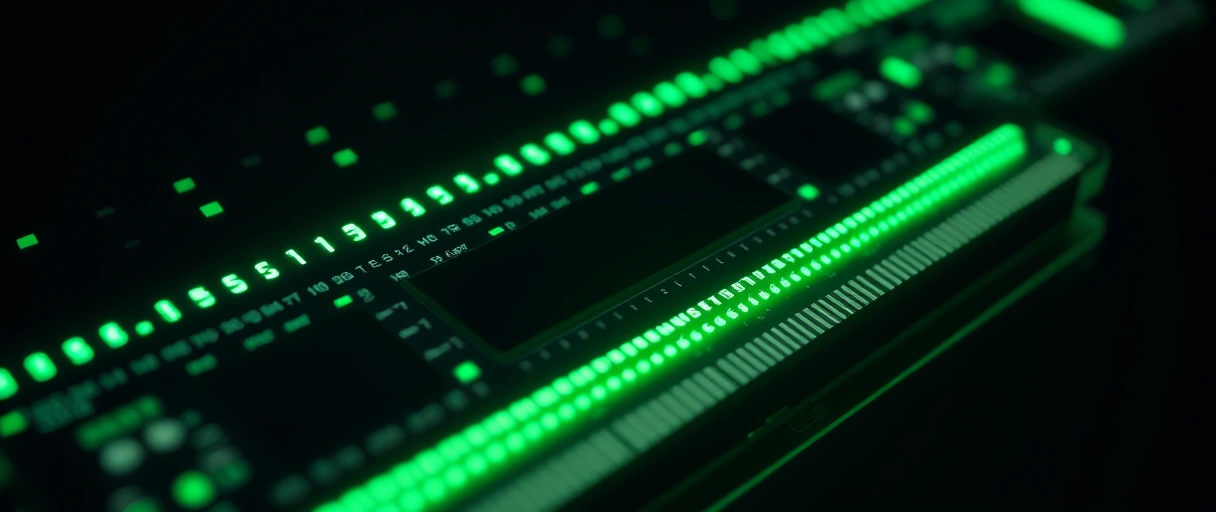
- Sizing: roughly 1 GB of DRAM per 1 TB of flash capacity.
- DRAM-less + HMB: budget drives drop the chip and use Host Memory Buffer to borrow a slice of system RAM (most use only ~64 MB) over the NVMe link.
- Real-world gap is small: a DRAM-cached drive sustains higher random performance under heavy load, but a good HMB drive is fine for everyday use – one attribute separating value and performance drives in M.2 vs SATA storage.
How Does Wear Leveling Extend SSD Life?
Wear leveling extends SSD life by spreading write and erase operations evenly across all NAND blocks so no single block wears out early:


- Why it is needed: each cell tolerates a limited number of program-erase (P/E) cycles, so hammering a few blocks would kill them fast.
- Dynamic wear leveling: spreads writes across blocks already holding changing data – simple, but cold data sits still and ages unevenly.
- Static wear leveling: also relocates rarely changed (cold) data to free low-wear blocks for active use – more even and better for lifespan, at the cost of a few extra writes.
Best for endurance: static wear leveling, which is why quality controllers use it alongside the NAND type’s rating to set how long a drive lasts under sustained writes.
What Are TRIM and Garbage Collection?
TRIM and garbage collection are processes that reclaim unused space so the controller can write efficiently to previously occupied blocks. Because NAND erases in whole blocks but writes in smaller pages, deleted data leaves invalid pages scattered through blocks the drive must consolidate:
- TRIM is a command the operating system sends to inform the solid-state drive which pages hold deleted data, so the controller knows it can safely erase them.
- Garbage collection is a background process where the controller copies valid pages from a partly used block into a fresh block, then erases the original block to reclaim space.
- 1. Delete. You delete a file; the OS marks those pages stale and sends a TRIM command to the drive.
- 2. Mark. The controller flags the stale pages so garbage collection knows it can skip copying them.
- 3. Consolidate. During idle time, the controller copies the remaining valid pages from a partly used block into a fresh block.
- 4. Erase. It erases the original block, returning a clean block to the pool – so write speed stays high after the drive fills.
What Is Over-Provisioning in an SSD?
Over-provisioning is reserved flash capacity, hidden from the operating system, that the controller uses for garbage collection, wear leveling, and bad-block replacement:
- Hidden reserve: a drive labeled 1 TB often holds more raw flash – makers set aside 7 to 28 percent.
- Faster + tougher: spare clean blocks are always ready for garbage collection, raising sustained write speed and endurance.
- Self-healing capacity: the reserve also swaps in for blocks that fail over the drive’s life, holding the advertised size.
Best for: write-heavy and enterprise drives, which reserve far more capacity than consumer models – a difference that shows up directly in the TBW rating.
How Long Does an SSD Last?
An SSD lasts as long as its NAND cells endure writes, rated in terabytes written (TBW) – typically 300 to 600 TBW for a 1 TB consumer drive:
- TBW means: the total data the drive can write before cells degrade past reliable use.
- Decades in practice: a 600 TBW drive written 50 GB per day passes 30 years before reaching its limit – far beyond a typical replacement cycle.
- Type sets the ceiling: SLC tolerates near 100,000 cycles, QLC about 1,000; wear leveling and over-provisioning stretch the effective endurance further.
- Graceful end: a drive that exhausts its writes usually drops to read-only rather than losing data, as covered in HDD vs SSD lifespan.
NAND Flash Types Compared
The table compares the four NAND flash types across bits per cell, endurance, speed, and typical use:
| NAND type | Bits per cell | Endurance (P/E cycles) | Relative speed | Typical use |
|---|---|---|---|---|
| SLC | 1 | ~100,000 | Fastest | Enterprise, industrial |
| MLC | 2 | ~10,000 | Fast | Older performance drives |
| TLC | 3 | 1,000-3,000 | Moderate | Mainstream consumer drives |
| QLC | 4 | 500-1,000 | Slower | High-capacity value drives |
Last Thoughts on How SSDs Work
SSDs work through a coordinated system of flash cells and intelligent management. A NAND cell traps electric charge to store one to four bits, defining the SLC, MLC, TLC, and QLC types that trade endurance for density. The controller maps addresses, corrects errors with LDPC code, and runs the firmware that keeps the drive responsive, while a DRAM cache or Host Memory Buffer holds the mapping table.
Wear leveling spreads writes evenly, TRIM and garbage collection reclaim space, and over-provisioning reserves spare blocks – together extending a lifespan rated in terabytes written. These mechanisms are why a solid-state drive delivers speed and durability without the moving parts of a hard disk drive.
Key Takeaways:
- A NAND flash cell stores data as trapped electric charge that sets the transistor threshold voltage.
- NAND flash comes in SLC, MLC, TLC, and QLC types, storing 1 to 4 bits per cell with falling endurance.
- The controller maps addresses, corrects errors, and manages wear, while a DRAM cache holds the mapping table.
- Wear leveling spreads writes evenly, and TRIM plus garbage collection reclaim space for efficient writing.
- Over-provisioning reserves 7 to 28 percent of flash for management and bad-block replacement.
- Endurance is rated in terabytes written (TBW), at 300 to 600 TBW for a typical 1 TB consumer drive.
Frequently Asked Questions (FAQs)
How do SSDs store data without power?
An SSD stores data as electric charge trapped in a floating gate inside each NAND flash cell. An insulating layer holds the charge in place, so the bit persists when power is removed.
What is the difference between SLC, MLC, TLC, and QLC?
These NAND types store 1, 2, 3, and 4 bits per cell respectively. More bits per cell raise capacity and lower cost but reduce speed and endurance, from 100,000 cycles on SLC to under 1,000 on QLC.
What does an SSD controller do?
The SSD controller directs every read, write, and erase, maps logical addresses to flash cells, corrects bit errors, and runs wear leveling and garbage collection to keep the drive fast and reliable.
What is TRIM on an SSD?
TRIM is a command the operating system sends to tell the SSD which pages hold deleted data. The controller can then erase those pages during garbage collection, keeping write speed high.
Do SSDs need a DRAM cache?
A DRAM cache stores the address-mapping table for faster random access. DRAM-less drives use Host Memory Buffer to borrow system RAM instead, performing adequately for everyday use at lower cost.
How long do SSDs last?
A 1 TB consumer SSD lasts 300 to 600 terabytes written. At 50 GB per day, a 600 TBW drive exceeds 30 years before cells degrade, far beyond typical replacement cycles.
About the author

Nizam Ud DeenFounder and Tech Blogger
Muhammad Nizam Ud Deen Usman is the founder of theCoreiTech and the author of The Local SEO Cosmos. He has worked in search since 2014 as an SEO consultant for eCommerce stores and local businesses, specialising in eCommerce SEO, local SEO and technical SEO, and runs SEO Academy and the SEO Community from Multan, Pakistan. He also founded ORM Digital Solutions, a digital agency serving medium and large businesses, and holds a degree from the University of Education, Lahore (Multan Campus). Plerdy lists him among its Best 20+ SEO Experts in Pakistan. Nizam started theCoreiTech in 2012 to make computers easier to understand and use for everyone. More of his work is at nizamuddeen.com.
