
A gaming PC and a productivity PC use the same kinds of parts but spend the budget differently. A gaming PC pours money into the graphics card and a fast, high-clock processor to push high frame rates; a productivity (or workstation) PC pours it into many CPU cores, large amounts of memory, and all-day reliability – and that one choice of where the budget goes decides which machine is right for you.
What Defines a Gaming PC?
A gaming PC is built around graphics-card power and display speed, because games are limited by how fast the GPU can draw frames:
- Strong GPU first: a powerful consumer card (NVIDIA GeForce / AMD Radeon) is the headline part – see best GPUs for gaming.
- Fast high-clock CPU: high single-core speed (about 5.5-6.2 GHz boost) matters more than core count; most games use only a few cores well.
- High-refresh display: a 144 Hz, 165 Hz, or 240 Hz monitor is the point of all that GPU power.
- Fast, low-latency RAM and NVMe: DDR5-6000 CL30 and a quick SSD cut stutter, not capacity.
- Looks: RGB lighting and tempered-glass cases are common.
Best for: high frame rates in games, plus most everyday creative and office work.
What Defines a Productivity PC?
A productivity (workstation) PC is built around CPU cores, memory capacity, and reliability, because professional work scales with parallel throughput:
- Many CPU cores first: 16 to 64+ cores (AMD Threadripper, Intel Xeon) for rendering, compiling, and simulation – see best CPUs for workstations.
- Lots of RAM, often ECC: 32-256 GB, frequently error-correcting (ECC) to protect long renders and datasets from memory faults.
- Reliability over peak speed: robust boards and cooling tuned for sustained, often 24/7, loads – and usually quieter.
- Multi-monitor output: three or four displays for CAD, editing, and data layouts.
- Pro GPUs where it counts: certified (ISV) drivers for CAD/3D apps matter more than raw frame rate.
Best for: heavy 3D, video, CAD, code, simulation, and data work that runs for hours.
Gaming PC vs Productivity PC: Priorities at a Glance
The two builds spend the budget on opposite priorities – speed-of-a-frame versus throughput-and-reliability:
Gaming PC priorities
Productivity PC priorities
6 Hardware Differences: Gaming PCs vs Productivity PCs
The two builds differ across six components – GPU, CPU, RAM, storage, display output, and cooling:
| Hardware Component | Gaming PC Priority | Productivity PC Priority |
|---|---|---|
| GPU | Consumer GPU (RTX 4070 Ti, RX 7900 XTX) for rasterization and ray tracing | Professional GPU (RTX 6000 Ada, Quadro) for compute, VRAM, and ISV drivers |
| CPU | High single-core clock (5.5–6.2 GHz boost) for game engine bottlenecks | High core count (16–96 cores) for parallel rendering and compilation |
| RAM | 16–32 GB DDR5-6000 CL30, low latency | 64–256 GB DDR5, capacity-first with ECC where supported |
| Storage | 1–2 TB NVMe Gen 4/5, low latency (0.02 ms random) | 4–20 TB multi-drive (NVMe + SATA RAID), capacity-first |
| Display output | 1× high-refresh 1440p or 4K (144–360 Hz) | 3–4× monitors at 60 Hz for multi-window workflows |
| Cooling | AIO 240–360 mm liquid cooler, high-airflow case | Air tower cooler (Noctua NH-D15) or workstation chassis cooling |
GPU Comparison: RTX 4070 vs RTX A4000
A consumer card wins raw speed; a professional card wins certified stability and VRAM: the gaming RTX 4070 Super is far faster in games, but the pro RTX A4000 carries ECC VRAM and certified drivers:
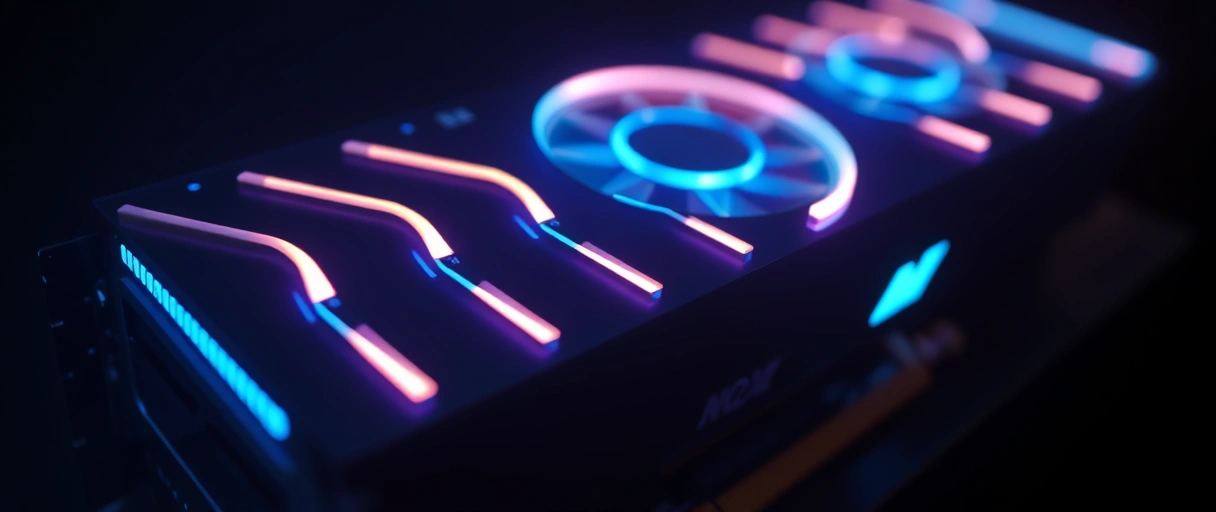
- RTX 4070 Super (gaming): about 51.5 TFLOPS FP32, 12 GB GDDR6X, near $599; DLSS frame generation roughly doubles frame rates in supported games.
- RTX A4000 (pro): about 19.2 TFLOPS FP32 but 16 GB ECC GDDR6 with ISV-certified compute drivers – around 62% slower in games, yet the right pick for CAD, FEA, and ML.
- Top tier: the RTX 6000 Ada delivers about 91.1 TFLOPS with 48 GB ECC GDDR6 near $6,800.
Best for: raw frame rate -> consumer GPU; certified pro apps and large VRAM -> workstation GPU.



CPU Comparison: High Clock vs High Core Count
Gaming rewards a few very fast cores; productivity rewards many cores: a high-clock gaming CPU leads frame rates, while a many-core workstation CPU crushes rendering and compiling:
- Gaming: the Core i9-14900KS boosts to 6.2 GHz, and the Ryzen 7 9800X3D (3D V-Cache) leads game benchmarks – cores beyond 8 add little in games (see best CPUs for gaming).
- Productivity: the Threadripper PRO 7985WX brings 64 cores / 128 threads at 5.1 GHz boost.
- Result: a Blender CPU render on that Threadripper finishes in about 60% of the time of a Core i9-14900K on the same scene.
Best for: frame rates -> high-clock CPU; multi-threaded rendering/compiling -> high-core CPU.
RAM: Gaming 16-32 GB vs Video Editing 64-128 GB
Gaming wants fast RAM; productivity wants a lot of it: games rarely need more than 16-32 GB, while heavy editing and ML need 64-256 GB:
- Gaming: AAA titles use about 12-16 GB system RAM; DDR5-6000 CL30 cuts CPU-GPU latency about 5-8% over DDR5-4800.
- Video editing: DaVinci Resolve with 4K H.265 needs 16 GB minimum; 8K RAW editing wants 64-128 GB.
- Heavy multitasking / ML: a VM plus a DAW needs 32 GB+; large-model ML can need 256 GB+ (see how much RAM you need).
Best for: faster low-latency kit -> gaming; maximum capacity (often ECC) -> productivity.
Storage: Low Latency vs Large Capacity
Gaming wants quick access; productivity wants room and sustained write: games load best from a fast NVMe, while media work needs terabytes of RAID:
- Gaming: a fast NVMe Gen 5 drive (Crucial T705) hits about 14,500 MB/s read at 0.015 ms latency; a 1-2 TB drive holds 15-20 AAA games (50-100 GB each).
- Productivity: a workstation pairs 2-4 TB NVMe for active cache with 16-40 TB SATA RAID for archive.
- Example: four 10 TB drives in RAID 5 give about 30 TB usable at ~550 MB/s sustained write (see how to choose a storage drive).
Best for: fast load times -> single fast NVMe; capacity and sustained write -> multi-drive RAID.
Where Gaming and Productivity PCs Overlap
The two worlds overlap more than ever: a strong gaming PC already handles most creative work, and the gap only shows at the heavy professional end:
- Gaming hardware is powerful enough to run most professional creative apps, and workstations can run games.
- A high-core gaming PC is the best value for a creator who also games – one machine, near-workstation throughput.
- True workstations only pull ahead for very large renders, scientific simulation, certified CAD, ECC-critical data integrity, or all-day sustained loads.
Can One PC Serve Both Gaming and Productivity?
Yes, a single well-chosen build covers both: a high-core gaming CPU plus a strong GPU and 64 GB RAM games at 4K and renders fast:
- CPU: the Ryzen 9 9950X (16 cores, 5.7 GHz) is within 3-5% of the i9-14900KS in games while far ahead in multi-threaded work.
- GPU + RAM: pair it with an RTX 4090 (82.6 TFLOPS, 24 GB) and 64 GB DDR5-6000 for 4K gaming plus GPU-accelerated Blender/Resolve.
- The one limit: a consumer RTX 4090 is not ISV-certified for SolidWorks, CATIA, or Ansys; for CAD-and-gaming use the RTX 5000 Ada (32 GB, $2,249).
Best for: creators who game -> one dual-purpose build; certified CAD -> add a pro GPU.
How to Choose Between a Gaming and Productivity PC
Choose by your main workload, then check whether you need ECC or certified pro drivers:
- Mostly games (plus light creative/office): a gaming PC – strong GPU, high-clock CPU, fast 16-32 GB RAM.
- A creator who also games: a high-core gaming PC (Ryzen 9 / Core i9 + strong GeForce + 64 GB) – best value for both.
- Heavy professional 3D, CAD, simulation, or data: a workstation – many cores, ECC RAM, pro GPU, 24/7 reliability.
- Still unsure? Start from the component basics in the computer hardware guide and match each part to your heaviest task.
Last Thoughts on Gaming PCs vs Productivity PCs
Gaming PCs and productivity PCs split the budget across six priorities – GPU type, CPU clock versus core count, RAM latency versus capacity, storage latency versus capacity, display refresh versus display count, and cooling strategy. Because a strong gaming PC already covers most creative work, the honest question is rarely “which is better” but “does my heaviest task need many cores, ECC memory, or certified pro drivers?” If it does not, a well-specced gaming PC is usually the smarter buy; if it does, a workstation earns its premium.
Key Takeaways:
- Gaming PCs prioritize GPU rasterization (RTX 4070 Super: 51.5 TFLOPS) and single-core CPU speed (6.2 GHz boost on i9-14900KS).
- Productivity PCs prioritize CPU core count (Threadripper PRO 7985WX: 64 cores) and RAM capacity (64–256 GB).
- Gaming RAM optimum is 16–32 GB DDR5-6000 CL30; video editing requires 64–128 GB for 8K RAW workflows.
- Gaming storage needs 0.015–0.020 ms random latency; productivity needs 16–40 TB RAID capacity.
- Professional GPUs (RTX A4000, RTX 6000 Ada) are ISV-certified; consumer GPUs (RTX 4070, RTX 4090) are not certified for SolidWorks or CATIA.
- A dual-purpose build using Ryzen 9 9950X + RTX 4090 covers gaming and productivity with a single exception: CAD ISV certification requires the RTX 5000 Ada.
Frequently Asked Questions (FAQs)
What is the main hardware difference between a gaming PC and a productivity PC?
Gaming PCs prioritize GPU rasterization and single-core CPU speed (5.5–6.2 GHz). Productivity PCs prioritize CPU core count (16–96 cores) and RAM capacity (64–256 GB) for parallel workloads.
How much RAM does a gaming PC need?
Gaming PCs need 16–32 GB DDR5. Modern AAA games use approximately 12–16 GB system RAM. DDR5-6000 CL30 is the optimal gaming configuration, reducing CPU-GPU latency by 5–8% over DDR5-4800.
Can a gaming PC be used for video editing?
A gaming PC with an RTX 4090 and 64 GB RAM handles 4K video editing in DaVinci Resolve. For 8K RAW multi-stream editing, 128 GB RAM and a professional GPU with more VRAM are recommended.
What GPU is best for a productivity PC?
The NVIDIA RTX 6000 Ada Generation (48 GB ECC GDDR6, 91.1 TFLOPS) is the top professional GPU for productivity. For a cost-effective option, the RTX A4000 provides 16 GB ECC GDDR6 and full ISV certification at approximately $1,000.
Is a Threadripper CPU good for gaming?
Threadripper CPUs are not optimized for gaming. High core count reduces single-core boost frequency. An AMD Ryzen 7 9800X3D outperforms Threadripper PRO in gaming benchmarks by 30–50% due to higher boost clocks and 3D V-Cache.
About the author

Nizam Ud DeenFounder and Tech Blogger
Muhammad Nizam Ud Deen Usman is the founder of theCoreiTech and the author of The Local SEO Cosmos. He has worked in search since 2014 as an SEO consultant for eCommerce stores and local businesses, specialising in eCommerce SEO, local SEO and technical SEO, and runs SEO Academy and the SEO Community from Multan, Pakistan. He also founded ORM Digital Solutions, a digital agency serving medium and large businesses, and holds a degree from the University of Education, Lahore (Multan Campus). Plerdy lists him among its Best 20+ SEO Experts in Pakistan. Nizam started theCoreiTech in 2012 to make computers easier to understand and use for everyone. More of his work is at nizamuddeen.com.
