
Ethernet is the IEEE 802.3 family of standards for wired local area networks, defining the cables, connectors, frame format, and signaling that carry data between devices over a physical link rather than radio waves. It packages data into frames, addresses each frame with a MAC address, and forwards it through a switch to the right device. First standardized in 1983, Ethernet has scaled from 10 megabits per second to 800 gigabits per second, and it remains the wired backbone of nearly every network because a cable delivers lower latency and steadier throughput than Wi-Fi.
What Is Ethernet?
Ethernet is the IEEE 802.3 standard for wired local area networks that defines how devices frame, address, and transmit data over a physical cable. It specifies the cabling, the connector, the frame structure, and the access method that let computers, switches, and routers exchange data on the same network. The Institute of Electrical and Electronics Engineers (IEEE) maintains Ethernet under the 802.3 working group, which assigns a designation such as 802.3ab for Gigabit Ethernet over copper.
Ethernet operates at two layers of the OSI model, and splitting its job this way is what lets one frame format run over copper, fiber, or any future medium:
- Physical layer: the cable, the connector, and the electrical or optical signaling that puts bits on the wire.
- Data link layer: the frame and the Media Access Control (MAC) address that identifies each network interface.
- The carrier: Ethernet moves data as electrical or optical signals over a cable, which is the line that separates it from Wi-Fi and its radio waves.
How Does Ethernet Work?
Ethernet works by packaging data into frames, addressing each frame with MAC addresses, and forwarding the frame through a switch to the destination device. The frame is the unit of transmission and the MAC address is the identifier that directs each frame to one network interface.
The Ethernet Frame
An Ethernet frame holds the destination MAC address, the source MAC address, an optional VLAN tag, a type field, the data payload, and a frame check sequence. The standard payload ranges from 46 to 1500 bytes, and a jumbo frame extends it to 9000 bytes on networks that support it. The frame check sequence uses a cyclic redundancy check, so the receiver detects a corrupted frame and discards it.
MAC Addressing and Switching
A MAC address is a 48-bit hardware identifier assigned to each network interface, written as six hexadecimal pairs such as 00:1A:2B:3C:4D:5E. An Ethernet switch reads the source MAC address of each incoming frame and builds a table that maps every MAC address to a physical port. The switch then forwards a frame only to the port that holds the destination address rather than flooding every port.
Full-Duplex Transmission
Modern Ethernet runs in full-duplex mode, which lets a device send and receive at the same time over separate wire pairs. A full-duplex link between a device and a switch dedicates the full rated bandwidth to that single connection, with no sharing and no waiting for a turn.
Why Doesn’t Modern Ethernet Have Collisions?
Modern switched, full-duplex Ethernet has no collisions because every link is a private point-to-point connection, so the old shared-wire arbitration never runs. The original Ethernet shared one coaxial cable among many devices and used Carrier Sense Multiple Access with Collision Detection (CSMA/CD) to take turns. Switching and full-duplex made that obsolete:
CSMA/CD still sits in the specification for legacy half-duplex links, but on a modern switched network it never activates. That is why current Ethernet runs close to its full rated speed in both directions at once.



What Are the Ethernet Speed Standards?
Ethernet defines a ladder of speed grades, each tied to a specific IEEE 802.3 designation and a minimum cable category. The grades below run from the rates a home network uses up to the data center fiber standards.
- Fast Ethernet reaches 100 Mbps. The 100BASE-TX standard under IEEE 802.3u carries 100 megabits per second over two pairs of copper.
- Gigabit Ethernet reaches 1 Gbps. The 1000BASE-T standard under IEEE 802.3ab carries 1 gigabit per second over four pairs of copper to 100 meters.
- 2.5G Ethernet reaches 2.5 Gbps. The 2.5GBASE-T standard under IEEE 802.3bz runs over existing Cat5e cable to 100 meters.
- 5G Ethernet reaches 5 Gbps. The 5GBASE-T standard, also under IEEE 802.3bz, runs over Cat6 cable to 100 meters.
- 10G Ethernet reaches 10 Gbps. The 10GBASE-T standard under IEEE 802.3an runs over Cat6a cable to 100 meters.
- Data center grades reach 25, 40, 100, 400, and 800 Gbps. The 800 gigabit standard (IEEE 802.3df, 2024) is the fastest ratified grade, running over fiber and short Cat8 copper rather than home cabling.
The speed a link reaches depends on the slowest component in the path. A Gigabit switch port connected through Cat5e negotiates 1 Gbps, while the same port over old Cat3 cable falls back to 100 Mbps. The cable category each speed requires is detailed in the breakdown of Ethernet cable types.
What Cables and Connectors Does Ethernet Use?
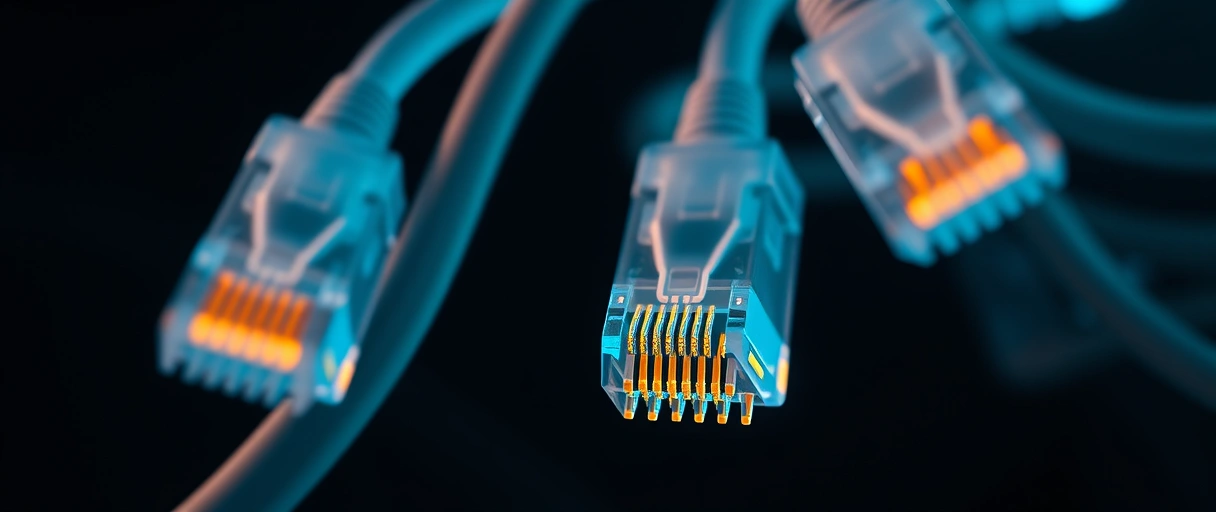
Ethernet over copper uses twisted-pair cable terminated with an 8P8C connector, known as RJ45, while higher-speed Ethernet uses fiber optic cable with LC or SC connectors. The twisted-pair design pairs and twists each wire to cancel electromagnetic interference:
- Twisted-pair copper carries most Ethernet. Four pairs of copper wire inside one jacket carry the signal for Fast, Gigabit, multi-gig, and 10 Gigabit Ethernet.
- The RJ45 connector terminates copper Ethernet. The 8-position, 8-contact connector seats into a switch, router, or network card port.
- Fiber optic carries long-distance and high-speed Ethernet. Glass or plastic strands carry light pulses for runs beyond 100 meters or speeds above 10 Gbps.
- The cable category sets the maximum speed. Categories from Cat5e to Cat8 rate each cable for a bandwidth in megahertz and a top supported speed.
The RJ45 connector follows the TIA-568 wiring standard, which defines the T568A and T568B pin arrangements for the eight conductors. The cable type underpins the rest of the wired link in any computer network.
Ethernet vs Wi-Fi: How Do They Differ?
Ethernet sends data over a physical cable for lower latency and steadier throughput, while Wi-Fi sends data over radio waves to remove the cable at the cost of interference and variable latency. The transmission medium is the core difference between the two.
- Latency is lower on Ethernet. A wired link adds well under a millisecond, while Wi-Fi adds variable latency from contention and retransmission.
- Reliability is higher on Ethernet. A cable carries a steady signal free of the interference that walls, distance, and neighboring networks add to Wi-Fi.
- Throughput is more consistent on Ethernet. A Gigabit link holds near its rated speed, while Wi-Fi throughput falls with distance and obstacles.
- Mobility is higher on Wi-Fi. Radio connects phones, tablets, and laptops that move between rooms without a cable.
Even against Wi-Fi 7, a wired link still wins on the steadiness that competitive gaming and video calls need, because it avoids the random latency spikes radio can introduce. The full set of trade-offs appears in the comparison of wired versus wireless networking.
What Is Power over Ethernet?
Power over Ethernet (PoE), defined under IEEE 802.3af, 802.3at, and 802.3bt, carries electrical power and data over the same Ethernet cable, so a device runs without a separate power adapter. The standard supplies power through the data or spare pairs of the twisted-pair cable:
- 802.3af supplies up to 15.4 watts. The original PoE standard powers IP phones, basic access points, and small cameras over one cable.
- 802.3at supplies up to 30 watts. The PoE+ standard powers pan-tilt-zoom cameras and dual-band access points that draw more current.
- 802.3bt supplies up to 90 watts. The PoE++ standard powers video phones, displays, and devices that need higher draw across all four pairs.
- A PoE switch or injector adds the power. A PoE-capable switch supplies the voltage, or an inline injector adds it to a standard switch port.
Power over Ethernet removes the need for a power outlet at the device, which suits access points and cameras mounted away from an outlet. The access point that PoE commonly powers relays Wi-Fi to wireless devices on the same network.
What Is the History of Ethernet?
Ethernet was invented at Xerox PARC in 1973 by Robert Metcalfe and standardized as IEEE 802.3 in 1983, growing from 10 megabits per second to 800 gigabits per second across later revisions. The standard replaced competing local network technologies through the 1980s and 1990s.
The original Ethernet ran at 10 Mbps over a shared coaxial cable and used CSMA/CD to manage access. Fast Ethernet raised the rate to 100 Mbps in 1995 under IEEE 802.3u, and Gigabit Ethernet reached 1000 Mbps in 1999 under 802.3ab.
The move from shared coaxial cable to switched twisted-pair links removed collisions and let each connection run in full-duplex at its full rated speed. Ethernet outlasted rivals such as Token Ring, and the ladder continues upward: the 800 gigabit standard was ratified in 2024, with a 1.6 terabit grade expected by mid-2026, which keeps Ethernet the dominant wired network technology from the home to the data center.
Ethernet Speed Standard Comparison
The table compares the common Ethernet speed grades by IEEE designation, rated speed, minimum cable category, and maximum length over copper:
| Standard | IEEE Designation | Speed | Cable | Max Length |
|---|---|---|---|---|
| Fast Ethernet | 802.3u (100BASE-TX) | 100 Mbps | Cat5 | 100 m |
| Gigabit Ethernet | 802.3ab (1000BASE-T) | 1 Gbps | Cat5e | 100 m |
| 2.5G Ethernet | 802.3bz (2.5GBASE-T) | 2.5 Gbps | Cat5e | 100 m |
| 5G Ethernet | 802.3bz (5GBASE-T) | 5 Gbps | Cat6 | 100 m |
| 10G Ethernet | 802.3an (10GBASE-T) | 10 Gbps | Cat6a | 100 m |
| 25G Ethernet | 802.3by (25GBASE-T) | 25 Gbps | Cat8 | 30 m |
Last Thoughts on Ethernet
Ethernet is the IEEE 802.3 standard that defines wired local area networking through frames, MAC addressing, full-duplex switching, twisted-pair or fiber cable, and the RJ45 connector. Its speed grades run from 100 Mbps Fast Ethernet up to the 800 gigabit data center standard, with each grade tied to a cable category and an IEEE designation. Modern switched, full-duplex Ethernet has no collisions, which is why it runs close to its full rated speed and delivers the steady, low latency that a cable holds over Wi-Fi.
Ethernet is the wired foundation that switches, routers, and cabling build on. The hub on what a computer network is connects it to the wider set of networking topics, from the cables and connectors to the devices that move each frame.
Key Takeaways:
- Ethernet is IEEE 802.3, the standard for wired local networking, covering cables, connectors, frames, and MAC addressing.
- Frames carry the data; each holds source and destination MAC addresses plus a payload of 46 to 1500 bytes.
- A switch maps each MAC address to a port and forwards each frame only to its destination.
- Modern Ethernet is switched and full-duplex, so collisions cannot occur and CSMA/CD never runs.
- Speed grades scale from 100 Mbps to the 800 gigabit standard; 2.5G is the practical home upgrade over existing Cat5e.
- RJ45 terminates copper Ethernet, while fiber with LC or SC connectors carries the longest and fastest links.
Frequently Asked Questions (FAQs)
What is Ethernet in simple terms?
Ethernet is the IEEE 802.3 standard for wired local networks. It carries data over a cable between devices such as computers, switches, and routers, packaging that data into frames addressed by MAC address.
Is Ethernet faster than Wi-Fi?
Ethernet gives lower, steadier latency and more consistent throughput than Wi-Fi because a cable avoids radio interference. A Gigabit Ethernet link holds near 1 Gbps and adds well under a millisecond of latency, while Wi-Fi speed and latency drop with distance and obstacles.
Does Ethernet still use CSMA/CD?
No, not in practice. CSMA/CD remains in the specification for legacy half-duplex links, but modern Ethernet runs full-duplex through a switch, where each port is its own collision domain and collisions cannot happen, so the mechanism never activates.
What is the fastest Ethernet speed?
The fastest ratified Ethernet standard is 800 Gigabit Ethernet (800GbE), defined in IEEE 802.3df in 2024 for data centers over fiber. A 1.6 terabit standard (802.3dj) is expected by mid-2026. Home and office networks use 1G, 2.5G, 5G, or 10G.
Is 2.5 Gigabit Ethernet worth it?
For most homes upgrading in 2026 it is the practical step up, because 2.5GBASE-T runs over the Cat5e or Cat6 cable already in the walls and now ships by default on many motherboards, routers, and switches. It helps most with fast internet plans and local transfers to a NAS.
What is an Ethernet frame?
An Ethernet frame is the unit of data Ethernet transmits. It holds the destination and source MAC addresses, an optional VLAN tag, a type field, a payload of 46 to 1500 bytes, and a frame check sequence that lets the receiver detect and discard a corrupted frame.
About the author

Nizam Ud DeenFounder and Tech Blogger
Muhammad Nizam Ud Deen Usman is the founder of theCoreiTech and the author of The Local SEO Cosmos. He has worked in search since 2014 as an SEO consultant for eCommerce stores and local businesses, specialising in eCommerce SEO, local SEO and technical SEO, and runs SEO Academy and the SEO Community from Multan, Pakistan. He also founded ORM Digital Solutions, a digital agency serving medium and large businesses, and holds a degree from the University of Education, Lahore (Multan Campus). Plerdy lists him among its Best 20+ SEO Experts in Pakistan. Nizam started theCoreiTech in 2012 to make computers easier to understand and use for everyone. More of his work is at nizamuddeen.com.
