
Ethernet cable types are the standardized categories of twisted-pair copper cable that define the speed, bandwidth, shielding, and maximum length each cable supports for wired networking. Each category, from Cat5e through Cat8, carries a rating set by the Telecommunications Industry Association under the TIA-568 standard, which fixes the bandwidth in megahertz and the top data rate the cable sustains. The category printed on the jacket determines whether a link runs at 1, 10, 25, or 40 gigabits per second over a given distance.
Ethernet cable types are the TIA-568 categories of twisted-pair copper cable, from Cat5e through Cat8, that each rate a maximum bandwidth in megahertz and a top data rate for wired Ethernet. Cat5e carries 1 Gbps to 100 meters, Cat6 reaches 10 Gbps over a shorter run of about 55 meters, Cat6a sustains 10 Gbps across the full 100 meters, and Cat8 pushes 25 or 40 Gbps over a short 30-meter datacenter link. Cat6 or Cat6a covers almost every home and office need; Cat7 was never ratified by the TIA, and Cat8 only earns its rating on short runs. To pick a cable, match the lowest category that meets your target speed and your run length.
What Are Ethernet Cable Types?
Ethernet cable types are the TIA-568 categories of twisted-pair cable that each rate a maximum bandwidth in megahertz and a maximum data rate for wired Ethernet. A category such as Cat6 fixes how much signal frequency the cable carries and therefore how fast a link runs over it:
- The TIA sets the rating. The Telecommunications Industry Association defines each category under TIA-568, and the category number prints along the cable jacket.
- Bandwidth drives speed. Cable bandwidth, stated in megahertz, measures the range of signal frequencies the cable passes without excessive loss. A Cat5e cable rates 100 MHz; a Cat8 cable rates 2000 MHz.
- Higher frequency carries more data. The wider frequency range of a higher category lets it carry more bits per second over the same pair of wires.
The speed each category enables corresponds to an Ethernet grade defined under IEEE 802.3, set out in the overview of what Ethernet is. How much of that rate a link actually delivers is measured as network bandwidth.
What Is Cat5e Cable?
Cat5e cable rates 100 MHz of bandwidth and supports Gigabit Ethernet at 1 gigabit per second over 100 meters. The “e” marks an enhanced version of the original Cat5 with tighter limits on crosstalk between pairs.
Cat5e remains the baseline for home gigabit networks because Gigabit Ethernet under IEEE 802.3ab runs over all four pairs of a Cat5e cable. Cat5e also carries 2.5 Gigabit Ethernet under IEEE 802.3bz to 100 meters, which lets an existing Cat5e run reach 2.5 Gbps without replacement. Cat5e ships as unshielded twisted pair in most home installations.
What Is Cat6 Cable?
Cat6 cable rates 250 MHz of bandwidth and supports 10 Gigabit Ethernet over a reduced length of about 55 meters, or 1 Gigabit Ethernet over the full 100 meters. A central spline inside Cat6 separates the four pairs to lower crosstalk.
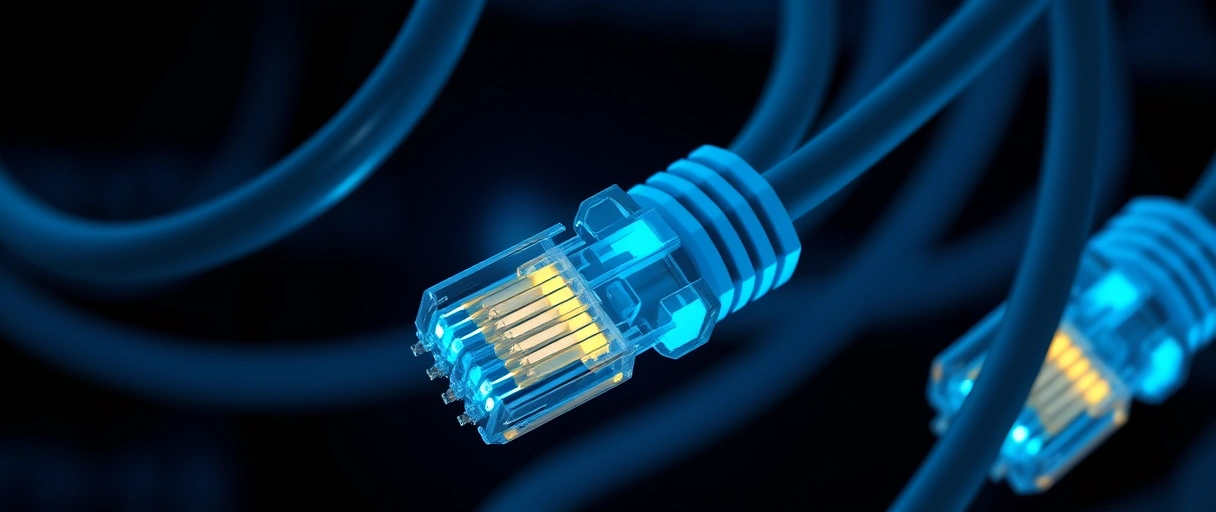
Cat6 reaches 10 Gbps only across a shorter run because alien crosstalk rises with frequency and distance; the TIA limit for 10GBASE-T over Cat6 falls in the 37 to 55 meter range depending on the cabling environment. Across the standard 100-meter channel, Cat6 carries 1 Gbps and 5 Gigabit Ethernet under IEEE 802.3bz. The spline and tighter twist rate raise the bandwidth above Cat5e while keeping the same RJ45 termination, which is why Cat6 is the practical default for most new home and office runs.
What Is Cat6a Cable?
Cat6a cable rates 500 MHz of bandwidth and supports 10 Gigabit Ethernet over the full 100 meters under IEEE 802.3an. The “a” marks the augmented category built for sustained 10 Gbps runs.


Cat6a doubles the rated bandwidth of Cat6 and adds tighter shielding or thicker insulation to control alien crosstalk, the interference between adjacent cables in a bundle. A Cat6a cable is thicker and less flexible than Cat6, which affects routing in tight spaces. As of 2026, Cat6a is the industry-recommended minimum for new 10 Gigabit Ethernet installations and for Wi-Fi 6E and Wi-Fi 7 access-point uplinks to 100 meters.
What Are Cat7 and Cat8 Cable?
Cat7 rates 600 MHz and Cat8 rates 2000 MHz, with Cat8 supporting 25 and 40 Gigabit Ethernet over a short 30-meter run. Both categories shield every pair to carry the higher frequencies, but they differ sharply in standing and use:
- Cat7 rates 600 MHz of bandwidth. Cat7 supports 10 Gigabit Ethernet to 100 meters and uses shielded twisted pair, but it relies on a proprietary GG45 or TERA connector rather than the TIA-ratified RJ45.
- Cat7 is not a TIA-recognized category. Cat7 exists only under ISO/IEC 11801, never under TIA-568. Most “Cat7” cables sold today terminate in a standard RJ45, which effectively caps them at Cat6a performance, so Cat6a covers the same 10 Gbps need with a standard connector.
- Cat8 rates 2000 MHz of bandwidth. Cat8 supports 25GBASE-T and 40GBASE-T to 30 meters, uses S/FTP shielding on every pair, and terminates with a standard RJ45.
- Cat8 targets the datacenter. The 30-meter limit and 25 to 40 Gbps rate fit short switch-to-switch and switch-to-server runs rather than home cabling.
Which Ethernet Cable Should You Use?
The right Ethernet cable is the lowest category that meets both your target speed and your run length. The cards below pair the four categories most people buy with what each one is for.
- Choose Cat5e for a 1 Gigabit home network, since Cat5e carries 1 Gbps to 100 meters at the lowest cost.
- Choose Cat6 for a mixed 1 to 10 Gbps run under about 55 meters, since Cat6 reaches 10 Gbps over shorter distances.
- Choose Cat6a for a full 10 Gigabit run to 100 meters, since Cat6a sustains 10 Gbps across the standard channel.
- Choose Cat8 for a 25 or 40 Gbps datacenter link under 30 meters, since Cat8 carries those rates with a standard RJ45.
- Match the cable to the slowest device, because a Cat6a cable into a gigabit port still negotiates only 1 Gbps.
What Is the Difference Between UTP and STP Cable?
Unshielded twisted pair, or UTP, relies on the wire twist alone to cancel interference, while shielded twisted pair, or STP, adds a metal foil or braid that blocks external interference. The shielding choice affects cost, flexibility, and noise resistance:
- UTP uses the twist alone. Unshielded twisted pair cancels interference through the opposing twist of each pair, which keeps the cable thin and flexible.
- STP adds a metal screen. Shielded twisted pair wraps a foil (FTP) or braid around the pairs, the whole bundle, or both (S/FTP) to block outside electromagnetic interference and alien crosstalk.
- Shielding must be grounded. An STP cable has to connect to a grounded jack at both ends, or the shield itself can act as an antenna and add noise instead of removing it.
- UTP suits home runs. Most home Cat5e and Cat6 runs use UTP, while shielded cable suits industrial sites, electrically noisy spaces, and high-frequency Cat6a, Cat7, and Cat8 runs.
How Are Ethernet Cables Terminated?
Ethernet cables terminate with an RJ45 connector wired to the TIA-568 standard, which arranges the eight conductors in either the T568A or the T568B pin order. The wiring order must match on both ends of a straight-through cable.

- T568B is the common pattern. The T568B pin order is the most widely used arrangement for patch cables in homes and offices.
- T568A is the alternate pattern. The T568A order swaps the green and orange pairs and appears in some government and residential installations.
- A straight-through cable matches both ends. Using the same pattern on each end produces a straight-through cable that connects a device to a switch.
- Modern ports auto-correct the crossover. Auto-MDIX on current switches removes the older need for a crossover cable between two like devices.
A field-terminated cable uses a crimp tool to seat the conductors into the RJ45 connector, while a factory patch cable arrives pre-terminated and tested. The connector seats into the same network port on a switch, router, or computer regardless of the cable category.
What Is the Difference Between Solid and Stranded Cable?
Solid Ethernet cable uses one solid copper conductor per wire for permanent in-wall runs, while stranded cable uses several thin copper strands per wire for flexible patch cables. The conductor construction sets the use case:
- Solid conductors suit long fixed runs. A single solid copper core carries the signal with lower attenuation over the full 100-meter run inside walls.
- Stranded conductors suit patch cables. Several thin strands bend without breaking, which suits short cables that move between a wall jack and a device.
- Solid cable pairs with punch-down jacks. A solid conductor seats into a punch-down keystone jack or patch panel at each end of a permanent run.
- Stranded cable pairs with crimped RJ45 plugs. A stranded conductor crimps into an RJ45 plug for a flexible cable that plugs straight into a port.
Ethernet Cable Category Comparison
The table compares each category on bandwidth, top speed, shielding, and the maximum length it holds at that top speed.
| Category | Bandwidth | Max Speed | Shielding | Max Length at Top Speed | Typical Use |
|---|---|---|---|---|---|
| Cat5e | 100 MHz | 1 Gbps | UTP | 100 m | Home gigabit |
| Cat6 | 250 MHz | 10 Gbps | UTP or STP | ~55 m at 10 Gbps | Home and office default |
| Cat6a | 500 MHz | 10 Gbps | UTP or STP | 100 m | New 10 Gigabit runs |
| Cat7 | 600 MHz | 10 Gbps | STP | 100 m | ISO only, GG45/TERA |
| Cat8 | 2000 MHz | 40 Gbps | S/FTP | 30 m | Datacenter links |
The choice between a wired run and a radio link is weighed in the comparison of wired versus wireless networking, where cable category sets the ceiling for the wired side.
Last Thoughts on Ethernet Cable Types
Ethernet cable types span Cat5e through Cat8, with each TIA category rating a bandwidth in megahertz that fixes the maximum speed and the length the cable holds it over. Cat5e carries 1 Gbps to 100 meters, Cat6 reaches 10 Gbps over about 55 meters, Cat6a sustains 10 Gbps to the full 100 meters, and Cat8 reaches 40 Gbps over a 30-meter datacenter run. For almost every home and office, Cat6 or Cat6a is the right answer; Cat7 was never ratified by the TIA, and Cat8 only earns its rating on short runs.
The cable category sets the ceiling for one link, but a working network depends on the switches, routers, and addressing around it. The hub on what a computer network is connects cabling to the wider set of networking topics.
Key Takeaways:
- The TIA category sets the speed: each rates a bandwidth in megahertz that fixes the top data rate the cable carries.
- Cat5e rates 100 MHz and carries 1 Gbps to 100 meters, the baseline for home gigabit networks.
- Cat6 reaches 10 Gbps only to about 55 meters, while Cat6a sustains 10 Gbps across the full 100-meter channel.
- Cat6 or Cat6a covers almost every home and office need; pick Cat6a for new permanent runs and full 10 Gigabit.
- Cat7 was never ratified by the TIA and adds no benefit over Cat6a with a standard RJ45; Cat8’s 25 to 40 Gbps suits short datacenter links only.
- UTP suits home runs; shielded cable blocks interference but must be grounded at both ends or it adds noise.
Frequently Asked Questions (FAQs)
What is the difference between Cat5e and Cat6?
Cat5e rates 100 MHz and carries 1 Gbps to 100 meters. Cat6 rates 250 MHz and adds a central spline to reach 10 Gbps over a shorter run of about 55 meters, while still carrying 1 Gbps across the full 100 meters.
Is Cat6 or Cat6a better for 10 Gigabit?
Cat6a is better for 10 Gigabit Ethernet over distance. Cat6 reaches 10 Gbps only to about 55 meters, while Cat6a sustains 10 Gbps across the full 100-meter channel under IEEE 802.3an. For short runs, Cat6 can still hit 10 Gbps.
Which Ethernet cable should I use at home?
Cat6 is the practical default for most homes and small offices, with plenty of headroom for gigabit internet, gaming, and streaming. Choose Cat6a for new in-wall runs you want to keep for years or for full 10 Gigabit to 100 meters. Cat8 is overkill outside short datacenter links.
Is Cat7 a recognized cable standard?
Cat7 exists under ISO/IEC 11801 but was never ratified by the Telecommunications Industry Association, and it needs proprietary GG45 or TERA connectors for its full rating. Most “Cat7” cables sold use a standard RJ45, which effectively limits them to Cat6a performance, so Cat6a is the cleaner choice for 10 Gigabit.
Do I need shielded Ethernet cable?
Most home and office runs use unshielded twisted pair, which is cheaper and more flexible. Shielded cable (STP, FTP, or S/FTP) helps near heavy electrical interference or with high-frequency Cat6a, Cat7, and Cat8, but it must be grounded at both ends or the shield can act as an antenna and add noise.
Does a higher cable category increase my speed?
A higher category raises speed only if the network ports support it. A Cat6a cable plugged into a gigabit switch port still negotiates 1 Gbps, because the link runs at the rate of the slowest device. Match the cable to the speed you actually need.
About the author

Nizam Ud DeenFounder and Tech Blogger
Muhammad Nizam Ud Deen Usman is the founder of theCoreiTech and the author of The Local SEO Cosmos. He has worked in search since 2014 as an SEO consultant for eCommerce stores and local businesses, specialising in eCommerce SEO, local SEO and technical SEO, and runs SEO Academy and the SEO Community from Multan, Pakistan. He also founded ORM Digital Solutions, a digital agency serving medium and large businesses, and holds a degree from the University of Education, Lahore (Multan Campus). Plerdy lists him among its Best 20+ SEO Experts in Pakistan. Nizam started theCoreiTech in 2012 to make computers easier to understand and use for everyone. More of his work is at nizamuddeen.com.
