
A network switch is a Layer 2 device that connects wired devices inside a local area network and forwards each Ethernet frame to the one port that reaches its destination MAC address. It learns which device sits on which port by reading the source address of every frame, then builds a MAC address table so later traffic goes only where it is needed. Each port runs full-duplex and has its own collision domain, so many devices can send and receive at the same time without collisions. A switch works at the data link layer under IEEE 802.3 and IEEE 802.1D, which is what separates it from a hub (Layer 1) and a router (Layer 3).
What Is a Network Switch?
A network switch is a device that connects devices in a LAN and forwards Ethernet frames by destination MAC address. It builds a table of MAC addresses and the port that reaches each one, then forwards every frame only to its destination port instead of copying it everywhere.
- Layer: it operates at the data link layer, Layer 2 of the OSI model, under the IEEE 802.3 Ethernet standard.
- Bridging: IEEE 802.1D defines the transparent bridging that lets a switch learn addresses and forward frames on its own.
- Ports: it provides several Ethernet ports, commonly 5, 8, 16, 24, or 48, and each device connects to one of them.
- Addressing: it forwards by the hardware address burned into each network card, which is the MAC address that identifies a device.
How Does a Network Switch Work?
A switch learns where each device is by reading the source address of every frame, then forwards traffic only to the matching port. This self-learning process is called transparent bridging, and it is what makes a switch plug-and-play. The four steps below repeat for every frame that arrives.
- Learn the source. The switch reads the source MAC address of the incoming frame and records it in the MAC address table next to the port the frame arrived on.
- Look up the destination. It checks the destination MAC address against the table to see which port reaches that device.
- Forward to one port. If the address is in the table, the switch sends the frame out of that single port only, leaving every other port free.
- Flood if unknown. If the destination is not yet known, it floods the frame out of all ports except the one it arrived on, then learns the reply.
Entries do not stay forever. Each one ages out after a timeout, commonly 300 seconds, so a device that moves to a different port is relearned rather than sent stale traffic.
What Is a MAC Address Table?
A MAC address table maps each known MAC address to the switch port that reaches it. The switch fills it in automatically from the source address of every frame, with no manual setup. The table is what lets a switch forward unicast traffic to a single port and keep it off ports that do not need it, which is the core efficiency a hub cannot offer.
What Is Full-Duplex Operation?
Full-duplex operation lets a device send and receive at the same time over one link. Every switch port runs full-duplex, so a connected device transmits and receives at once with no collisions. IEEE 802.3 defines full-duplex Ethernet, which removed the shared collision domain that capped older half-duplex networks and effectively doubled usable throughput per link.
What Is the Difference Between a Switch and a Hub?
A switch sends each frame only to its destination port, while a hub repeats every frame out of every port. That single difference is why the switch replaced the hub in modern Ethernet.
The older repeater behavior is covered in how a network hub repeats signals. Hubs are effectively obsolete now, but the contrast explains exactly what a switch adds.
What Are Managed and Unmanaged Switches?
Switches split into two types by how configurable they are: unmanaged switches that just work, and managed switches you can control. The right one depends on whether the network needs segmentation and traffic control or only more ports.

A third middle tier, the smart or web-managed switch, offers a slice of managed features (often VLANs and basic QoS) through a simple web page at a lower cost than a fully managed model.
What Is a VLAN on a Managed Switch?
A VLAN (Virtual Local Area Network) is a logical network a managed switch creates by grouping ports regardless of their physical location. IEEE 802.1Q defines the VLAN tagging that carries this across links, so one physical switch can run several isolated networks at once. Segmenting traffic this way cuts broadcast load and keeps groups of devices, such as guests and staff, separated for security.
What Is the Spanning Tree Protocol?
The Spanning Tree Protocol is a managed-switch protocol that prevents loops in a network with redundant links. IEEE 802.1D defines it, and IEEE 802.1w defines the faster Rapid Spanning Tree Protocol. The switch blocks redundant paths so a broadcast frame cannot circulate endlessly, then reopens a blocked path automatically if the active link fails.
What Is a Power over Ethernet Switch?
A Power over Ethernet (PoE) switch delivers electrical power and data over the same Ethernet cable to the connected device. One cable powers a device and carries its traffic, so it works where no power outlet exists. The IEEE standards set the power per port.

- PoE (802.3af): supplies up to 15.4 watts per port, enough for basic IP phones and small cameras.
- PoE+ (802.3at): supplies up to 30 watts, covering pan-tilt-zoom cameras and most Wi-Fi access points.
- PoE++ (802.3bt): supplies about 60 watts (Type 3) to roughly 90 watts (Type 4) per port for Wi-Fi 6 and 6E access points, LED lighting, and thin clients.
A PoE switch powers IP cameras, wireless access points, and VoIP phones without a separate adapter at each device. A wireless access point on a computer network can then mount on a ceiling or wall far from any outlet, with a single cable doing both jobs.
What Are Switch Port Counts and Speeds?
Port count ranges from 5 ports on a small desktop unit to 48 ports on a rack-mounted unit, and port speeds follow the IEEE 802.3 Ethernet rates. A switch port negotiates the highest speed both ends support through Auto-Negotiation, so a faster switch stays compatible with slower devices.
- Fast Ethernet: 100 Mbps, now found mainly on legacy gear.
- Gigabit Ethernet: 1 Gbps, the long-standing baseline for wired networks.
- Multi-gigabit: 2.5 Gbps and 5 Gbps over existing Cat5e or Cat6 cabling, with no rewiring needed.
- 10 Gigabit: 10 Gbps for servers, network storage, and high-traffic uplinks.
As of 2026, 2.5G is the practical home and small-office upgrade: affordable models now start near the price of a basic gigabit unit and match current Wi-Fi access points and NAS devices, while 10G stays reserved for heavier needs. A switch sized below the device count forces a second switch and uses up a port for the uplink between them.
What Is the Difference Between a Switch and a Router?
A switch forwards frames inside one network by MAC address, while a router forwards packets between networks by IP address. A switch builds the local network; a router connects that network to other networks and the internet.
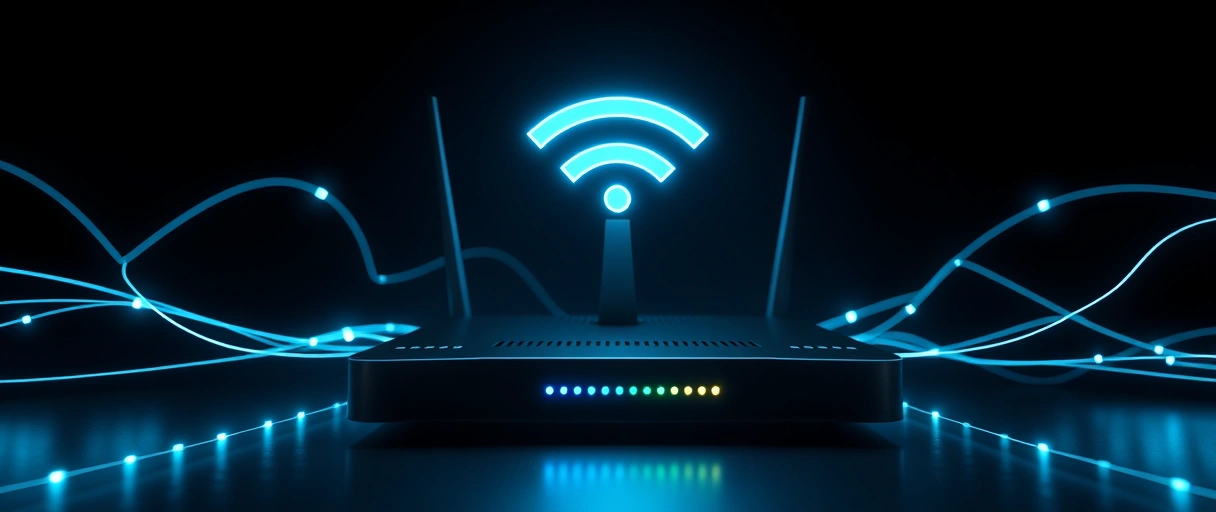
- Layer: a switch operates at Layer 2 (frames and MAC addresses); a router operates at Layer 3 (packets and IP addresses).
- Scope: a switch connects devices within one LAN; a router joins separate networks together.
- In practice: a home router includes a small built-in switch, which is why both functions usually sit in one box at home.
The full side-by-side is in the comparison of a switch against a router. In a larger network the two are separate boxes, with switches building each LAN and a router linking them.
What Is a Layer 3 Switch?
A Layer 3 switch adds IP routing to the standard Layer 2 frame forwarding. It forwards frames by MAC address within a VLAN and routes packets by IP address between VLANs, combining both jobs in one device. The routing runs in hardware ASICs, so it moves traffic between local VLANs faster than a traditional router. It does not replace an edge router, because it lacks WAN interfaces and the dynamic protocols that reach the internet, so it sits at the core of a campus network rather than its edge.
What Is Switch Latency and Switching Method?
Switch latency is the delay a switch adds between receiving a frame and forwarding it, and the switching method sets that delay. The two main methods trade error checking against speed.
- Store-and-forward: reads the whole frame and verifies its checksum before forwarding, which catches errors at the cost of slightly higher latency.
- Cut-through: forwards a frame as soon as it reads the destination MAC address, which lowers latency but can pass a corrupted frame through.
Most managed switches default to store-and-forward, because the error check stops damaged frames from spreading. Even then, latency on a Gigabit store-and-forward switch is typically only a few microseconds per frame.
How Do You Choose a Network Switch?
Match the switch to the device count, the speed each device needs, and the level of control the network requires. Four factors decide the right unit.
- Port count: exceed the current wired device count and leave spare ports, because a switch cannot add ports after purchase.
- Port speed: match the devices and uplink, since a gigabit switch caps a network at 1 Gbps while a multi-gigabit switch reaches 2.5, 5, or 10 Gbps.
- Management level: choose unmanaged for plug-and-play use, or managed for VLANs, QoS, and monitoring.
- PoE budget: confirm the total wattage covers every powered device, because a switch shares one power budget across all its PoE ports.
What Is a Stackable Switch?
A stackable switch joins other switches over a dedicated high-speed stacking link so they act as one logical device. The stack shares a single management address and one configuration, so an administrator runs several physical switches as one unit. Stack members connect through rear stacking ports that run far faster than normal uplinks, which raises port density in a wiring closet without adding management points.
Last Thoughts on Network Switches
A network switch builds the wired core of a local area network by forwarding each frame to the exact port that reaches its destination. The MAC address table and full-duplex operation give it collision-free forwarding that a hub cannot match, and that selective forwarding is the whole reason switches replaced hubs. Unmanaged switches add ports with no setup, while managed switches layer on VLANs, QoS, and loop prevention through the Spanning Tree Protocol.
PoE switches power cameras and access points over the data cable, while port counts and IEEE 802.3 speeds size a switch to its network. To place each device correctly, it helps to see how the switch fits the wider computer network alongside the hub it replaced and the router it works beside.
Key Takeaways:
- A network switch forwards Ethernet frames by destination MAC address at Layer 2 within a LAN.
- It learns addresses from the source of each frame, forwards known traffic to one port, and floods only unknown destinations.
- A MAC address table maps each address to a port, and entries age out after about 300 seconds.
- Full-duplex operation lets every device send and receive at once without collisions, unlike a half-duplex hub.
- Unmanaged switches need no setup, while managed switches add VLANs, QoS, port mirroring, and Spanning Tree.
- PoE switches deliver up to about 90 watts per port under IEEE 802.3bt to power cameras, access points, and phones.
Frequently Asked Questions (FAQs)
What does a network switch do?
A network switch connects wired devices inside one local area network and forwards each Ethernet frame by its destination MAC address. It reads the address, looks it up in a table, and sends the frame only to the single port that reaches the target device, so the rest of the network stays free for other traffic.
What is the difference between a switch and a hub?
A switch sends each frame only to the port that reaches its destination, while a hub repeats every frame out of every port. A switch works at Layer 2, gives each port its own collision domain, and runs full-duplex; a hub works at Layer 1 in one shared half-duplex collision domain, so only one device can send at a time.
Do I need a managed or unmanaged switch?
Use an unmanaged switch for a home or small office that only needs plug-and-play ports, since it works with no setup. Choose a managed switch when you need VLANs, Quality of Service, port mirroring, or Spanning Tree, which are the controls larger or segmented networks rely on.
What is a PoE switch used for?
A PoE switch sends electrical power and data over the same Ethernet cable, so a device works without a nearby power outlet. It commonly powers IP cameras, Wi-Fi access points, and VoIP phones, supplying up to 15.4 watts (802.3af), 30 watts (802.3at), or about 60 to 90 watts (802.3bt) per port.
Is a switch the same as a router?
No. A switch forwards frames inside one network by MAC address at Layer 2, while a router forwards packets between separate networks by IP address at Layer 3. A switch builds the local network and a router connects it to other networks and the internet; a home router includes a small built-in switch.
Is a 2.5G switch worth it in 2026?
For most homes and small offices, yes. A 2.5G switch runs over existing Cat5e cabling with no rewiring, and affordable models now start around the price of a basic gigabit unit. It matches current Wi-Fi access points and NAS devices, while 10G remains useful mainly for servers and heavy file transfer.
About the author

Nizam Ud DeenFounder and Tech Blogger
Muhammad Nizam Ud Deen Usman is the founder of theCoreiTech and the author of The Local SEO Cosmos. He has worked in search since 2014 as an SEO consultant for eCommerce stores and local businesses, specialising in eCommerce SEO, local SEO and technical SEO, and runs SEO Academy and the SEO Community from Multan, Pakistan. He also founded ORM Digital Solutions, a digital agency serving medium and large businesses, and holds a degree from the University of Education, Lahore (Multan Campus). Plerdy lists him among its Best 20+ SEO Experts in Pakistan. Nizam started theCoreiTech in 2012 to make computers easier to understand and use for everyone. More of his work is at nizamuddeen.com.
