
A modem is the device that connects your home network to your internet service provider, converting the digital data from your network into a signal that travels over the access line and converting the returning signal back into digital data. The name combines modulator and demodulator, the two operations it performs. A modem sits first in the connection path, directly on the line from the provider, and presents that one service to a router or a single computer behind it. It does not share the connection or create Wi-Fi on its own; that is the router’s job, and a combined box that does both is called a gateway.
What Is a Modem?
A modem is the boundary device that turns your provider’s line into usable internet for the equipment inside your home. On one side it connects to the access line from your internet service provider, a coaxial cable, a telephone line, a fiber strand, or a cellular antenna. On the other side it connects to a router or a single computer. The International Telecommunication Union (ITU) and CableLabs publish the signaling standards that different modem types follow.
The key idea is that a modem holds the public-facing connection. The provider assigns service to the modem, and the modem hands that service to whatever sits behind it. Reading the carrier line and sharing the connection are two separate roles, which is why a home almost always pairs a modem with a router. The split is covered in full under modem vs router.
How Does a Modem Work?
A modem works by modulating outgoing data onto a carrier signal and demodulating the incoming carrier back into digital bits. Modulation changes a property of the carrier wave, such as its amplitude, frequency, or phase, so the wave carries your data. Demodulation reverses that and recovers the original bits.
- Modulation (sending): the modem encodes the digital data from your router onto the signal the access line uses, for example a radio-frequency carrier on coaxial cable.
- Demodulation (receiving): the modem reads the downstream signal from the provider and delivers clean digital data to the router or computer.
- Error correction: forward error correction, defined in the DOCSIS and ITU standards, repairs bits damaged in transit so the connection stays stable.
A cable modem uses Quadrature Amplitude Modulation (QAM), where a higher order such as 256-QAM packs more bits into each symbol and lifts the data rate on the same channel. The modem also negotiates the link at startup, measuring line quality and locking on before it passes any traffic.
What Are the Main Types of Modem?
Modems are grouped by the access medium they connect to: cable, fiber, DSL, and 5G fixed wireless. Each one terminates a different physical signal and presents it as digital data, and each follows its own standard.
DSL is the type in decline. AT&T has stopped selling new DSL and is moving customers to fiber and 5G, copper networks across the United States and Europe are being switched off through the late 2020s, and surveys now show only a low single-digit share of homes still on DSL. New installs lean heavily toward cable, fiber, and fixed wireless.
Is a Fiber ONT a Modem?
An optical network terminal sits where a modem would, but it does a different kind of conversion. An ONT terminates the fiber line and turns laser light pulses into electrical Ethernet frames. It does not modulate data onto an analog carrier the way a cable or DSL modem does, so technically it is not a modem. Because it performs the same provider-facing boundary role, it is often called a fiber modem in everyday language, and like a standalone cable modem it usually connects to a separate router.
How Does a Modem Connect You to the Internet?
A modem brings the connection online through a fixed sequence, from the provider line to your devices.
- The provider line enters the modem. A coaxial cable, telephone line, fiber strand, or cellular signal reaches the modem first, ahead of any other equipment.
- The modem synchronizes with the provider. It runs a training sequence that measures line quality and power, then a cable modem registers with the provider headend and loads its configuration.
- The modem demodulates the signal. It converts the incoming carrier into clean digital data and exposes a single connection, typically with one public IP address.
- A router shares that connection. The modem links to the router’s WAN port, and the router distributes the connection to every wired and wireless device using NAT and DHCP.
- The link stays locked. A steady status light shows synchronization holds, and the diagnostic page reports the negotiated upstream and downstream rates.
A modem connected straight to one computer serves only that computer, because a modem performs no address sharing. To reach many devices you need the router that builds the local network behind it.
What Is the Difference Between a Modem and a Router?
A modem reaches the internet service provider; a router shares that single connection among your devices. They sit at different points in the path and do different jobs.

- The modem terminates the provider line and presents one connection with one public IP address. On its own it serves a single device.
- The router takes that one connection and distributes it, performing NAT, DHCP, switching, and Wi-Fi so many devices share it at once.
- Together they form the normal home setup: the modem out front, the router behind it building the local network.
What Is a Modem-Router Combo Unit (Gateway)?
A gateway is a single device that performs both the modem and the router job in one chassis. Providers supply gateways to cut the number of boxes in a home. A gateway terminates the carrier line, runs NAT and DHCP, and broadcasts Wi-Fi all from one unit. The 5G fixed-wireless box that some homes use is a gateway too, since it receives the cellular signal and shares it.
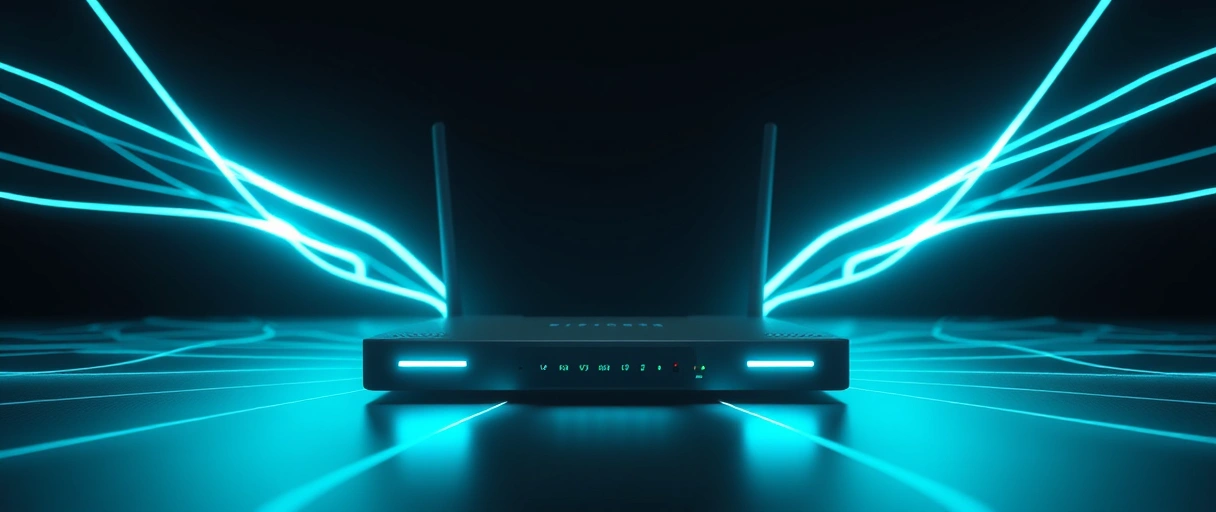
A gateway simplifies cabling, but it combines two failure points and can offer less control than separate units, for example fewer routing features or a weaker built-in access point. The reach of the underlying connection depends on the access medium, described under how a computer network carries data between machines.
What Is Upstream and Downstream on a Modem?
Downstream is the data a modem receives from the provider; upstream is the data it sends back. Most access technologies are asymmetric, so the downstream rate is higher than the upstream rate.
- Cable (DOCSIS 3.1): bonds many channels to reach roughly 10 Gbps down but only about 1 to 2 Gbps up, depending on how the plant is configured.
- Cable (DOCSIS 4.0): the newer standard lifts the ceiling to symmetric multi-gigabit, up to 10 Gbps down and 6 Gbps up.
- Fiber: often symmetric, with matching upload and download, which is why fiber suits video calls and cloud backups.
- DSL (VDSL2): strongly asymmetric, with downstream far exceeding a small upstream.
A modem reports its negotiated upstream and downstream rates, along with signal-to-noise ratio and power levels, on its diagnostic page. Those values confirm the active service tier and help a technician spot a weak line.
Should You Buy or Rent a Modem?
Buying your own modem usually costs less over time, as long as the model is approved for your network. Providers commonly charge between 5 and 20 dollars a month to rent a modem or gateway.
- Rental math: a 15 dollar monthly fee is about 180 dollars a year, more than the price of many modems, so a bought unit often breaks even in under a year.
- Buying: a cable modem typically runs around 100 dollars or more, and over three to five years owning your gear can save several hundred dollars.
- When renting fits: if equipment is bundled at no extra cost, or you want the provider to handle support and replacement, renting can be the simpler choice.
- Approval matters: on cable networks the provider keeps a list of certified modem models, and only an approved unit will register on the network.
One caution on the newest tier: as of 2026 there are still no retail DOCSIS 4.0 modems widely on sale, so multi-gigabit cable customers often use a provider-supplied gateway until retail models arrive.
How Do You Choose a Modem for Your Internet Plan?
A modem has to match both the access medium and the speed tier of your plan. Pick the wrong class or a unit rated below your plan and the connection is capped no matter what you pay for.
- Access medium decides the class: a cable plan needs a DOCSIS modem, a DSL plan a DSL modem, and a fiber plan the provider’s optical network terminal.
- DOCSIS version sets the ceiling: a DOCSIS 3.1 cable modem reaches multi-gigabit tiers, while an older DOCSIS 3.0 unit caps much lower.
- Channel bonding raises throughput: a modem that bonds 32 downstream channels carries more than one bonding only 8.
- Provider approval is required on cable: only a certified model registers, so check the provider’s list before buying.
The effective speed is always the slower of the modem capability and the provisioned plan. A modem rated below the plan limits the line, and a plan slower than the modem limits it the other way.
Last Thoughts on Modems
A modem is the point where an internet service provider connection enters a building and becomes usable digital data. By modulating outgoing data and demodulating the incoming signal, it carries traffic across coaxial cable, copper telephone lines, fiber, or cellular radio, with the modem type matched to the access medium and governed by standards from CableLabs, the ITU, and 3GPP. Cable DOCSIS 4.0 is the current frontier, fiber uses an ONT rather than a true modem, and DSL is winding down.
A modem reaches the provider, a router shares that connection, and a gateway merges both roles into one box. To see where this device fits in the wider picture, the hub on what a computer network is connects the modem to routers, switches, and the rest of the path data takes between machines.
Key Takeaways:
- A modem connects your home network to your internet service provider, modulating outgoing data and demodulating the incoming signal.
- It sits first in the path, holds the public-facing connection, and on its own serves a single device with no Wi-Fi.
- The four access types are cable (DOCSIS), fiber (ONT), DSL, and 5G fixed wireless, each matched to its medium.
- DOCSIS 4.0 brings symmetric multi-gigabit cable, up to 10 Gbps down and 6 Gbps up, while DSL is being retired.
- A modem reaches the provider and a router shares the connection; a gateway combines both in one chassis.
- Buying an approved modem usually beats renting, since a typical 15 dollar monthly fee is about 180 dollars a year.
Frequently Asked Questions (FAQs)
What does a modem do?
A modem connects your home network to your internet service provider. It modulates outgoing digital data onto the carrier signal your access line uses, and demodulates the incoming signal back into digital data your router or computer can read.
Do I need both a modem and a router?
For most home networks, yes. The modem reaches the internet service provider and delivers one connection, while the router shares that connection among many wired and wireless devices. Many providers combine both into a single gateway box.
Is a fiber ONT a modem?
Not technically. An optical network terminal converts light pulses on a fiber line into electrical Ethernet, but it does not modulate data onto an analog carrier the way a cable or DSL modem does. It fills the same boundary role, so people often call it a fiber modem in everyday use.
What is DOCSIS 4.0 and is it available in 2026?
DOCSIS 4.0 is the cable standard that brings symmetric multi-gigabit service, up to 10 Gbps down and 6 Gbps up. Comcast has it live across more than ten markets and other operators are rolling it out through 2026, but retail DOCSIS 4.0 modems are not widely sold yet.
Should I buy my own modem or rent the ISP one?
Buying usually pays off. Providers charge roughly 5 to 20 dollars a month to rent a modem or gateway, so a 15 dollar fee is about 180 dollars a year. A bought modem often breaks even in under a year, as long as the model is on your provider’s approved list.
Can a modem provide Wi-Fi?
A plain modem provides no Wi-Fi. It only terminates the provider line. A modem-router combo, called a gateway, adds a built-in router and access point so one box delivers both the connection and the wireless network.
About the author

Nizam Ud DeenFounder and Tech Blogger
Muhammad Nizam Ud Deen Usman is the founder of theCoreiTech and the author of The Local SEO Cosmos. He has worked in search since 2014 as an SEO consultant for eCommerce stores and local businesses, specialising in eCommerce SEO, local SEO and technical SEO, and runs SEO Academy and the SEO Community from Multan, Pakistan. He also founded ORM Digital Solutions, a digital agency serving medium and large businesses, and holds a degree from the University of Education, Lahore (Multan Campus). Plerdy lists him among its Best 20+ SEO Experts in Pakistan. Nizam started theCoreiTech in 2012 to make computers easier to understand and use for everyone. More of his work is at nizamuddeen.com.
