
A smartphone is a computer. It has a processor, memory, storage, and an operating system, and it runs programs the same way a laptop does – it is just built small, battery-powered, and touch-first. The real question is not whether the two are the same kind of device, but where their design priorities split: processor architecture, power, input, the operating system, and what each is best at.
Is a Smartphone a Computer?
Yes, a smartphone is a computer: it has every part that defines one and performs the same core jobs:
- Processor: a CPU (inside the phone’s System-on-Chip) runs program instructions, just like a desktop CPU.
- Memory and storage: RAM holds what is open right now; flash storage keeps apps and files when the phone is off.
- Input and output: the touchscreen, cameras, and microphone take input; the screen, speakers, and radios send output.
- Same four jobs: input, processing, storage, and output – the textbook definition of a computer.
Difference 1: CPU Architecture (ARM vs x86)
The biggest difference is the chip: phones use ARM processors, while most desktops and laptops use x86:
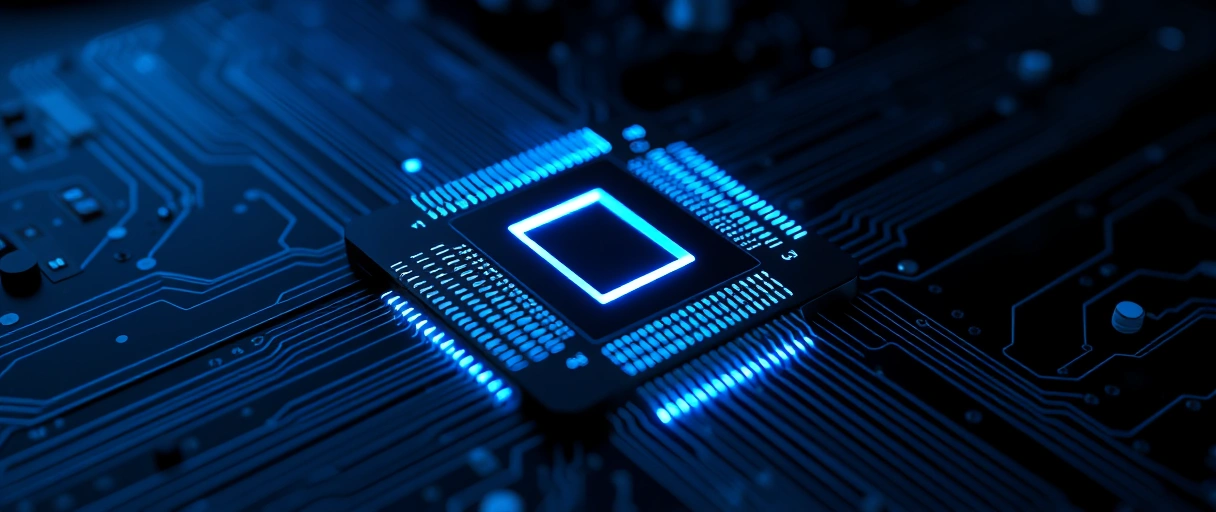
- ARM (phones): a simpler instruction set (RISC) that needs fewer transistors, runs cooler, and sips power – ideal on a battery.
- x86 (most PCs): a complex instruction set (CISC) from Intel and AMD, built for higher sustained speed and raw throughput on wall power.
- The line is blurring: Apple Macs, Snapdragon laptops, and Chromebooks now use ARM too, so “computer = x86” is no longer a hard rule.
- 2026 reality: real-world speed depends on chip design, process node, and software more than on the ARM-versus-x86 label alone.
Best for: ARM where battery life matters, x86 where sustained raw performance matters. The full breakdown lives in our ARM vs x86 guide.
Difference 2: Power and Cooling
Power draw is where the two diverge most: a desktop pulls 100-500 watts from the wall, while a phone runs on 3-10 watts from a battery:
- Cooling: a desktop uses heatsinks and fans (or liquid) to hold high speeds for hours; a phone is passively cooled and throttles within minutes.
- Power source: the phone runs on a 15-19 Wh battery, so it works in short bursts and scales its clock up and down constantly to save charge.
- Result: a desktop sustains full performance indefinitely; a phone delivers a quick burst, then eases off to stay cool and last the day.
Difference 3: RAM and Storage
Computers carry far more memory and storage, and let you add more: desktops take 16-192 GB of upgradeable DDR5 RAM; phones ship with 6-24 GB of soldered LPDDR5 that cannot be changed:
- Phone RAM: low-power LPDDR5, soldered to the board or stacked on the chip – efficient, but fixed for the life of the device. (See how RAM works.)
- Computer RAM: DDR4 or DDR5 in slots you can pull and replace, with much higher bandwidth for heavy multitasking.
- Storage: phones use soldered UFS flash (128 GB-1 TB); desktops take swappable NVMe SSDs plus large HDDs, and you can add more drives any time.
Best for: a phone holds plenty for apps and photos; a computer wins when you need large libraries, big projects, or room to grow.
Difference 4: Operating System
The software model differs as much as the hardware: phones run a locked-down, app-first mobile OS, while computers run an open desktop OS:
Mobile OS (Android, iOS)
Desktop OS (Windows, macOS, Linux)
- Apps vs programs: phone apps are small, sandboxed, and reviewed before listing; desktop programs get fuller access to the machine.
- Multitasking: a computer runs many heavy apps side by side; a phone suspends background apps aggressively to protect battery and memory.
- Files: the desktop exposes a full folder tree; the phone keeps the file system mostly out of sight for simplicity and safety.
Difference 5: Input Methods
How you control each device shapes what it is good at: a phone is touch-first, while a computer is built around a keyboard and mouse:



- Phone: a multitouch screen, an on-screen keyboard, plus sensors – fingerprint, face unlock, GPS, accelerometer – for quick, on-the-go input.
- Computer: a physical keyboard and a precise mouse or trackpad, made for fast typing, fine selection, and right-click menus.
- Screen size: phones sit under about 7 inches; computer displays start near 9 inches and scale to large multi-monitor setups.
Difference 6: Expandability and Repair
Computers are built to be opened and upgraded; phones are sealed: a desktop lets you swap the CPU, GPU, RAM, and storage, while a phone solders most parts in place:
- Desktop: standard slots and sockets mean you can drop in a new graphics card, add RAM, or upgrade storage with a screwdriver – no soldering.
- Phone: RAM and storage are fixed; even a battery swap needs heat, pry tools, and adhesive removal, so most repairs go to a shop.
- Lifespan: a desktop can be upgraded for years; a phone is usually replaced whole when it ages or the battery wears.
Best for: choose a desktop when you want to upgrade over time; accept that a phone trades repairability for a thin, sealed, water-resistant body.
Difference 7: What Each Is Best At
Neither device replaces the other – they win at different jobs: phones lead on portability and connectivity, computers lead on heavy, precise, expandable work:
Reach for a phone
Reach for a computer
The table below maps common tasks to the device that handles each best:
| Use Case | Desktop Computer | Laptop | Smartphone |
|---|---|---|---|
| 3D rendering / video editing | Best (GPU, RAM, storage bandwidth) | Good | Limited (thermal throttling, storage) |
| Software development | Best (multi-monitor, keyboard, RAM) | Good | Not practical |
| Mobile communication | Not applicable | Partial (Wi-Fi only) | Best (cellular, always-on) |
| Photography | Not applicable | Not applicable | Best (always available) |
| Navigation / maps | Not practical | Limited | Best (GPS, cellular data, portable) |
| Gaming (AAA) | Best (GPU, display, controllers) | Good | Limited to mobile titles |
| Document creation | Best (keyboard, screen size) | Good | Limited (touch keyboard) |
| Banking / payments | Good | Good | Best (NFC, biometrics, portability) |
| Scientific computing | Best (RAM, CPU cores, storage) | Good | Not practical |
| Social media consumption | Good | Good | Best (always connected, vertical scroll) |
Smartphone vs Computer Chip Specs
For the hardware-minded, this table compares flagship phone chips with desktop CPUs across cores, clock speed, and power:
| Specification | Intel Core i9-14900K | AMD Ryzen 9 7950X | Apple A17 Pro | Snapdragon 8 Gen 3 |
|---|---|---|---|---|
| ISA | x86-64 | x86-64 | ARM AArch64 | ARM AArch64 |
| Process node | Intel 7 (10nm ESF) | TSMC 5nm | TSMC 3nm | TSMC 4nm |
| Cores | 24 (8P+16E) | 16 | 6 (2P+4E) | 8 (1+3+4) |
| Max boost | 6.0 GHz | 5.7 GHz | 3.78 GHz | 3.3 GHz |
| TDP | 253W | 170W | ~3–4W | ~8–10W |
| Transistors | ~33B | ~13B (CCD) | 19B | ~16B |
Last Thoughts on Computers vs Smartphones
A smartphone is a computer – a small, battery-powered, touch-first one. Every difference from a desktop or laptop traces back to a single trade-off: phones optimise for size, battery, and portability, while computers optimise for raw power, precision input, and expansion. As ARM chips keep closing the speed gap, the choice comes down less to what each device can do and more to how and where you want to use it. For most people the honest answer is both: a phone for life on the move, a computer for the heavy lifting.
Key Takeaways:
- A smartphone is a computer: it has a CPU, RAM, storage, and an OS, and runs programs – it is just built small and battery-first.
- ARM vs x86: phones use power-efficient ARM chips; most computers use higher-power x86, though Macs and some laptops now use ARM too.
- Power and cooling drive the gap: a desktop draws 100-500 W on wall power with fans; a phone runs on 3-10 W from a battery and throttles fast.
- Memory and storage: computer RAM and drives are larger and upgradeable; phone RAM and storage are soldered and fixed.
- Software and input: phones run a sandboxed touch OS; computers run an open OS with a keyboard and mouse for precise, heavy work.
- Neither replaces the other: phones win on portability and connectivity, computers win on power, precision, and expansion.
Frequently Asked Questions (FAQs)
Can a smartphone replace a desktop computer?
A smartphone replaces a desktop for consumption tasks (email, social media, video streaming, communication). A smartphone does not replace a desktop for creation tasks requiring a physical keyboard, large display, multi-window workflows, or compute-intensive applications like video editing or 3D rendering.
Which is faster, a smartphone or a computer?
Desktop computers are faster in absolute terms. An Intel Core i9-14900K delivers 4–8× higher multi-core throughput than an Apple A17 Pro. The A17 Pro matches or exceeds mid-range x86 laptops in single-threaded performance while consuming 10× less power.
What CPU architecture do most smartphones use?
All major smartphones use ARM architecture. Apple iPhones use Apple-designed ARM cores (A-series, branded as “Apple Silicon” in the M-series for Macs). Android flagship phones use Qualcomm Snapdragon (ARM Cortex-X based), Samsung Exynos (ARM Cortex-X based), or Google Tensor (ARM-based custom design).
Why do smartphones use less RAM than computers?
Smartphone OS platforms (iOS, Android) use aggressive app lifecycle management, suspending and terminating background apps to reclaim RAM. This reduces the working set size requiring physical RAM. Desktop OS platforms keep all running applications fully resident in RAM simultaneously.
Do smartphones have a BIOS?
Smartphones use a bootloader instead of BIOS/UEFI. The bootloader (e.g., Android Bootloader, Apple iBoot) performs hardware initialization, validates the OS cryptographic signature, and loads the kernel. The Trusted Execution Environment (TEE), ARM TrustZone, provides secure enclave functionality equivalent to Intel SGX on desktop platforms.
About the author

Nizam Ud DeenFounder and Tech Blogger
Muhammad Nizam Ud Deen Usman is the founder of theCoreiTech and the author of The Local SEO Cosmos. He has worked in search since 2014 as an SEO consultant for eCommerce stores and local businesses, specialising in eCommerce SEO, local SEO and technical SEO, and runs SEO Academy and the SEO Community from Multan, Pakistan. He also founded ORM Digital Solutions, a digital agency serving medium and large businesses, and holds a degree from the University of Education, Lahore (Multan Campus). Plerdy lists him among its Best 20+ SEO Experts in Pakistan. Nizam started theCoreiTech in 2012 to make computers easier to understand and use for everyone. More of his work is at nizamuddeen.com.
