
Screen tearing is a visible horizontal split in the image that appears when the graphics card’s frame rate and the monitor’s refresh rate are out of sync, so the display shows parts of two different frames at once. The monitor draws each frame from top to bottom, and when a fresh frame arrives partway through that redraw, the top of the screen shows the new frame while the bottom still shows the old one, leaving a torn seam. It is a timing artifact, not a hardware fault. The modern fix is variable refresh rate (G-Sync or FreeSync), which removes tearing without the input lag of plain V-Sync.
What Is Screen Tearing?
Screen tearing is a horizontal split in the picture, caused when the graphics card delivers a new frame while the monitor is still drawing the previous one, so the screen shows two frames at the same time. The display draws each frame from the top down, and a frame that arrives mid-redraw replaces only the part not yet drawn, leaving the top on the new frame and the bottom on the old one. Screen tearing has three defining traits:
- The horizontal split shows as a misaligned line where the upper and lower portions of the screen sit on different frames.
- The mid-refresh delivery creates the split, because a frame arriving during a redraw overwrites only part of the displayed image.
- The motion dependence makes tearing most visible during fast horizontal movement, such as turning the camera or panning.
Screen tearing comes from a mismatch between two values: the frame rate, covered in what FPS in gaming means, and the refresh rate of the panel. Push the frame rate higher and tearing can grow more frequent, which is why it often shows up on a fast setup running an uncapped game. See high refresh rate gaming for how the panel side of that pairing works.
Why Does Screen Tearing Happen?
Screen tearing happens because the graphics card and the monitor run on independent timing, so a frame can be sent to the display in the middle of a refresh cycle, splitting the screen between two frames. The monitor refreshes at a fixed rate, while the graphics card renders frames at a variable rate that rarely lines up with it.

When a new frame arrives mid-refresh, the display writes it over the portion not yet drawn. The cause works as follows:
- Independent timing means the graphics card outputs each frame the moment it finishes, without waiting for the monitor’s refresh cycle.
- The frame-rate and refresh-rate mismatch means frames arrive at points that do not align with the start of a refresh.
- The mid-refresh overwrite places the new frame on part of the screen while the rest still shows the previous frame.
Tearing is most visible when the frame rate is far from a multiple of the refresh rate, since the split line then moves and appears more often. The same timing gap is why turning sync on or off also changes the latency between an input and the screen, the subject of the PC gaming guide.
How Do You Fix Screen Tearing?
There are three ways to fix screen tearing, and they differ in how well they keep latency low. Each one closes the timing gap between the graphics card and the monitor in a different way.
On modern GPUs the brands now cross over: Nvidia cards drive FreeSync panels as G-Sync Compatible, and AMD cards drive G-Sync Compatible panels, both over the VESA Adaptive-Sync standard. The full split between the two is set out in G-Sync vs FreeSync.
How Does V-Sync Fix Screen Tearing?
V-Sync fixes screen tearing by forcing the graphics card to hold each finished frame until the monitor is ready, so frame delivery lines up with the start of each refresh and no frame arrives mid-refresh. Vertical synchronization caps the frame rate at the refresh rate and ties the two together, removing the split. V-Sync works as follows:

- The frame hold keeps a finished frame in a buffer until the monitor begins a new refresh, preventing a mid-refresh overwrite.
- The frame-rate cap limits output to the refresh rate, since the graphics card waits for the display rather than running ahead.
- The buffer use stores one or more frames so each refresh starts with a complete image, removing the torn line.
V-Sync removes tearing but adds input lag, covered in the next section, and it can halve the frame rate when output falls below the refresh rate. Triple buffering eases that stall by giving the card a spare buffer to keep rendering, at the cost of a little more delay and video memory. Variable refresh rate avoids the trade-off entirely.
How Do G-Sync and FreeSync Fix Screen Tearing?
G-Sync and FreeSync fix screen tearing by varying the monitor’s refresh rate to match the graphics card’s frame rate in real time, so each frame is shown as soon as it is ready without the input lag of standard V-Sync. These variable refresh rate technologies make the display refresh on the graphics card’s schedule rather than a fixed one, closing the mismatch that causes tearing. They work as follows:
- The variable refresh rate adjusts the monitor’s redraw timing to each frame as it arrives, removing the mid-refresh split.
- Nvidia G-Sync uses a hardware module or the VESA Adaptive-Sync standard to synchronize the display to the graphics card.
- AMD FreeSync uses the VESA Adaptive-Sync standard over DisplayPort or HDMI to vary the refresh rate without a proprietary module.
The split between Nvidia and AMD adaptive sync, including hardware needs and tiers, is compared in G-Sync vs FreeSync, and the panel side of the pairing is covered in high refresh rate gaming.
What Is the Input-Lag Drawback of V-Sync?
The input-lag drawback of V-Sync is the added delay between an input and the on-screen result, caused by the buffered frames V-Sync holds back to align with the refresh cycle. Holding a frame in a buffer until the monitor is ready adds time between when it is rendered and when it appears, which raises input lag. The drawback works as follows:
- The buffered delay adds latency because a finished frame waits for the next refresh instead of displaying immediately.
- The double-buffer stutter halves the frame rate when output falls below the refresh rate, dropping from 60 to 30 on a 60-hertz panel.
- The competitive cost matters most in fast games, where extra latency slows the response between aim and on-screen movement.
A frame-rate cap set just below the refresh rate reduces tearing with less latency than V-Sync, and variable refresh rate removes the drawback by showing frames as they arrive. The wider set of fixes for latency sits in the PC gaming guide, while the adaptive-sync alternative is detailed in G-Sync vs FreeSync.
How Do You Stop Screen Tearing Step by Step?
Work from the lowest-latency fix down, and stop at the first one your hardware supports.
- Turn on variable refresh rate. Enable G-Sync or FreeSync in the GPU control panel and the monitor’s on-screen menu. This is the modern fix and the one to try first.
- Cap the frame rate a few below refresh. On a 165 Hz panel, cap around 162 FPS so the frame rate stays inside the variable refresh rate range instead of running past it.
- Fall back to V-Sync if there is no VRR. On a fixed-refresh monitor, enable V-Sync in the game to hold frames to the refresh cycle, accepting the added input lag.
- Check the cable and refresh setting. Use a DisplayPort or HDMI cable rated for the panel and confirm the operating system is set to its native refresh rate.
- Confirm the fix. Pan the camera fast: the seam should be gone. If it returns only with sync off, the cause was the timing mismatch, not the panel.
How Do You Detect Screen Tearing?
Screen tearing is detected by watching for a horizontal split line during fast horizontal motion, which shows as a misaligned seam where the top and bottom of the screen sit on different frames. The artifact is easiest to see when the camera pans quickly, since the split between two frames stands out most against moving content. Tearing is identified by three signs:
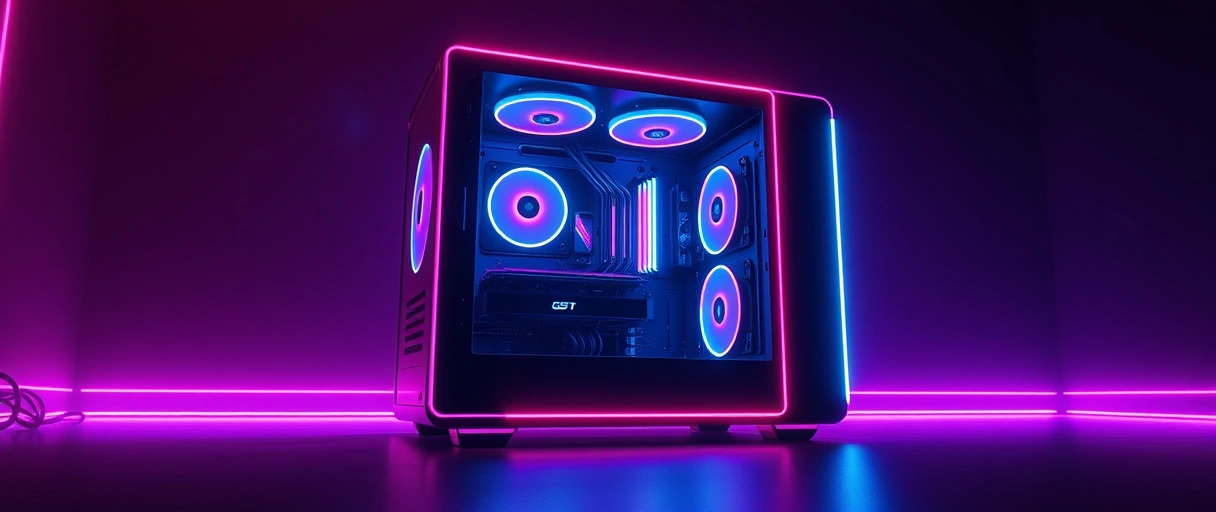
- The moving seam shows as a horizontal line that shifts position during fast camera movement, marking the boundary between two frames.
- The split during panning appears most clearly when turning quickly or scrolling, where the frame difference is largest.
- The absence with variable refresh rate confirms the cause, since enabling G-Sync or FreeSync removes the seam if tearing was present.
A test pattern that pans a vertical line across the screen makes tearing obvious, since the line breaks at the split. Tearing that appears only without synchronization confirms a timing mismatch rather than a panel fault, resolved by the adaptive sync compared in G-Sync vs FreeSync.
What Is the Difference Between Tearing and Stutter?
Screen tearing is a horizontal split from a frame delivered mid-refresh, while stutter is an uneven gap between frames that makes motion jerk, so tearing is a synchronization artifact and stutter is a frame-timing problem. The two look different on screen and come from different causes, though both reduce how smooth motion feels. They differ in three ways:
- The appearance differs because tearing shows a split line while stutter shows a brief freeze or jerk in motion.
- The cause differs because tearing comes from a frame-to-refresh mismatch while stutter comes from uneven frame delivery or a dropped frame.
- The fix differs because variable refresh rate removes tearing while steadier frame times, often from a hardware or driver change, reduce stutter.
Stutter from uneven frame times traces to causes such as a processor bottleneck or background load, while tearing is a pure timing artifact removed by synchronization. The frame-pacing consistency behind stutter ties back to the one-percent lows defined in what FPS in gaming means.
Last Thoughts on Screen Tearing
Screen tearing is a horizontal split caused when the graphics card delivers a frame mid-refresh, a timing mismatch between rendering and display rather than a hardware fault. V-Sync fixes it by holding frames to the refresh cycle at the cost of input lag, while G-Sync and FreeSync vary the refresh rate to remove tearing with far lower latency, and a frame-rate cap a few frames below refresh is a useful partial fix or a way to stay inside a variable refresh rate range.
Variable refresh rate is the modern answer because it removes tearing without the input lag of plain V-Sync, which makes it the fix to reach for first on any monitor that supports it. The hub on the PC gaming guide connects tearing to refresh rate, frame rate, and the rest of a smooth-motion setup.
Key Takeaways:
- Screen tearing is a horizontal split caused when a new frame arrives while the monitor is still drawing the previous one.
- It happens because the graphics card and monitor run on independent timing that rarely lines up.
- Variable refresh rate (G-Sync or FreeSync) is the modern fix, removing tearing without the input lag of plain V-Sync.
- V-Sync holds frames to the refresh cycle on any monitor but adds input lag and can stutter when the frame rate dips.
- A frame-rate cap a few frames below the refresh rate trims tearing and keeps the frame rate inside the variable refresh rate range.
- Tearing is a timing artifact removed by synchronization, distinct from stutter, which comes from uneven frame times.
Frequently Asked Questions (FAQs)
What is screen tearing?
Screen tearing is a visible horizontal split in the image, caused when the graphics card delivers a new frame while the monitor is still drawing the previous one, so the screen shows parts of two frames at once.
What causes screen tearing?
Screen tearing happens because the graphics card and monitor run on independent timing. The card sends a finished frame whenever it is ready, so a frame can arrive mid-refresh and overwrite part of the screen, splitting it between two frames.
How do I stop screen tearing?
Enable variable refresh rate (G-Sync or FreeSync) for the lowest-latency fix, turn on V-Sync to hold frames to the refresh cycle, or cap the frame rate a few frames below the refresh rate to reduce the mismatch.
Does V-Sync cause input lag?
Yes. V-Sync holds finished frames in a buffer to align them with the refresh cycle, which adds delay between an input and the on-screen result. Variable refresh rate removes tearing without this added latency.
Is G-Sync or FreeSync better than V-Sync for tearing?
G-Sync and FreeSync vary the monitor’s refresh rate to match the frame rate, removing tearing with far lower latency than V-Sync. They are the preferred fix on a monitor that supports variable refresh rate.
Does a frame rate cap reduce screen tearing?
A cap set a few frames below the refresh rate reduces tearing with less latency than V-Sync. It stops the frame rate running far ahead of the refresh, and on a variable refresh rate display it keeps the frame rate inside the sync range.
About the author

Nizam Ud DeenFounder and Tech Blogger
Muhammad Nizam Ud Deen Usman is the founder of theCoreiTech and the author of The Local SEO Cosmos. He has worked in search since 2014 as an SEO consultant for eCommerce stores and local businesses, specialising in eCommerce SEO, local SEO and technical SEO, and runs SEO Academy and the SEO Community from Multan, Pakistan. He also founded ORM Digital Solutions, a digital agency serving medium and large businesses, and holds a degree from the University of Education, Lahore (Multan Campus). Plerdy lists him among its Best 20+ SEO Experts in Pakistan. Nizam started theCoreiTech in 2012 to make computers easier to understand and use for everyone. More of his work is at nizamuddeen.com.
