
Cloud gaming runs a game on a remote data-center server and streams the rendered video to your device, while your device sends input back to the server in real time. The heavy work happens on a powerful server GPU, so a weak laptop, phone, or television can play demanding titles it could never run locally – the catch is that a fast, low-latency internet connection replaces the powerful local hardware.
What Is Cloud Gaming?
Cloud gaming is the practice of running a game on a remote server, rendering it there, and streaming the video to your device while the device sends input back. It shifts the heavy processing from your local machine to a data center:
- Remote rendering: a server with a powerful GPU runs and renders the game instead of your local hardware.
- Video streaming: the server encodes the rendered frames into a video stream sent to your device over the internet.
- Remote input: your device sends keyboard, mouse, or controller input back to the server, which applies it to the game.
- Net effect: a weak laptop or phone plays demanding titles, removing the need for a powerful local graphics card and shifting that requirement to the data center.
Best for: players without a gaming PC who still want to play AAA titles, or anyone who wants to play across many devices without buying hardware for each.
How Does Cloud Gaming Work?
Cloud gaming works by running the game on a server GPU, encoding each rendered frame into a video stream, sending it to your device, and returning your input to the server – a loop that repeats many times per second:
- Input. You press a button or move the stick; your device sends that input over the internet to the server.
- Server render. The data-center GPU runs the game logic and renders the next frame as if on a high-end local machine.
- Encode. The server compresses that frame into a video stream using a codec such as H.264, HEVC, or AV1.
- Stream and display. The encoded video travels back over the internet; your device decodes it and shows the frame.
Best for: understanding why latency matters – felt lag is the sum of input transmit, server render and encode, network round trip, and decode time. Video encoding also compresses frames to fit the available bandwidth, so a slow link reduces image sharpness. The server runs the same kind of DirectX rendering a local PC uses, then streams the result rather than displaying it.
What Are the Major Cloud Gaming Services?
The major 2026 cloud gaming services are NVIDIA GeForce NOW, Xbox Cloud Gaming, PlayStation Plus Premium, Amazon Luna, and Boosteroid. They split into two models: stream games you already own, or subscribe to a bundled catalog:

NVIDIA GeForce NOW
Xbox Cloud Gaming
PlayStation Plus Premium
Amazon Luna
Boosteroid
GeForce NOW and Boosteroid stream games a game launcher would otherwise install locally, while Xbox, PlayStation, and Luna provide their own bundled catalog. Note that Google Stadia shut down in January 2023, and Amazon Luna removed third-party libraries in 2026 – a reminder that streaming access can change.
What Internet Speed Does Cloud Gaming Require?
Cloud gaming requires roughly 15 to 35 Mbps download and low, stable latency, with more bandwidth for 4K. Connection quality, not device power, decides the experience:
- Bandwidth: NVIDIA lists about 15 Mbps for 720p, 25 Mbps for 1080p, and 35-45 Mbps for 4K; upload of 5 Mbps or more is plenty.
- Latency: keep total latency under about 40-50 ms – the round trip to the server is what adds delay between input and the displayed frame.
- Stability: a steady 25 Mbps beats an unstable 200 Mbps, because dropped packets and jitter cause stutters and sudden quality drops mid-session.
- Connection type: wired Ethernet or 5 GHz Wi-Fi near the router gives the steadiest stream; cutting background network use, which the guide to optimizing Windows for gaming covers, frees bandwidth.
What Are the Pros and Cons of Cloud Gaming?
Cloud gaming removes the need for powerful local hardware and runs on many devices, but depends on a fast, stable connection and adds input latency:

Advantages
Drawbacks
Best for: players who lack a powerful PC or want to play across devices, trading hardware cost for an internet requirement. A local setup still needs a capable gaming graphics card but delivers lower latency and no streaming compression, which competitive players favor.
What Devices Support Cloud Gaming?
Cloud gaming runs on PCs, Macs, smartphones, tablets, smart televisions, and streaming sticks, since the device only decodes a video stream rather than rendering the game:
- PCs and Macs: run cloud gaming through a browser or app, even on hardware too weak to render the games locally.
- Smartphones and tablets: stream demanding console and PC games using a touch overlay or a connected controller.
- Smart TVs and streaming sticks: run cloud gaming apps directly, turning a television into a gaming display without a console.
- Handhelds: devices such as the PlayStation Portal and Steam Deck stream cloud sessions over Wi-Fi.
Best for: turning hardware you already own into a games machine – a device needs only enough power to decode video and send input, so a connected controller matters more than the chip inside.
How Does Cloud Gaming Compare to Game Streaming at Home?
Cloud gaming streams from a remote data-center server, while home game streaming sends video from your own PC or console to another device on the same network. Both stream video; the source differs:
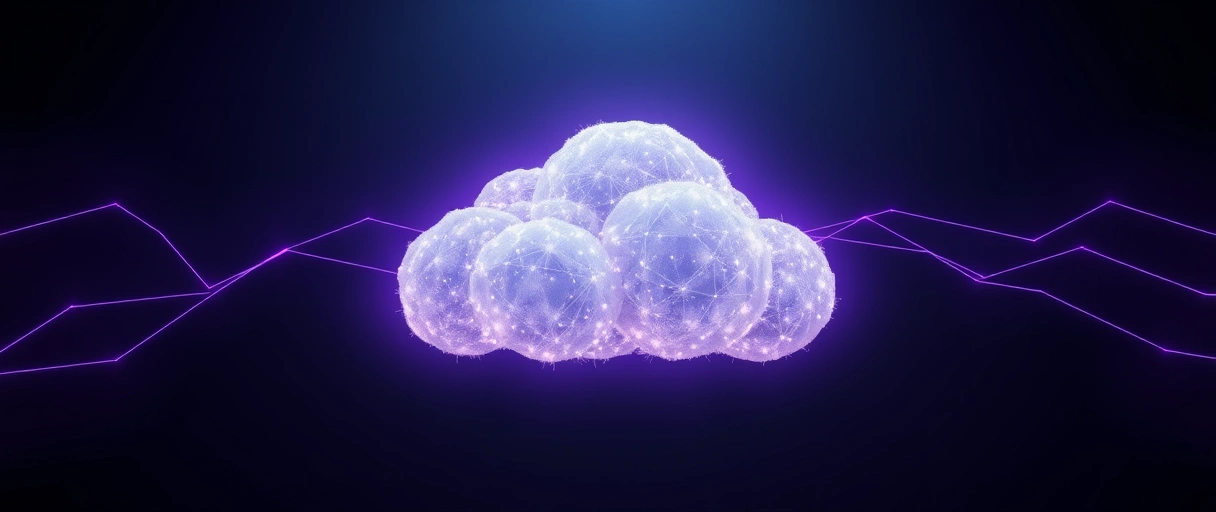
- Cloud gaming: renders on a remote server and streams over the internet, requiring no powerful hardware in the home at all.
- Home streaming: renders on a local PC or console and streams to another device over the home network, such as Steam Remote Play.
- Latency source: home streaming travels a short local network path, so it usually feels snappier; cloud gaming crosses the wider internet.
Best for: deciding by what you already own – if a capable machine sits at home, a launcher such as Steam streams it across the house with low latency. If not, cloud gaming removes the local machine entirely and renders in the data center.
Cloud Gaming Services Comparison Table
The table below compares the major cloud gaming services across provider, library model, supported devices, and access type:
| Service | Provider | Library Model | Devices | Access |
|---|---|---|---|---|
| GeForce Now | NVIDIA | Games you already own | PC, Mac, mobile, TV | Free tier and subscription |
| Xbox Cloud Gaming | Microsoft | Game Pass catalog | Mobile, browser, console | Game Pass Ultimate |
| Amazon Luna | Amazon | Channel subscriptions | PC, Fire TV, mobile | Channel subscriptions |
| PlayStation cloud | Sony | PlayStation Plus catalog | PS5, PS4, PC | PlayStation Plus tier |
Last Thoughts on Cloud Gaming Services
Cloud gaming runs games on remote servers and streams the video to your device, moving the processing to a data center so low-powered hardware plays demanding titles. The server renders, encodes, and streams each frame while your device returns input; the 2026 services – GeForce NOW, Xbox Cloud Gaming, PlayStation Plus Premium, Amazon Luna, and Boosteroid – connect players to different libraries; and a smooth session needs roughly 15 to 35 Mbps with low, stable latency. The trade-off weighs hardware savings against internet dependence.
For the local-hardware side of the choice, continue with the guide to the best gaming GPUs, the overview of game launchers, or the software applications guide that links the full software cluster.
Key Takeaways:
- Cloud gaming runs games on remote servers and streams the video to your device, which sends input back in real time – no powerful local GPU needed.
- The loop renders, encodes, streams, and returns input many times per second, so felt latency is the sum of those stages plus the network round trip.
- The 2026 services are GeForce NOW and Boosteroid (play what you own) plus Xbox Cloud Gaming, PlayStation Plus Premium, and Amazon Luna (bundled catalogs); Google Stadia shut down in 2023.
- A smooth session needs about 15 to 35 Mbps and, more importantly, low, stable latency on wired or 5 GHz Wi-Fi.
- It removes local hardware demands and works across many devices but adds input lag and depends entirely on internet quality.
Frequently Asked Questions (FAQs)
What is cloud gaming?
Cloud gaming runs a game on a remote server, renders it there, and streams the video to your device while the device sends input back. It lets weak devices play demanding games.
How does cloud gaming work?
A server GPU runs and renders the game, encodes each frame into a video stream, and sends it to your device. The device decodes the video and returns your input to the server.
What internet speed do I need for cloud gaming?
Cloud gaming needs roughly 15 megabits per second for 1080p and 35 or more for 4K, plus low, stable latency. A wired Ethernet connection improves responsiveness over Wi-Fi.
What are the major cloud gaming services?
NVIDIA GeForce Now streams games you own. Xbox Cloud Gaming streams the Game Pass catalog. Amazon Luna uses channel subscriptions. PlayStation cloud streaming serves PlayStation Plus subscribers.
Is cloud gaming better than local gaming?
Cloud gaming removes the need for powerful local hardware and works on many devices, but adds input latency and depends on internet quality. Local gaming offers lower latency and no compression.
Does cloud gaming have lag?
Cloud gaming adds input latency because input travels to the server and back. A wired connection and proximity to a data center reduce lag, but it stays higher than local gaming.
About the author

Nizam Ud DeenFounder and Tech Blogger
Muhammad Nizam Ud Deen Usman is the founder of theCoreiTech and the author of The Local SEO Cosmos. He has worked in search since 2014 as an SEO consultant for eCommerce stores and local businesses, specialising in eCommerce SEO, local SEO and technical SEO, and runs SEO Academy and the SEO Community from Multan, Pakistan. He also founded ORM Digital Solutions, a digital agency serving medium and large businesses, and holds a degree from the University of Education, Lahore (Multan Campus). Plerdy lists him among its Best 20+ SEO Experts in Pakistan. Nizam started theCoreiTech in 2012 to make computers easier to understand and use for everyone. More of his work is at nizamuddeen.com.
