
Malware (malicious software) is any program written to damage, disrupt, or gain unauthorized access to a computer. Viruses, worms, and trojans are the three best-known types, and they differ mainly in how they spread: a virus attaches to a host file and needs you to run it, a worm copies itself across networks on its own, and a trojan hides inside software you install on purpose. This guide explains those three plus ransomware, spyware, adware, and rootkits in plain terms, and how to protect yourself from each.
What Is Malware?
Malware is the category term for any software written to cause harm, steal data, or take control of a system. The individual types are sorted by how they spread and what they do, not by how much damage they cause:

- It is an umbrella term: virus, worm, trojan, ransomware, spyware, adware, and rootkit are all types of malware.
- Classified by behaviour: propagation method (how it spreads), payload (what it does), and persistence (how it stays hidden).
- Scale of the problem: AV-TEST has registered over 450,000 new samples a day, with more than 1.2 billion unique samples catalogued in total.
What Is a Computer Virus?
A computer virus is malicious code that attaches itself to a legitimate host file and needs a user to run that file before it can activate and spread. It works in three stages:
- Infection: The virus code inserts itself into a host executable (.exe, .com, .dll) or document macro. When the infected file is opened, the virus code executes alongside the legitimate program.
- Replication: The active virus scans for other executable files and injects its code into them. It spreads to other files on the same machine but cannot spread across a network autonomously, it requires the user to share or transfer infected files.
- Payload execution: After replication, the virus executes its payload: deleting files, corrupting data, displaying messages, or opening backdoors.
- Needs a host: it cannot exist on its own, it hides inside an executable (.exe, .dll) or a document macro.
- Needs you: nothing happens until someone opens the infected file.
- Spreads by sharing: it copies into other files on the same machine but cannot cross a network by itself, a person has to transfer the infected file (email, USB, download).
What Is a Computer Worm?
A computer worm is self-replicating malware that spreads across networks on its own, with no host file and no user action. This is what makes it so much faster than a virus:
- No host needed: a worm is a standalone program, not code bolted onto another file.
- No user needed: it scans the network for vulnerable machines, exploits a flaw (such as an unpatched OS bug), and copies itself across with nobody clicking anything.
- Self-spreading: each new copy repeats the scan, so a worm can race through a network in minutes and often drops further malware as it goes.
What Is a Trojan Horse?
A trojan (short for Trojan horse) is malware disguised as legitimate software, so you install it yourself believing it is safe. It does not self-replicate, it relies entirely on tricking you:
Once active, a trojan may do any of the following:
- Create a backdoor giving remote attackers persistent access to the infected system.
- Download and install additional malware (downloader trojans).
- Log keystrokes and transmit them to an attacker’s command-and-control (C2) server.
- Enroll the machine in a botnet for coordinated attacks.
- Steal stored credentials, session tokens, and banking information.
- The disguise: it poses as a free game, a video codec, a utility, or a fake software update.
- No replication: unlike a virus or worm, it cannot copy or spread itself, every install is a fresh act of deception.
- Best defense: only install software from sources you trust, which removes the trick the trojan depends on.
The Three Core Types at a Glance
Virus, worm, and trojan differ on two simple questions: does it need a host file, and does it need a user? One card per type makes the contrast clear:
Virus
Worm
Trojan
What Is Ransomware?
Ransomware encrypts your files and demands a payment, usually in cryptocurrency, in exchange for the decryption key. It is one of the most damaging types because recovery is so hard:
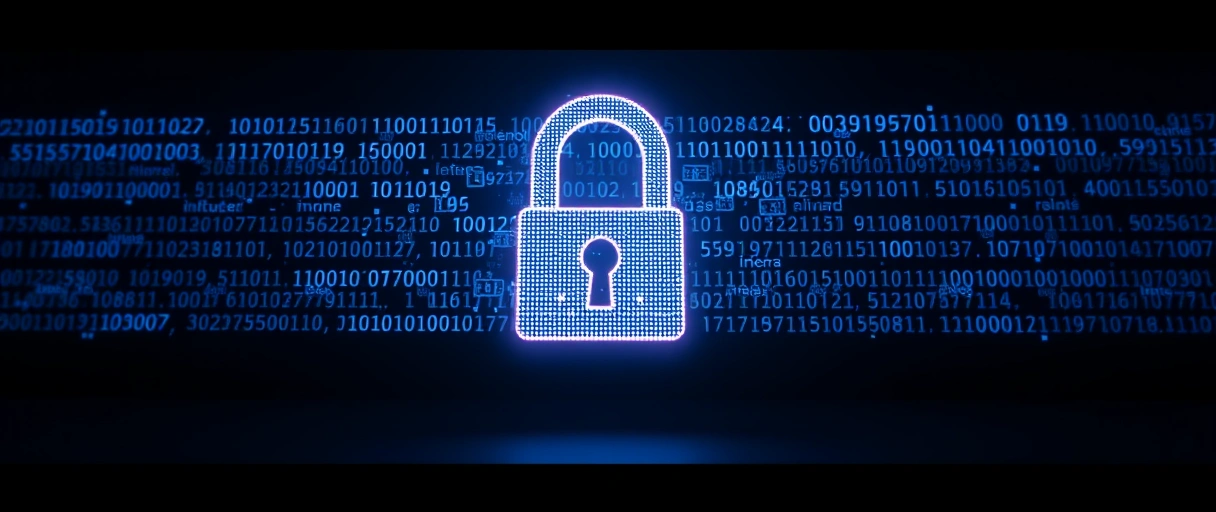
- How it works: it locks files with strong encryption (AES-256 for the files, RSA-2048 for the key), then shows a ransom note with payment instructions.
- Double extortion: modern strains also steal the data first and threaten to publish it if you do not pay.
- Paying rarely works: the average payment hit $1.54 million in 2023 (Sophos), yet only 8% of those who paid recovered all their data, an offline backup is the real fix.
What Is Spyware?
Spyware silently collects data from your device and sends it to an attacker, all without your knowledge. It is built to stay hidden:

- What it steals: keystrokes (keyloggers), screenshots, browser history, saved passwords, form data, and banking credentials.
- How it arrives: usually bundled with other software, through drive-by downloads, or dropped by a trojan.
- How serious it gets: advanced spyware such as Pegasus can compromise a phone with zero-click exploits, needing no interaction from the victim at all.
What Is Adware?
Adware floods you with unwanted advertisements, usually pop-ups, banners, or redirected browser pages, often without clear consent. It is the least dangerous type but still a real nuisance:
- The symptoms: a changed homepage, constant pop-ups, and ads appearing even when the browser is closed.
- How it arrives: mostly through software bundling, free programs that quietly include adware in the installer.
- Why it still matters: it tracks your browsing, slows your machine, and can act as a delivery vehicle for more harmful payloads.
What Is a Rootkit?
A rootkit buries itself deep in the operating system or firmware to gain hidden, privileged control while concealing its presence. It is the hardest type to detect and remove:
- Runs below the OS: kernel-mode, bootkit, and firmware rootkits operate beneath where normal security tools can see.
- Hides itself: it intercepts OS calls to mask its files, processes, and registry entries from scanners.
- Survives reinstalls: firmware rootkits live in hardware (UEFI, NIC, drive firmware), so removal can mean reflashing firmware or replacing hardware.
How Do You Protect Yourself From Malware?
No single tool stops everything, layered habits do. These beginner steps defend against every type above:
- Run reputable antivirus / anti-malware with real-time protection on, so attachments, links, and downloads are scanned as they arrive.
- Keep your OS and software patched, updates close the exact holes worms and exploit kits use.
- Be careful with email, do not open unexpected attachments or click links in unsolicited mail, phishing is the most common way in.
- Only install software from trusted sources, the single best defense against trojans and adware.
- Back up with the 3-2-1 rule, three copies, two media types, one off-site and offline, the only reliable recovery from ransomware.
- Turn on two-factor authentication (2FA), so stolen passwords alone cannot unlock your accounts.
How Does Antivirus Detect Each Malware Type?
Antivirus and EDR tools combine four detection techniques, because no single method catches every type. Each one is suited to different threats:
- Signature-based detection: Compares file hashes against a database of known malware signatures. Effective for viruses and known trojans. Fails against new (zero-day) variants and fileless malware.
- Heuristic analysis: Identifies suspicious code patterns (e.g., code that enumerates and modifies executables) without requiring a known signature. Detects new virus variants. Higher false-positive rate.
- Behavioral monitoring: Watches process behavior at runtime. Detects ransomware encryption activity (sudden mass file modification with entropy increase), worm lateral movement (port scanning, SMB connection attempts), and spyware exfiltration (outbound data to unknown IPs).
- Rootkit scanners: Use specialized low-level scanning that bypasses normal OS calls to detect discrepancies between what the OS reports and what is physically present on disk. Tools include Malwarebytes Anti-Rootkit and GMER.
Comparison of All 7 Malware Types
This table sums up how each type spreads, whether it needs a user, its main payload, and how it is removed:
| Type | Propagation | User Action Required | Primary Payload | Detection Difficulty | Removal Method |
|---|---|---|---|---|---|
| Virus | Infects host files | Yes (run infected file) | File corruption, backdoor | Low–Medium | Quarantine and delete infected files |
| Worm | Network self-replication | No | System resource exhaustion, payload delivery | Medium | Patch vulnerability, network isolation |
| Trojan | Social deception | Yes (install) | Backdoor, credential theft | Medium | Uninstall, AV scan, credential reset |
| Ransomware | Email, exploit kits, worm | Sometimes | File encryption, extortion | Low (obvious) | Restore from backup; decrypt if key available |
| Spyware | Bundling, drive-by download | Sometimes | Data exfiltration | High | Anti-spyware scan, credential reset |
| Adware | Software bundling | Yes (install) | Advertising, tracking | Low | Uninstall, browser reset, AV scan |
| Rootkit | Exploit, physical access | Sometimes | Persistent privileged access | Very high | Specialized scanner, OS reinstall, firmware reflash |
Last Thoughts on Viruses, Worms, and Trojans
Viruses, worms, and trojans are three malware types separated by one idea: how they spread. A virus needs a host file and a user to run it, a worm copies itself across networks on its own, and a trojan tricks you into installing it. Ransomware, spyware, adware, and rootkits round out the picture with their own payloads and hiding tricks. You do not need to be an expert to stay safe, layered basics carry almost all of the load: antivirus with real-time scanning, prompt updates, cautious email habits, trusted software only, two-factor authentication, and offline backups against ransomware.
Key Takeaways:
- Virus: attaches to a host file and needs a user to run it, then spreads only when someone shares the infected file.
- Worm: self-replicates across networks with no host and no user action, WannaCry hit 300,000 systems in 150 countries in 72 hours.
- Trojan: disguised as legitimate software you install yourself, it cannot self-replicate and depends entirely on deception.
- Ransomware, spyware, adware, rootkits: encrypt-for-ransom, covert data theft, forced ads, and deep hidden control, respectively.
- Protection is layered: antivirus, updates, careful email, trusted-source installs, 2FA, and 3-2-1 offline backups stop the vast majority of attacks.
Frequently Asked Questions (FAQs)
What is the main difference between a virus and a worm?
A virus requires user action (running an infected file) to spread. A worm spreads autonomously across networks by exploiting vulnerabilities, requiring no user interaction to replicate from machine to machine.
How does a trojan horse malware work?
A trojan disguises itself as legitimate software. Once installed by the user, it executes a hidden payload, creating backdoors, stealing credentials, or downloading additional malware, without the user’s knowledge.
Can ransomware be removed without paying?
Ransomware can be removed, but encrypted files cannot be recovered without the decryption key unless an offline backup exists. The FBI recommends not paying ransoms. Only 8% of payers recovered all data.
Why are rootkits the hardest malware to remove?
Rootkits embed in the OS kernel or hardware firmware below the level where standard antivirus runs. They intercept OS calls to hide their presence. Firmware rootkits survive OS reinstallation and may require hardware replacement.
How many new malware samples are created each day?
AV-TEST registered over 450,000 new malware samples per day in 2023. The total malware catalog exceeded 1.2 billion unique samples across all categories.
About the author

Nizam Ud DeenFounder and Tech Blogger
Muhammad Nizam Ud Deen Usman is the founder of theCoreiTech and the author of The Local SEO Cosmos. He has worked in search since 2014 as an SEO consultant for eCommerce stores and local businesses, specialising in eCommerce SEO, local SEO and technical SEO, and runs SEO Academy and the SEO Community from Multan, Pakistan. He also founded ORM Digital Solutions, a digital agency serving medium and large businesses, and holds a degree from the University of Education, Lahore (Multan Campus). Plerdy lists him among its Best 20+ SEO Experts in Pakistan. Nizam started theCoreiTech in 2012 to make computers easier to understand and use for everyone. More of his work is at nizamuddeen.com.
