
This buying guide explains how to future-proof a PC purchase by choosing components with headroom and prioritizing upgradeable parts. Future-proofing a PC means selecting specifications that keep a computer capable for several years rather than guaranteeing permanent relevance, because software demands rise over time and no purchase resists every change. The guide covers what realistic future-proofing means, where to buy headroom on the parts that age fastest, how to prioritize upgradeable platforms, how to avoid the weakest-link limits that age a computer early, which ports and standards extend usable life, and when future-proofing wastes money.
A comparison table ranks each component by future-proofing priority. Representative components include current-generation processors, system memory, solid-state storage, and graphics cards, with capacities and standards described in general terms because specific models and prices vary by release and region. The result is a framework for buying a PC that stays capable for longer without overspending.
What Future-Proofing a PC Actually Means
Future-proofing a PC means buying enough headroom and upgradeability to stay capable for several years, not guaranteeing a computer never needs replacement. Future-proofing is a planning approach that balances current cost against future capability. The realistic principles are listed below:
- Headroom means buying slightly above current needs so rising demands do not exhaust the system early.
- Upgradeability means choosing parts that can be replaced later rather than fixed at purchase.
- Realistic horizon means planning for several years rather than permanent relevance.
- Balanced spending means adding headroom where it lasts, not on every specification at once.
A future-proof PC stays useful because it has room to grow, not because it resists all change. The most effective headroom goes to the parts that age fastest, a priority that connects to the guide to gaming PC upgrade priorities and fits within the broader guide to buying a computer.
Buy Headroom on the Parts That Age Fastest
Headroom matters most on memory, storage, and the processor or graphics tier, because these parts feel rising demands first. A fast-aging part is one whose limits constrain the system soonest. The parts that benefit from headroom are listed below:
- System memory ages fast as applications and browser tabs consume more capacity over time.
- Storage capacity ages fast as files, updates, and games grow larger each year.
- Processor tier ages as software adds cores and threads to background and foreground tasks.
- Graphics tier ages fastest for gaming, since newer titles raise the demand on the GPU.
Choosing a higher memory capacity and a larger drive at purchase delays the first upgrade, because both fill predictably over a system’s life. The amount of memory to choose for headroom is detailed in the guide to how much RAM you need, and graphics headroom is covered in the guide to choosing a graphics card.
Prioritize Upgradeable Platforms
An upgradeable platform lets an owner add memory, storage, or a new component later, which extends usable life more than a sealed design. An upgradeable platform is one that allows owner access to key parts. The factors that favor upgradeability are listed below:
- Desktop towers allow replacement of memory, storage, the graphics card, and often the processor.
- Socketed memory lets an owner add capacity instead of accepting a fixed amount.
- Accessible storage provides spare drive slots or sockets for later expansion.
- Current socket and chipset allow a future processor upgrade within the same platform.
A desktop on a current socket can accept a newer processor without a full rebuild, while a laptop with soldered memory fixes its capacity at purchase. The choice between upgrading a part and replacing the whole system is examined in the guide to upgrading versus buying a new computer.
Avoid the Weakest-Link Limits
A single underpowered part, such as too little memory, a small drive, or a low-end processor, ages a computer faster than any other factor. A weakest-link limit is the specification that forces an early upgrade or replacement. The common weak links are listed below:



- Soldered minimum memory such as a fixed small capacity cannot expand and limits the system early.
- Small system drive fills quickly with updates and applications and forces an early upgrade.
- Low-end processor struggles with rising background and multitasking demands over time.
- Outdated connectivity such as an old wireless standard limits network speed as routers advance.
A laptop with a small, soldered memory capacity reaches its limit even when the processor remains capable, because the fixed memory cannot grow. Matching the parts so none becomes the early limit extends the system’s useful life more than overspending on one component.
Ports and Standards That Extend Usable Life
Current ports and wireless standards, such as USB-C and recent Wi-Fi generations, keep a PC compatible with future devices and networks. A connectivity standard determines how long a system connects to current accessories. The standards that extend life are listed below:
- USB-C and Thunderbolt connect current and future peripherals, displays, and docks.
- Wi-Fi 6E and Wi-Fi 7 add capacity and access newer bands as routers upgrade.
- Modern display outputs such as current HDMI and DisplayPort drive high-resolution monitors.
- Sufficient port count avoids reliance on adapters as device needs grow.
A system with USB-C and a recent Wi-Fi generation connects to newer devices and networks without adapters, according to standards bodies such as the Wi-Fi Alliance. Adequate connectivity at purchase prevents a capable computer from feeling outdated because of its ports alone.
When Future-Proofing Wastes Money
Future-proofing wastes money when a buyer overspends on top-tier parts that current and near-term software cannot use. Wasteful future-proofing pays for capability the buyer will not reach before an upgrade is cheaper. The cases of overspending are listed below:
- Excess memory beyond realistic needs sits unused while the money could fund later upgrades.
- Top-tier graphics for light use spends on performance that office and browsing tasks never reach.
- Highest-end processor for basic work pays for cores that everyday tasks leave idle.
- Premium parts in a sealed device waste money when the platform cannot be upgraded anyway.
Buying far more capability than current software uses ties up money that later upgrades could spend more efficiently, because component prices fall over time. Balanced headroom on upgradeable parts future-proofs more effectively than maximum specifications, a balance the guide to computer buying mistakes to avoid reinforces.
Component Future-Proofing Priority Table
| Component | Future-Proofing Priority | Reason |
|---|---|---|
| System memory | High | Ages fast; headroom or socketed capacity delays upgrades |
| Storage capacity | High | Fills predictably; larger or expandable drives last longer |
| Processor tier | Medium to high | A capable, current-socket CPU supports later upgrades |
| Graphics card | High for gaming | Newer games raise GPU demand fastest |
| Platform upgradeability | High | Socketed parts extend usable life the most |
| Ports and wireless | Medium | USB-C and recent Wi-Fi keep compatibility current |
| Power supply headroom | Medium | Spare wattage supports a future GPU upgrade |
Power Supply and Cooling Headroom
Spare power supply wattage and adequate cooling let a system accept a more demanding component later without a full replacement. A headroom margin on power and cooling supports a future upgrade. The factors are listed below:
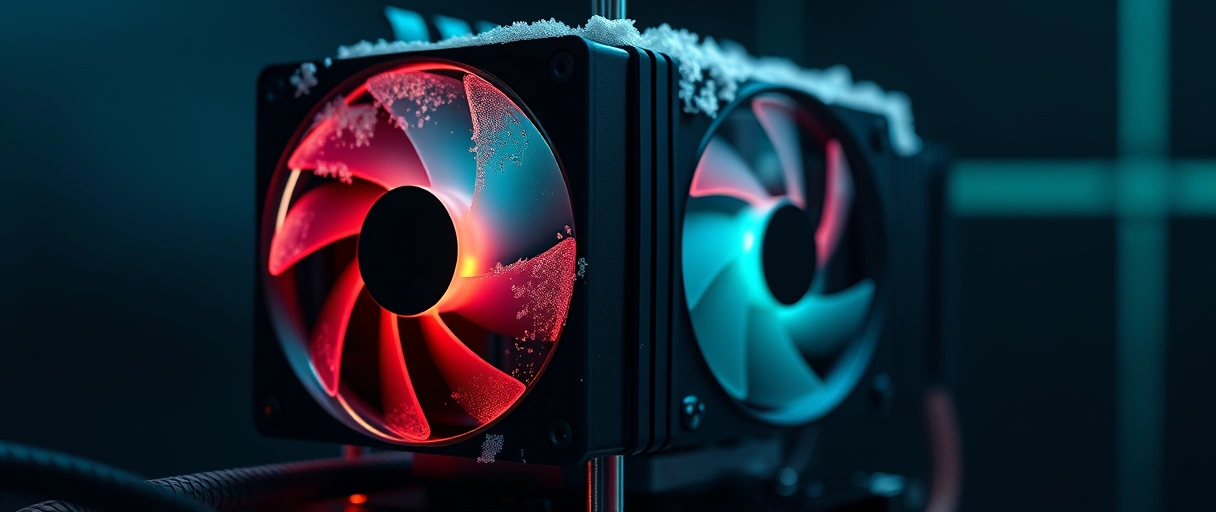
- Power supply wattage with a margin above current draw supports a stronger graphics card later.
- Efficiency rating indicates a quality supply that handles added load reliably.
- Cooling capacity with room for a larger cooler keeps a future processor within temperature limits.
- Case airflow with space for added fans supports higher-power components over time.
A power supply chosen with spare wattage supports a future graphics upgrade without a second purchase, a priority that aligns with the gaming PC upgrade priorities guide. Adequate cooling keeps an upgraded processor or card within its temperature limits, which preserves performance over the system’s life.
Operating System and Software Support Lifespan
A platform’s eligibility for future operating-system versions and security updates affects how long a computer stays current. A support lifespan sets how long the system receives software updates. The factors are listed below:
- Operating-system eligibility determines whether the hardware can run the next major version.
- Security update window sets how long the platform receives protective updates.
- Firmware support from the manufacturer keeps the system compatible and secure.
- Hardware requirements for new software can retire an otherwise capable machine early.
A computer that meets the requirements for upcoming operating-system versions stays current longer than one that does not, even with capable hardware, according to operating-system vendor guidance. Checking the support window at purchase prevents a capable machine from losing updates early.
Who Benefits Most From Future-Proofing
Buyers who keep a computer for many years, gamers, and creators benefit most from future-proofing, while light users and frequent upgraders benefit least. The benefit depends on how long the buyer keeps the system and how demanding the workload is. The buyer profiles are listed below:
- Long-term keepers benefit from headroom and upgradeability that delay the next purchase.
- Gamers benefit from graphics and power headroom that support later GPU upgrades.
- Creators benefit from memory and storage headroom for growing project files.
- Light users benefit least, since basic tasks rarely reach the limits of current parts.
A buyer who replaces a computer every few years gains little from heavy future-proofing, while a long-term owner gains the most from an upgradeable platform. Matching the strategy to the holding period fits within the broader computer buying guide.
Key Takeaways
- Future-proofing means realistic headroom and upgradeability, not permanent relevance.
- Headroom matters most on memory, storage, and the processor or graphics tier.
- Upgradeable platforms extend usable life more than sealed designs.
- Weakest-link limits such as soldered minimum memory age a computer fastest.
- Current ports and wireless keep a system compatible with future devices.
- Overspending on unused top-tier parts wastes money better spent on later upgrades.
How do I future-proof a PC purchase?
Future-proof a PC by buying headroom on memory and storage, choosing an upgradeable platform, avoiding weakest-link limits like soldered minimum memory, and including current ports and wireless. Add headroom where parts age fastest rather than everywhere.
What does future-proofing a PC mean?
Future-proofing a PC means choosing specifications and upgradeable parts that keep a computer capable for several years. It reduces how soon an upgrade is needed but does not guarantee permanent relevance.
Which parts age the fastest in a computer?
System memory, storage capacity, and the graphics tier age the fastest, since applications, files, and games grow more demanding each year. Adding headroom to these parts delays the first upgrade.
Is a desktop more future-proof than a laptop?
A desktop is usually more future-proof because it allows replacement of memory, storage, the graphics card, and often the processor. A laptop with soldered memory fixes that capacity at purchase.
Does future-proofing waste money?
Future-proofing wastes money when a buyer overspends on top-tier parts that current and near-term software cannot use. Balanced headroom on upgradeable parts is more efficient than maximum specifications.
Do ports and wireless standards matter for future-proofing?
Yes. USB-C, Thunderbolt, and recent Wi-Fi generations keep a PC compatible with future devices and networks. Adequate connectivity prevents a capable computer from feeling outdated because of its ports.
Last Thoughts on Future-Proofing a PC
Future-proofing a PC means buying realistic headroom on the parts that age fastest, memory, storage, and the processor or graphics tier, while prioritizing an upgradeable platform. Avoiding weakest-link limits such as soldered minimum memory extends usable life, current ports and wireless keep the system compatible, and balanced spending avoids paying for capability the software cannot use.
The strategy benefits long-term owners, gamers, and creators most. Readers can continue with the gaming PC upgrade priorities guide, the guide to how much RAM you need, the upgrade versus buy guide, or the complete computer buying guide.

