
A business laptop buying guide evaluates reliability, security, the keyboard, battery life, docking and ports, manageability, and warranty support, because a business laptop is selected for durability and security over peak performance. A business laptop is a business-class system built to a durability standard, with hardware security features and manageability that a consumer laptop omits. This guide defines what to consider, then covers each buying factor in order: reliability and durability, security, the keyboard, battery life, docking and ports, manageability, and warranty and support.
A required comparison table lists the features that separate a business-class laptop from a consumer laptop. The guide states which buyer each option fits. The result is a basis for selecting a business laptop by the features that affect reliability, security, and total cost of ownership, using real business-class lines rather than a single recommendation.
What to Consider in a Business Laptop
A business laptop is selected for reliability, hardware security, and manageability over peak performance, because a business laptop runs for years in an organization where downtime and security breaches carry a direct cost. A business laptop belongs to a business-class line such as the Lenovo ThinkPad, Dell Latitude, or HP EliteBook, built to standards a consumer laptop omits. The selection priorities for a business laptop are listed below:
- Reliability and durability reduce downtime, so a business laptop is built and tested to a durability standard.
- Hardware security protects data, so a business laptop includes a security chip, secure sign-in, and firmware protections.
- Manageability lowers support cost, so a business laptop supports remote management by an organization’s information technology team.
- Warranty and support reduce total cost of ownership, so a business laptop offers on-site or next-business-day service.
A business laptop trades the thin design and consumer features of a standard laptop for durability, security, and serviceability. The systems suited to professional daily work appear in the best laptops for work, which ranks business-class models by the demands of office and field use.
Reliability and Durability
Reliability and durability are the first consideration in a business laptop, because a business-class chassis is tested against military-standard durability tests for shock, vibration, temperature, and dust. A business laptop is built to survive daily transport and years of use. Two durability rules apply:
- A MIL-STD-810 tested chassis passes shock, vibration, temperature, and dust tests that a business laptop faces in transport and field use.
- A reinforced hinge and chassis survives repeated opening and daily carrying, where a consumer laptop is built for lighter use.
A business laptop tested against the MIL-STD-810 standard survives the drops, vibration, and temperature swings of daily transport, reducing the failures that cause downtime. The ThinkPad, Latitude, and EliteBook lines publish durability testing that a consumer line does not, so a business laptop carries a measured reliability target rather than a thin chassis.
Security Features
Security features in a business laptop include a Trusted Platform Module, fingerprint or infrared sign-in, and platform protections such as vPro, because a business laptop holds organization data that requires hardware-level protection. A business laptop builds security into the hardware. Three security features apply:

- A Trusted Platform Module (TPM) stores encryption keys in hardware, supporting full-disk encryption that protects data if a business laptop is lost.
- A fingerprint reader or infrared (IR) camera enables secure sign-in, replacing a password with a biometric factor on a business laptop.
- A vPro platform adds hardware-level security and remote management features that an organization’s information technology team uses.
A business laptop with a Trusted Platform Module supports full-disk encryption, which protects data if the device is lost or stolen. A fingerprint reader or infrared camera adds biometric sign-in, and a vPro platform adds the hardware management an organization uses, so a business laptop combines device security with fleet management a consumer laptop omits.
Keyboard Quality
Keyboard quality is a primary consideration in a business laptop, because a business laptop is used for long typing sessions where key travel, spill resistance, and layout affect productivity. A business laptop emphasizes the keyboard as a daily input surface. Two keyboard rules apply:



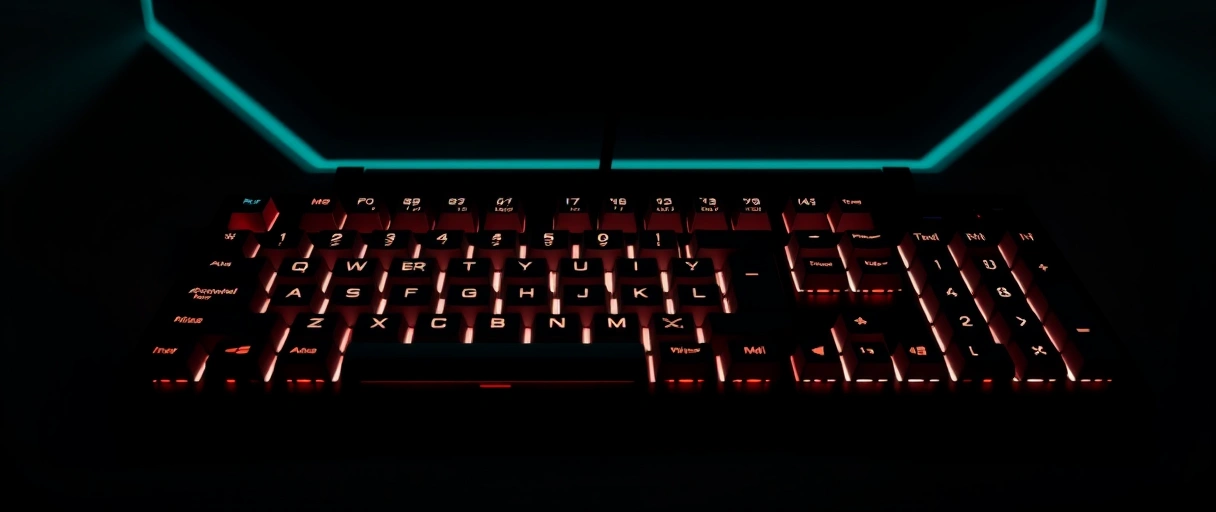
- Adequate key travel and tactile feedback support long typing sessions, where a business-class keyboard targets comfort over a thin profile.
- Spill resistance and a backlight protect the keyboard against accidents and support use in low light during business travel.
A business laptop keyboard with deeper key travel and tactile feedback supports the long typing sessions of office work, reducing fatigue over a consumer keyboard built for thinness. The ThinkPad keyboard, Latitude keyboard, and EliteBook keyboard add spill resistance and a backlight, so a business laptop treats the keyboard as a productivity tool rather than a thin input panel.
Battery Life and Ports
Battery life and docking are key considerations in a business laptop, because a business laptop must last a full workday on battery and connect to a docking station for a desk setup. A business laptop balances all-day runtime with desk connectivity. Two rules apply:
- All-day battery life supports a full workday of office tasks away from power, where a business laptop targets eight or more hours of typical use.
- A docking station over USB-C or Thunderbolt connects a business laptop to monitors, a keyboard, and wired networking through a single cable.
A business laptop with all-day battery life supports a full workday of email, documents, and video calls away from power. A docking station connects a business laptop to external monitors, a keyboard, and wired networking through a single USB-C or Thunderbolt cable, so a business laptop switches between desk and mobile use without reconnecting each peripheral.
Manageability
Manageability in a business laptop is the ability of an organization’s information technology team to deploy, secure, and update the device remotely, because a business laptop runs within a managed fleet. A business laptop supports central management that lowers support cost. Two manageability rules apply:
- Remote management through a vPro platform lets an information technology team update, secure, and repair a business laptop without physical access.
- Consistent hardware platforms across a fleet let an organization deploy one image and one driver set across many identical business laptops.
A business laptop with remote management lets an information technology team push updates, enforce security policy, and repair firmware without touching the device. Business-class lines hold a consistent platform across a model generation, so an organization deploys one operating-system image and one driver set across a fleet, lowering the support cost a varied consumer fleet carries.
Warranty and Support
Warranty and support are decisive in a business laptop, because the service level affects the downtime an organization faces when a business laptop fails. A business laptop offers service tiers a consumer warranty omits. Two support rules apply:
- An on-site or next-business-day service tier sends a technician or part to the user, reducing the downtime a mail-in repair carries.
- An extended multi-year warranty matches the service period to the years a business laptop runs in an organization.
A business laptop with on-site or next-business-day service restores a failed device faster than the mail-in repair a consumer warranty provides, reducing the downtime cost an organization faces. The ThinkPad, Latitude, and EliteBook lines offer multi-year and on-site service tiers, so a business laptop matches the support period to its years of service.
Business Class vs Consumer Laptop
The features that separate a business-class laptop from a consumer laptop are listed below, with the reason each affects reliability, security, or total cost of ownership:
| Feature | Business-Class Laptop | Consumer Laptop |
|---|---|---|
| Durability | MIL-STD-810 tested chassis and hinge | Built for lighter daily use |
| Security | TPM, fingerprint/IR sign-in, vPro options | TPM common; vPro and fleet security rare |
| Keyboard | Deeper travel, spill resistance, backlight | Thinner travel, varies by model |
| Manageability | Remote management, consistent platform | Limited central management |
| Warranty | On-site / next-business-day, multi-year | Mail-in, typically one year |
| Representative lines | ThinkPad, Latitude, EliteBook/ProBook, Surface | Consumer Inspiron, IdeaPad, Pavilion, Aspire |
A business-class laptop adds durability, hardware security, manageability, and a stronger service tier over a consumer laptop, which a buyer weighs against the lower cost of a consumer model. The systems matched to professional daily work appear in the best laptops for work, which ranks business-class models by office and field demands.
Who Should Buy a Business Laptop
A business laptop fits buyers whose work depends on reliability, security, and support, with the buyer profiles listed below framed by need rather than a single price:
- Organizations managing a fleet need the manageability, consistent platform, and on-site service that lower the support cost of many devices.
- Professionals handling sensitive data need the Trusted Platform Module, biometric sign-in, and encryption that protect organization data.
- Mobile workers and field users need the MIL-STD-810 durability and all-day battery that survive daily transport and field conditions.
A business laptop suits organizations, professionals handling sensitive data, and mobile workers who value reliability and support over the lower cost of a consumer model. Buyers comparing platforms before selecting a business-class model can review the MacBook versus Windows laptop comparison, or start from the guide to choosing a laptop.
Key Takeaways
- Reliability and durability come first, with a MIL-STD-810 tested chassis reducing downtime.
- Security is built into the hardware, through a TPM, fingerprint or infrared sign-in, and vPro.
- The keyboard is a productivity tool, with deeper travel, spill resistance, and a backlight.
- All-day battery and docking support a full workday and a single-cable desk setup.
- Manageability lowers support cost, through remote management and a consistent platform.
- On-site or next-business-day service reduces the downtime a mail-in repair carries.
What makes a laptop a business laptop?
A business laptop belongs to a business-class line built to a durability standard, with hardware security such as a TPM and vPro, manageability for an information technology team, and stronger warranty service.
Do business laptops have better security?
Yes. A business laptop includes a Trusted Platform Module for encryption, fingerprint or infrared sign-in, and vPro platform security that consumer laptops often omit, protecting organization data at the hardware level.
What is MIL-STD-810 on a laptop?
MIL-STD-810 is a military durability standard. A business laptop tested against it passes shock, vibration, temperature, and dust tests, surviving the daily transport and field conditions that cause failures.
What is vPro on a business laptop?
vPro is an Intel platform that adds hardware-level security and remote management. It lets an information technology team update, secure, and repair a business laptop without physical access to the device.
Are business laptops worth the higher cost?
A business laptop is worth the cost when reliability, security, manageability, and on-site support reduce downtime and total cost of ownership over years, which matters most for organizations and sensitive work.
Why do business laptops have better keyboards?
A business laptop is used for long typing sessions, so the keyboard adds deeper key travel, tactile feedback, spill resistance, and a backlight, treating the keyboard as a productivity tool rather than a thin panel.
What warranty do business laptops offer?
A business laptop offers on-site or next-business-day service and multi-year warranty terms, which restore a failed device faster than the mail-in, one-year warranty common on a consumer laptop.
Last Thoughts on Business Laptop Buying
A business laptop buying guide evaluates reliability and MIL-STD-810 durability, hardware security through a TPM, biometric sign-in and vPro, keyboard quality, all-day battery, docking, manageability, and warranty service, using real business-class lines such as the Lenovo ThinkPad, Dell Latitude, HP EliteBook and ProBook, and Microsoft Surface. A business-class laptop adds durability, security, and serviceability over a consumer laptop, which a buyer weighs against the lower consumer cost. Buyers can match a model to daily work in the best laptops for work, compare platforms in the MacBook versus Windows laptop comparison, or return to the guide to buying a computer.

