
Selecting a wireless mouse affects comfort, precision, and convenience across work and gaming. This buying guide is for office workers, designers, and gamers who want a cordless pointing device that balances responsiveness against cable-free freedom. A wireless mouse emphasizes connection type, sensor quality, battery life, and shape rather than the fixed reliability of a wired mouse alone.
The criteria below cover connection across 2.4GHz dongle and Bluetooth, sensor and DPI, battery life, shape and ergonomics, weight, button count, and multi-device pairing. Representative product lines from Logitech and Razer illustrate each category without fixed prices, because street prices vary by region and promotion. Recommendations stay criteria-based, so the right mouse depends on hand size, primary task, and surface rather than a single scored ranking.
What to Look For in a Wireless Mouse
A wireless mouse is defined by its connection, sensor, comfort, and battery. The following criteria frame the decision across productivity and gaming use.
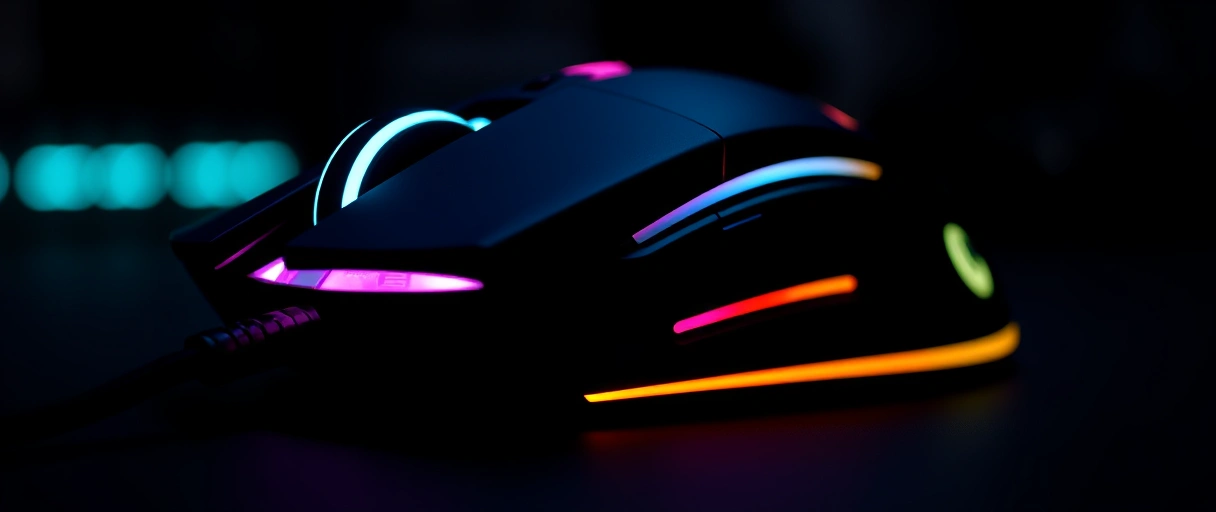
- Connection type across a 2.4GHz dongle and Bluetooth affects latency, range, and device compatibility.
- Sensor and DPI determine tracking accuracy and the range of cursor sensitivity.
- Battery life sets how often the mouse needs charging or new cells.
- Shape and ergonomics match the hand size and grip style for comfort.
- Weight influences fatigue in productivity and speed in gaming.
- Buttons and multi-device pairing add shortcuts and switching across computers.
Use case shapes priority. A productivity user favors ergonomics, battery life, and multi-device pairing, while a gamer favors low latency, a precise sensor, and low weight. The complete computer purchasing hub places mouse selection within a full peripheral setup.
Connection: 2.4GHz Dongle Versus Bluetooth
Connection type sets latency and convenience. A 2.4GHz dongle uses a USB receiver to deliver low latency and a stable link, the preferred mode for gaming. Bluetooth connects without a receiver and supports laptops and tablets directly, but carries slightly higher latency.
Many productivity mice include both modes so one device covers a desktop receiver and a Bluetooth laptop. A high-polling dongle near 1000Hz or higher suits competitive gaming.
The Logitech MX and G lines and the Razer wireless line cover dongle and dual-mode designs. Receiver-based connections free a USB port but provide the most consistent response.
Sensor and DPI
Sensor quality governs tracking accuracy. An optical sensor reads surface movement and reports it as cursor motion, and modern sensors track reliably across a wide DPI range. DPI, dots per inch, sets cursor sensitivity, and adjustable DPI lets a user switch between precise low settings and fast high settings.
High maximum DPI figures matter less than tracking consistency and low latency. The Logitech HERO sensor and the Razer Focus sensor families appear across productivity and gaming lines. On-the-fly DPI buttons allow quick sensitivity changes for design or aiming tasks.



Battery Life and Charging
Battery life determines maintenance frequency. A rechargeable mouse uses an internal cell charged over USB-C, and some models add wireless charging through a compatible mat. A mouse using a replaceable AA cell can run for months on one battery.
Battery life varies with lighting, polling rate, and connection mode, so a higher polling rate shortens runtime. The Logitech MX Master line emphasizes multi-week rechargeable runtime, and the Logitech G line balances runtime with gaming polling rates. USB-C charging while in use prevents downtime during long sessions.
Shape, Ergonomics, and Weight
Shape and weight determine comfort and control. An ergonomic shape supports the hand for long productivity sessions, and a vertical mouse holds the wrist in a more neutral position. Grip style, across palm, claw, and fingertip, pairs with hand size to set the ideal shape.
Weight influences use, since a heavier mouse adds stability for productivity while a lighter mouse near or below 70 grams aids quick gaming movements. The Logitech MX Master line targets productivity ergonomics, and the Logitech G Pro and Razer gaming lines target low weight. Symmetrical shapes suit left-handed and ambidextrous use.
Buttons and Multi-Device Pairing
Buttons and pairing extend functionality. Programmable side buttons assign browser navigation, application shortcuts, or gaming actions. A horizontal scroll wheel or thumb wheel speeds navigation in spreadsheets and timelines.
Multi-device pairing stores several connections so the mouse switches between a desktop and a laptop with one button, and some models copy text across paired computers. The Logitech MX Master and MX Anywhere lines provide multi-device switching and extra buttons.
Gaming mice instead concentrate buttons for in-game macros and DPI control. The mechanical keyboard recommendations pairs with a multi-device mouse for a unified desk.
Wireless Mouse Criteria and Tier Comparison
The table maps mouse criteria to productivity and gaming tiers. Spending figures are approximate and vary by region, feature set, and promotion.

| Tier | Primary Use | Connection | Shape and Weight | Representative Lines |
|---|---|---|---|---|
| Entry productivity | Office, travel | Bluetooth or dongle | Compact, medium weight | Logitech MX Anywhere |
| Premium productivity | Design, multitasking | Dongle and Bluetooth | Ergonomic, heavier | Logitech MX Master |
| Entry gaming | Casual gaming | 2.4GHz dongle | Symmetrical, medium | Logitech G, Razer |
| Competitive gaming | Esports | High-polling dongle | Lightweight under 70g | Logitech G Pro, Razer |
How Much to Spend on a Wireless Mouse
Wireless mouse budgets vary by region and promotion, so the ranges below are approximate estimates rather than fixed prices.
- Entry productivity estimates cover compact dual-mode mice for travel and basic office use.
- Premium productivity estimates cover ergonomic multi-device mice with extra buttons and rechargeable batteries.
- Entry gaming estimates cover 2.4GHz mice with reliable sensors for casual gaming.
- Competitive gaming estimates cover lightweight high-polling mice with premium sensors for esports.
A comfortable shape and reliable sensor return value across daily use, so fit matters more than peak specification figures. The complete computer purchasing hub places mouse spending within a full system budget.
Polling Rate and Responsiveness
Polling rate measures how often a mouse reports its position to the computer, stated in hertz. A 1000Hz polling rate reports once per millisecond, the common standard for responsive use. Some gaming mice reach 4000Hz or 8000Hz for lower perceived latency, though the benefit narrows above 1000Hz for most players and demands more processing.
Higher polling rates also shorten wireless battery runtime. The Logitech G and Razer gaming lines offer high polling-rate dongles, while productivity mice run lower rates to extend battery life. Polling rate pairs with sensor latency to define how immediate cursor movement feels during fast input.
Mouse Feet and Tracking Surfaces
Mouse feet and the underlying surface affect glide and tracking accuracy. Skates made of PTFE reduce friction so the mouse slides smoothly, and larger feet spread contact for consistent movement. A mouse pad provides a uniform surface that the sensor reads reliably, while glossy or transparent surfaces can confuse optical sensors.
A control-oriented cloth pad adds friction for precise aiming, and a speed-oriented pad reduces it for quick movements. Replacement skates restore glide as the originals wear. Surface choice matters for both productivity precision and gaming speed, complementing the sensor inside the mouse.
Software, Macros, and Onboard Memory
Software and onboard storage extend a mouse beyond its physical buttons. Configuration software assigns button functions, adjusts DPI stages, and records macros that trigger multiple actions from one press. Onboard memory stores these profiles inside the mouse, so settings carry to another computer without reinstalling software.
Profile switching loads different button layouts for separate applications or games. The Logitech and Razer lines provide configuration software with onboard memory on many models. A multi-device mouse paired with a configured keyboard streamlines a desk, and the mechanical keyboard recommendations covers matching input devices.
Scroll Wheel Types and Navigation
Scroll wheel design affects navigation speed and precision. A notched, or ratchet, wheel clicks through each step for controlled line-by-line scrolling. A free-spin, or hyper-scroll, wheel spins freely to fly through long documents and web pages.
Some productivity mice switch between both modes, and a tilt or horizontal wheel scrolls sideways through wide spreadsheets and timelines. The Logitech MX Master line includes a free-spin wheel and a separate thumb wheel for horizontal motion. Wheel choice depends on whether precise stepping or rapid travel matters more for the primary task, complementing the buttons described above.
Durability and Switch Lifespan
Durability determines how long a mouse stays reliable. Mechanical click switches carry a rated lifespan, often tens of millions of clicks, and optical click switches avoid the contact wear that causes double-click faults over time. Build materials and cable or wireless design affect longevity, and a replaceable set of skates extends usable life.
The Logitech and Razer lines list switch lifespan ratings and have moved toward optical switches on some models. A higher click rating and quality sensor extend the period before a mouse needs replacement, which raises the value of a durable build across daily productivity and gaming use.
Key Takeaways
- Match connection to use with a 2.4GHz dongle for gaming and Bluetooth for laptop flexibility.
- Weigh sensor consistency over peak DPI figures for reliable tracking.
- Choose shape by hand and grip with ergonomic forms for productivity and light forms for gaming.
- Check battery type between rechargeable cells and replaceable AA batteries.
- Use multi-device pairing to switch one mouse across a desktop and a laptop.
Is a 2.4GHz dongle or Bluetooth better for a mouse?
A 2.4GHz dongle gives lower latency and a more stable link, suited to gaming. Bluetooth needs no receiver and connects to laptops directly, with slightly higher latency.
Does high DPI make a mouse better?
High DPI raises cursor sensitivity but tracking consistency and low latency matter more. Most users set DPI between 800 and 1600 regardless of the maximum the sensor supports.
How long do wireless mouse batteries last?
Rechargeable mice often run for weeks per charge, while AA-powered mice can run for months. Higher polling rates, lighting, and dongle use shorten runtime.
What weight is best for a gaming mouse?
Competitive gamers often prefer mice near or below 70 grams for quick movements. Productivity users may favor a heavier mouse for stability during precise work.
Can one wireless mouse work on multiple computers?
Multi-device mice store several connections and switch between a desktop and a laptop with one button. Some models also copy text and files across paired computers.
Do I need a rechargeable mouse?
Rechargeable mice avoid buying batteries and charge over USB-C, often while in use. Replaceable-battery mice trade charging for long runtime on a single cell.
Last Thoughts on Best Wireless Mice
A wireless mouse selection rests on connection type, sensor consistency, battery life, shape, weight, and button layout rather than a single ranked verdict. Productivity users favor ergonomic shapes, multi-device pairing, and long battery life, while gamers favor low-latency dongles, precise sensors, and low weight.
Fit to the hand and primary task outweighs peak specification figures. Buyers completing a desk can pair the mouse with the mechanical keyboard recommendations, and those building a streaming corner can review the streaming camera picks alongside the chosen pointing device.

